
This method allows you send an acknowledged return receipt.
Prerequisite:
-
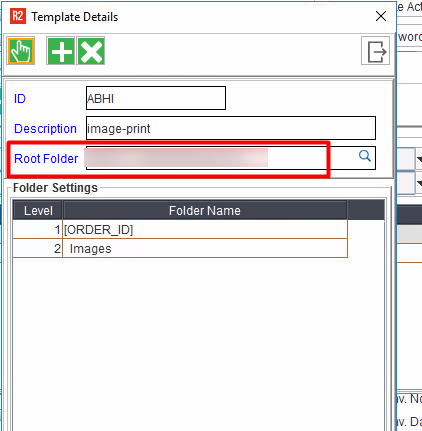
The ‘Document Folder Path’ must be configured in Configuration module.
-
The ‘Order ID’ must have the ‘Document Folder Path’.
-
The root folder path must be an accessible network path.
POST
End Point: /warehouse/orders/{orderID}/returnreceipt/upload
Sample request payload
{
  file: <file_name>.pdf
}
-
Documents Folder Root Directory must be configured for the specified order type in R2's Configuration.
-
It is suggested to ensure that the Documents Folder Root Directory is reachable/accessible through the R2API server; probably as a network paths.
-
Uploaded files are saved under the configured Documents Folder. The folder structure will follow the pattern below.
-
Syntax:
<Documents Folder Root Directory>\ReturnReceipt\{orderID}\filename.pdf
-
-
If the file being uploaded already exists in the Document folder; in such case, the new file will get saved with a suffix of incremented sequence.
Sample response payload:
{
  response: "String"
}
Some examples for the ‘response’:
-
When there is path is not configured from the configuration.
-
Error message: "Document folder is not configured"
-
-
When there is any exception occurred.
-
Error message: "Failed to upload file".
-
-
When user enters the wrong order id.
-
Error message: “Invalid order id {$order_id}
-