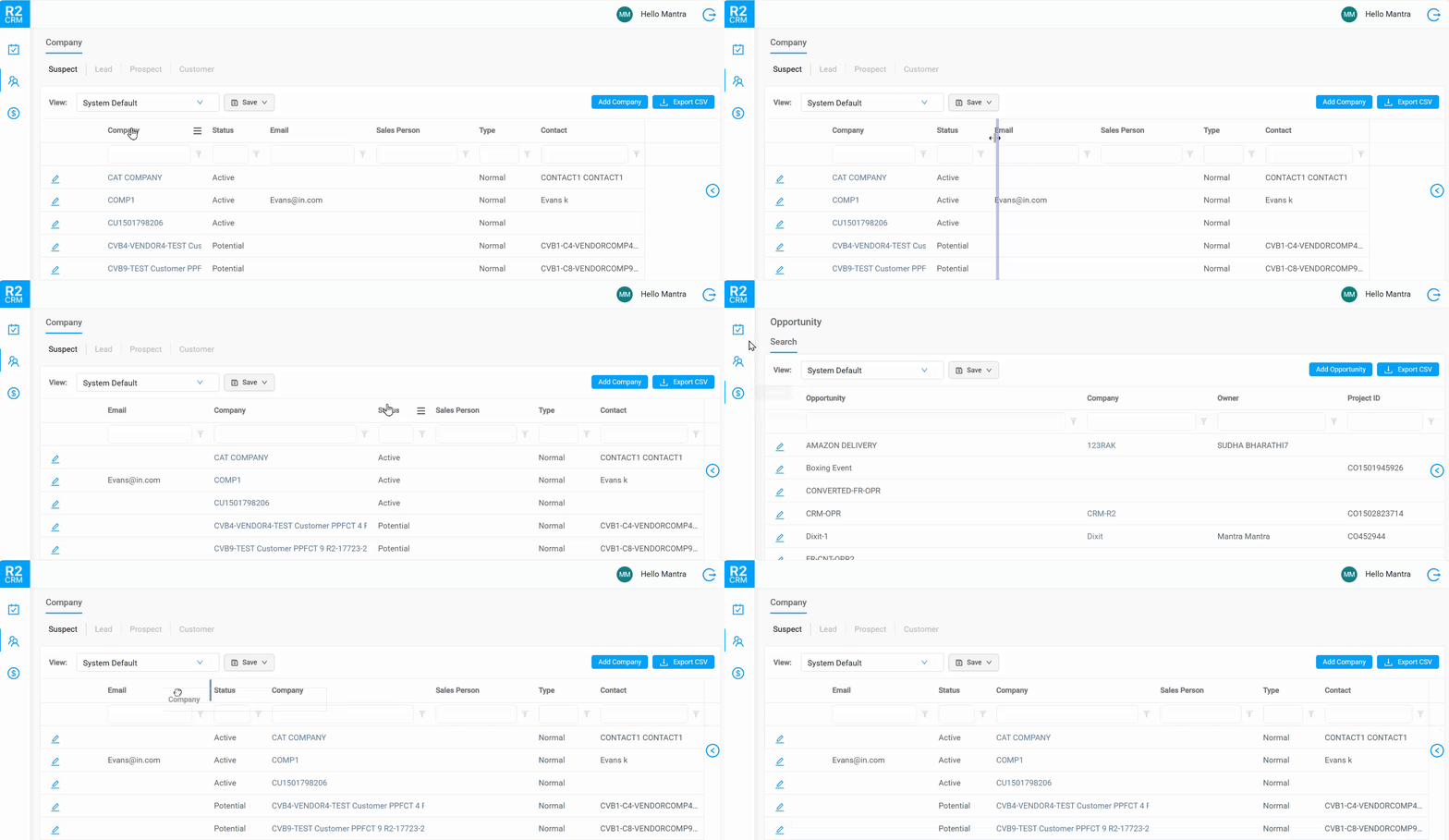
You can personalize your grid layout on main search screens such as Activity Manager, Customer Search, and Opportunity Search. This allows you to maintain your preferred column layout—including column order, width, and visibility—across sessions.
-
The CRM automatically loads your previously saved grid layout when you open any search screen.
-
Changes you make—reordering, resizing, showing or hiding columns—are saved instantly.
-
Your layout is remembered across sessions and restored the next time you return.
If a column with an active filter is hidden, the system automatically clears the filter for that column.
Only customizable properties are saved (position, width and visibility).
-
Default settings are applied if you are accessing the screen for the first time.
-
Grid state is stored separately from filter preferences.
-
Grid customization is supported only on main search screens and not on edit screens.