
Overview
The Copy Planned Hours to Actual Hours feature automates the administrative workflow for planners. It allows you to replace existing actual hours with pre-scheduled planned hours for multiple timesheet records simultaneously. Before modifying any records, the system requires a manual validation step to prevent accidental data overwrites.
To copy planned hours to actual hours
Perform this procedure to batch-update the actual work hours with your pre-scheduled metrics for eligible records.
-
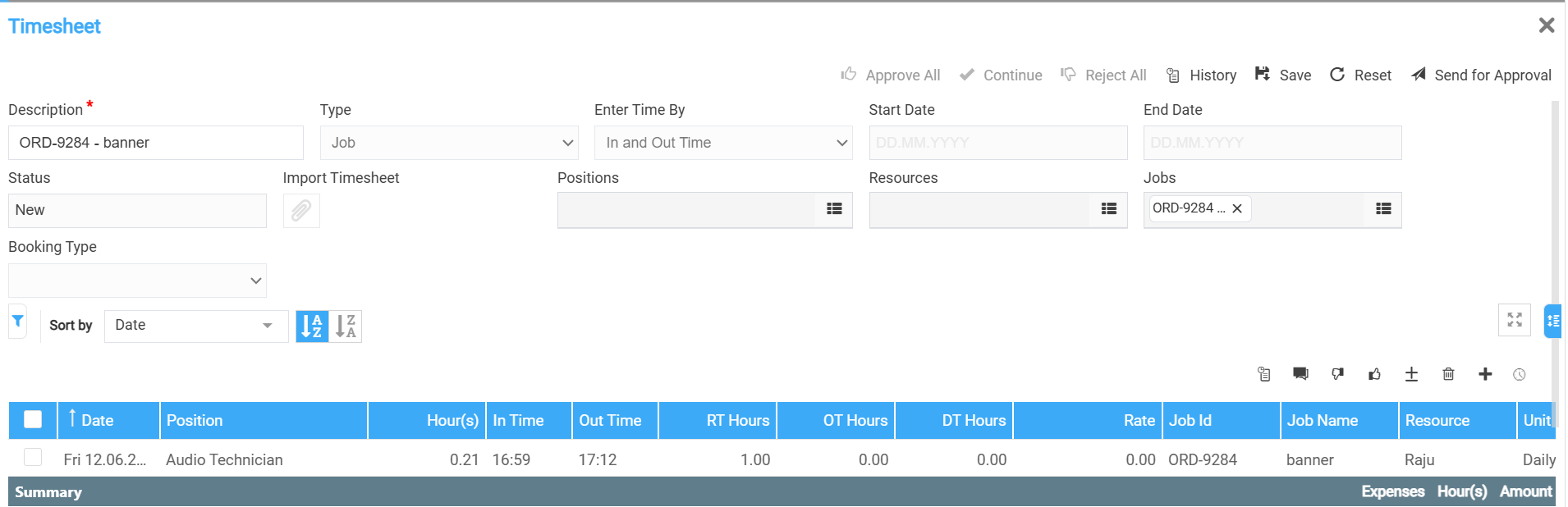
Open the Timesheet screen.
-
In the data grid, select one or more timesheet lines to modify.
-
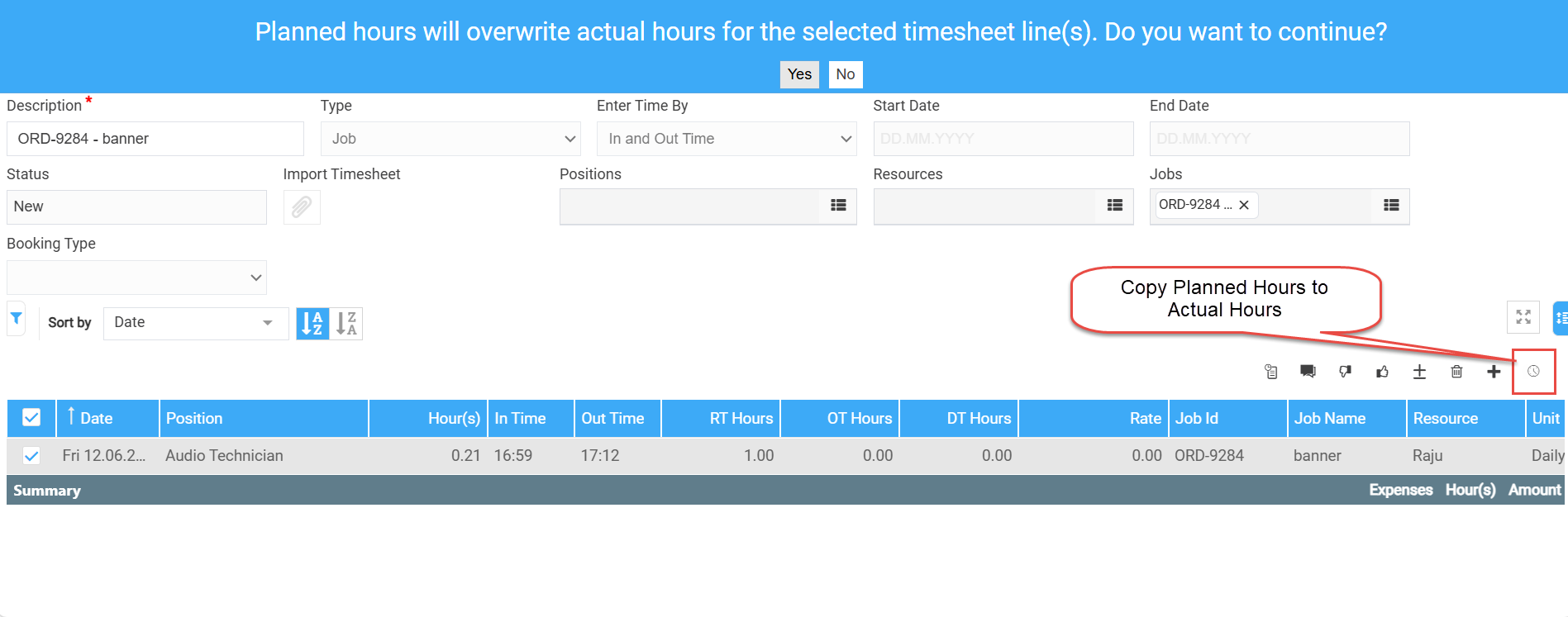
Select Copy Planned Hours to Actual Hours.
-
Review the confirmation message displayed by the system.
-
Select Yes to confirm the change.
The system replaces the value in the Actual Hours field with the value from the Planned Hours field for all selected, eligible timesheet lines.
Status Eligibility
The Copy Planned Hours to Actual Hours action is restricted by the lifecycle state of each record. The action is unavailable for timesheet lines that reside in the following restricted statuses:
-
Rejected
-
Approved
-
Paid & Closed