
You can mark a task / schedule as Done when the task is complete.
-
Mark a Prep and Ship task as Done
-
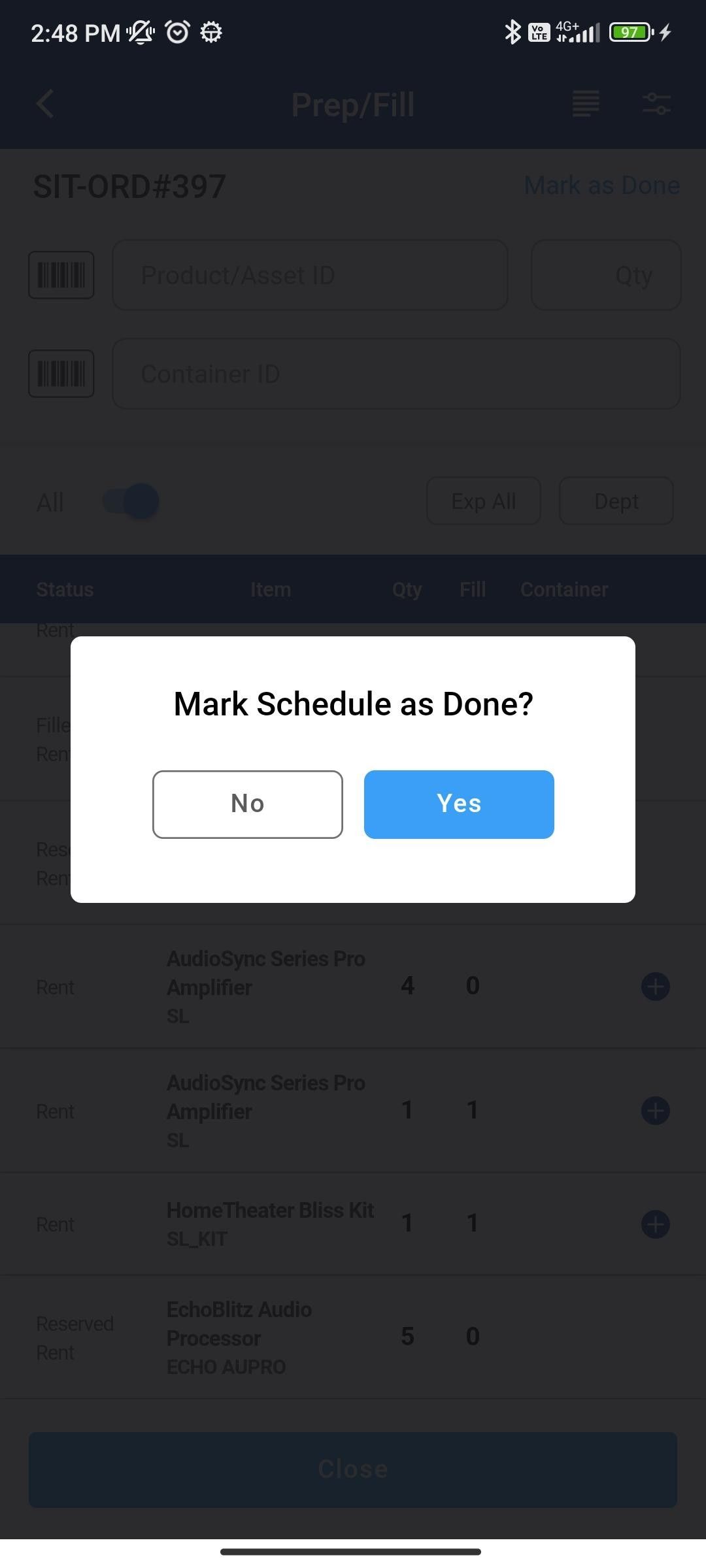
You will get warned if you are sure to mark it as Done
-
If I choose to cancel the action, the task is not marked as Done
-
If I choose to continue, the task is marked as Done
-
-
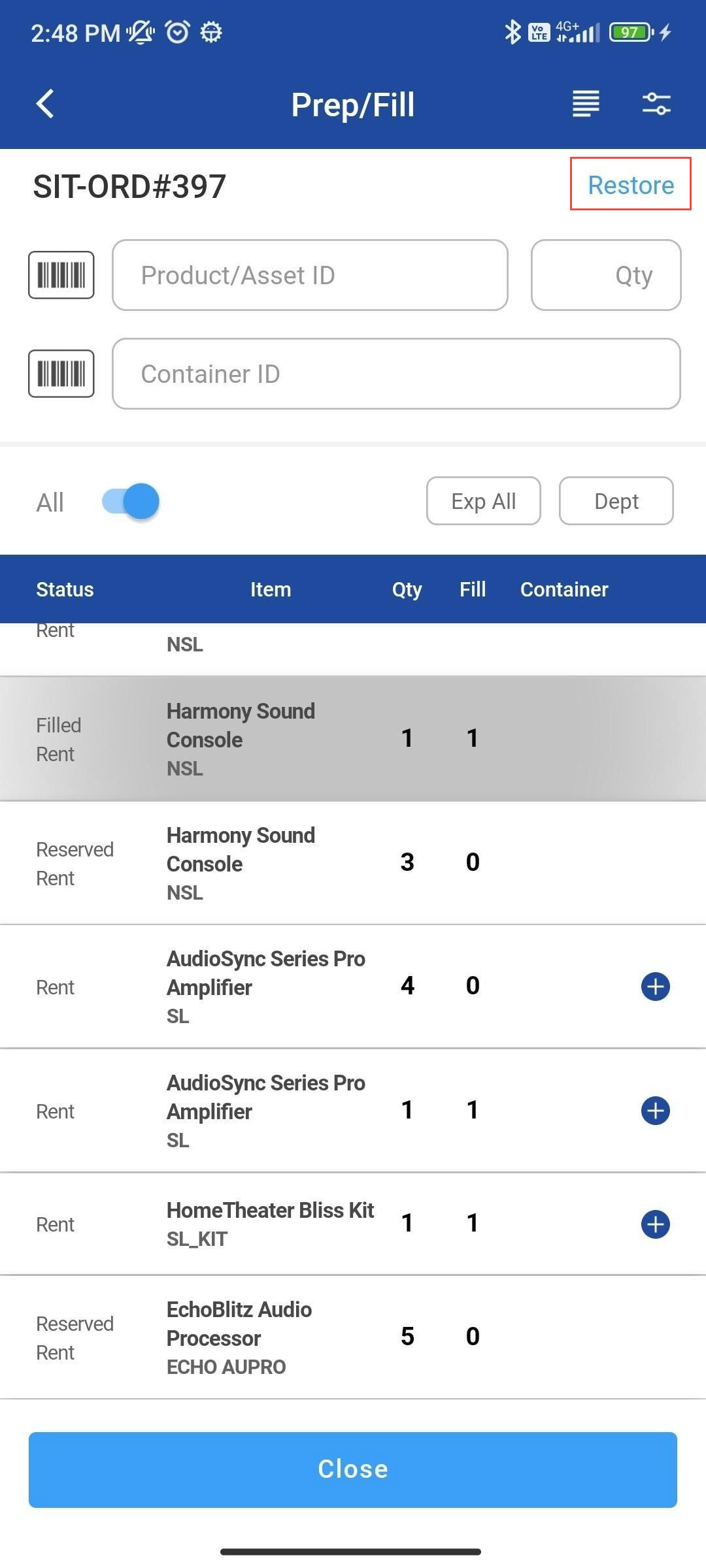
You can Restore a task that was previously marked as Done. Also, it warns before restoring for user confirmation.
-
Task restored start showing up in the task / schedule list
-
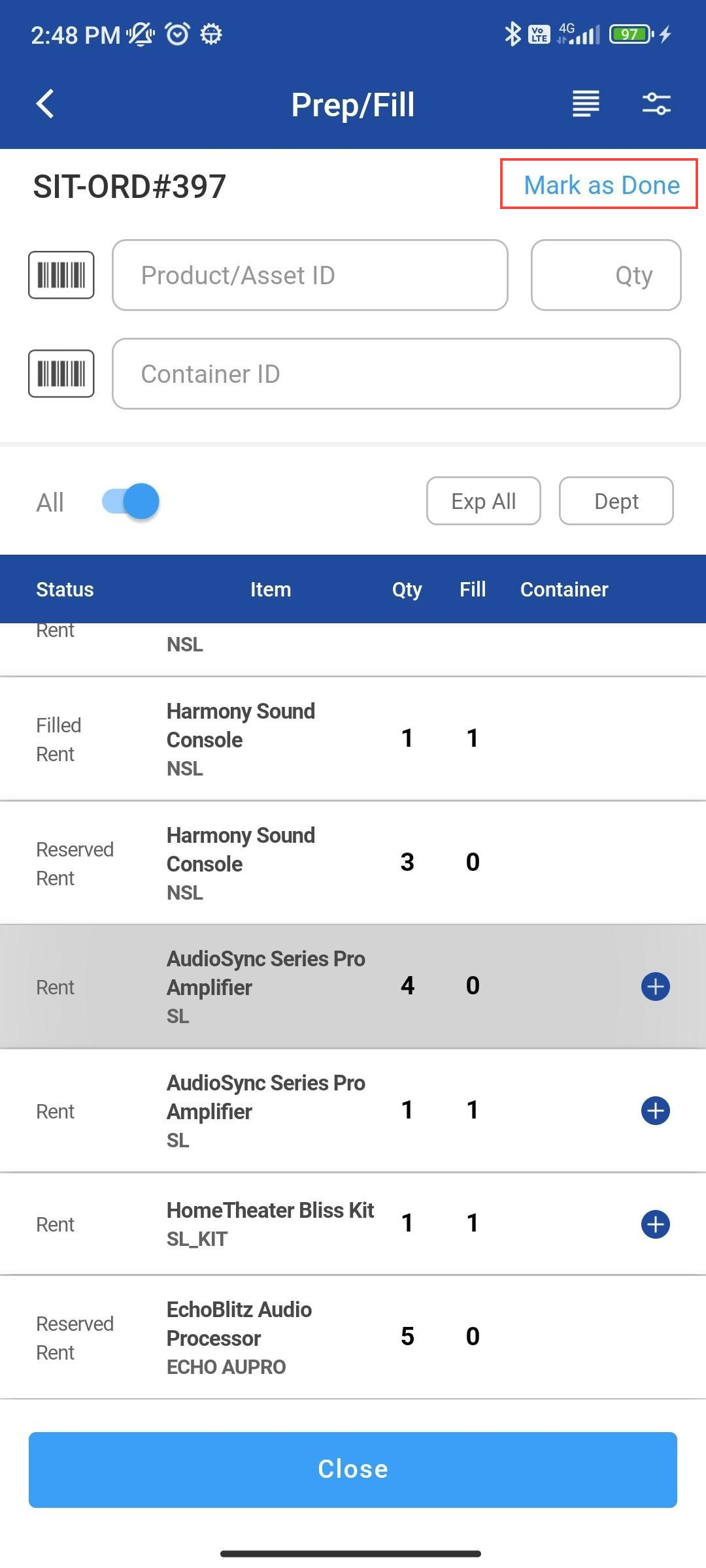
Mark as Done
-
Go to Prep/Fill
-
Select any Order line and Click Mark as Done
-
Click Yes
Restore Action
-
To restore Items back, click on Restore to restore items to container
-
Click Yes
-20240405-094220.jpg?cb=5e4eaddf13d47cefd989ca7e313b7405)
Mark as done for Ship operation and Ship All
-20240405-094213.jpg?cb=3bd7a4228c667faffbd0721140ae7b2e)