
You have an option to add your signature to the delivery receipt generated for Orders.
Workflow
-
Tap on Delivery Receipt icon
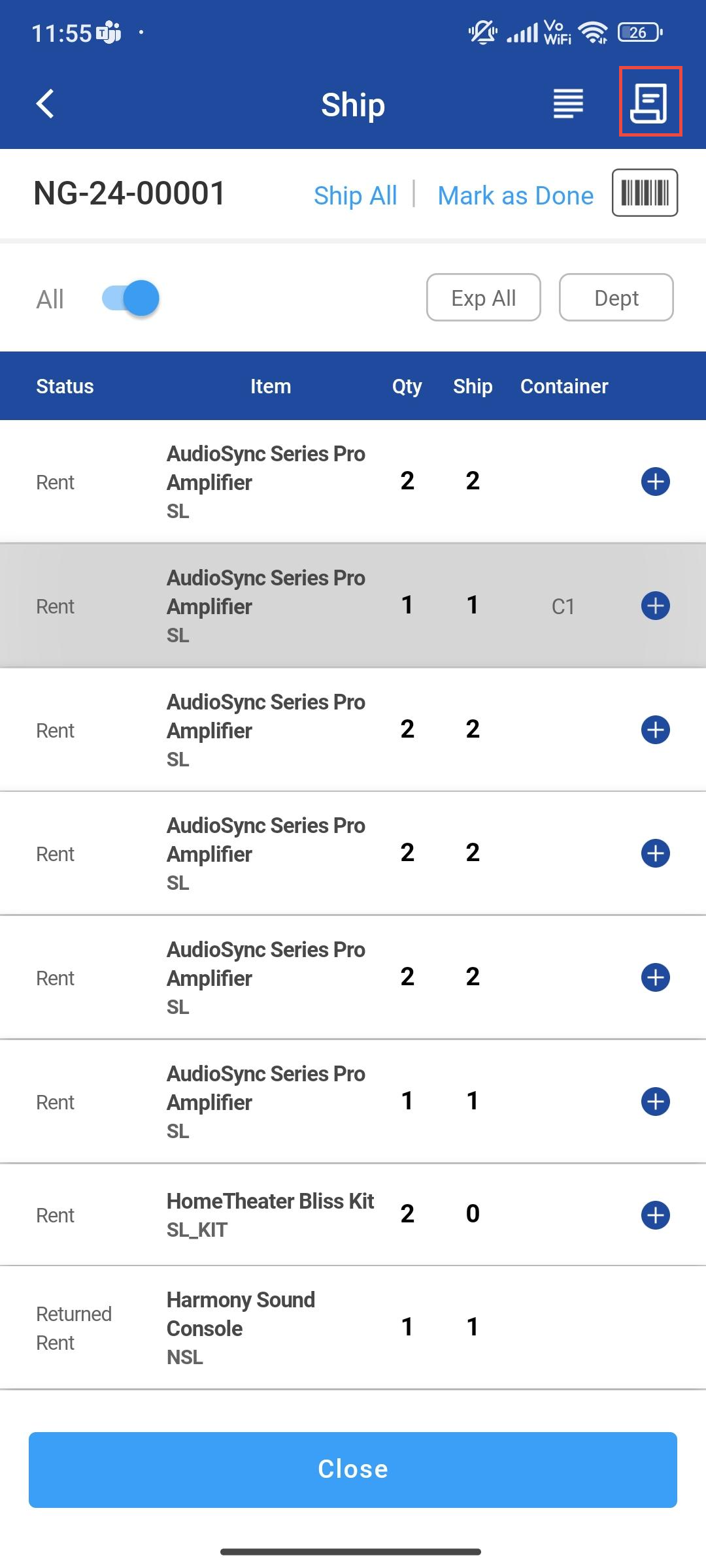
Figure: 1.0 Delivery Receipt Icon
-
Delivery Receipt PDF View is displayed
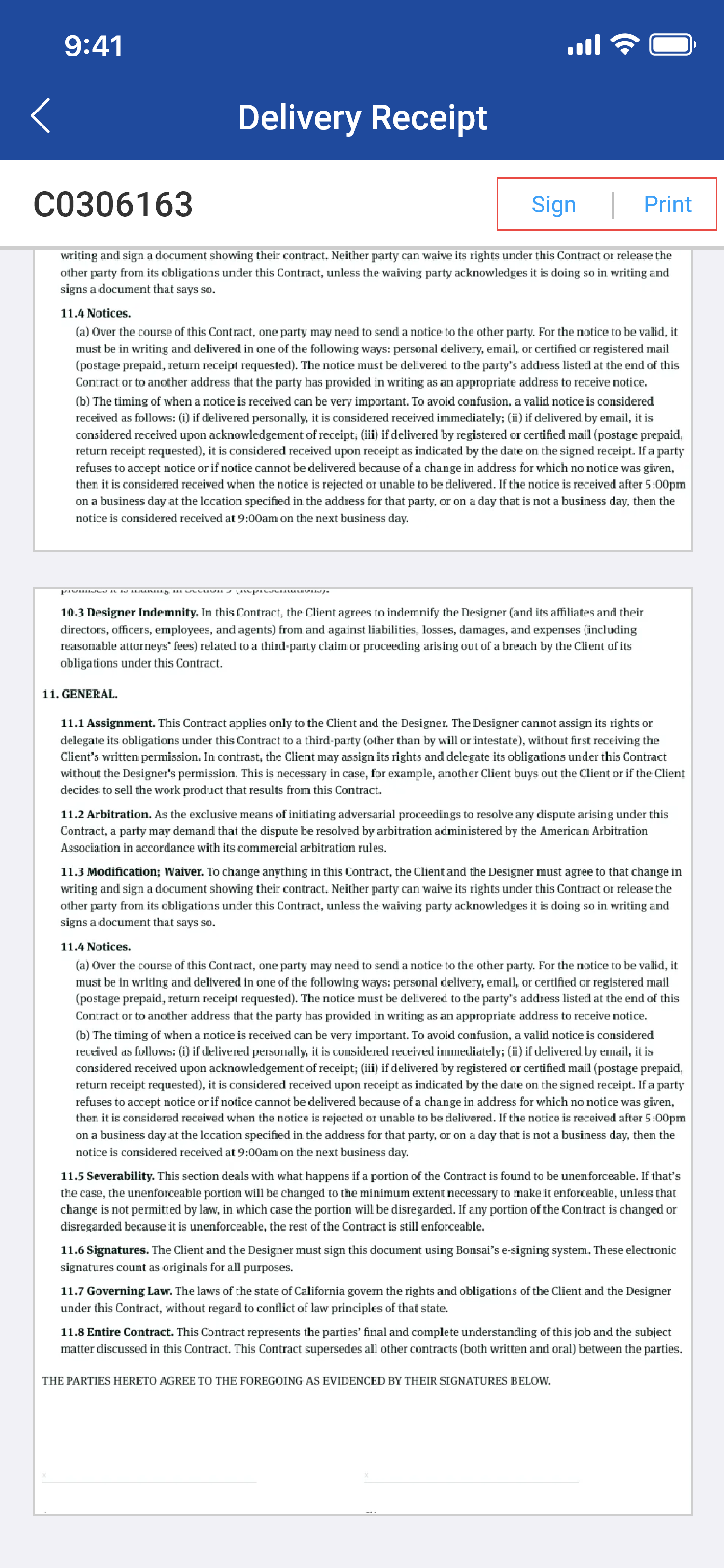
Figure: 1.1 Print Delivery Receipt
-
Click on Sign to open Sign panel or you can click on Print to print without signature
-
Sign panel is displayed below
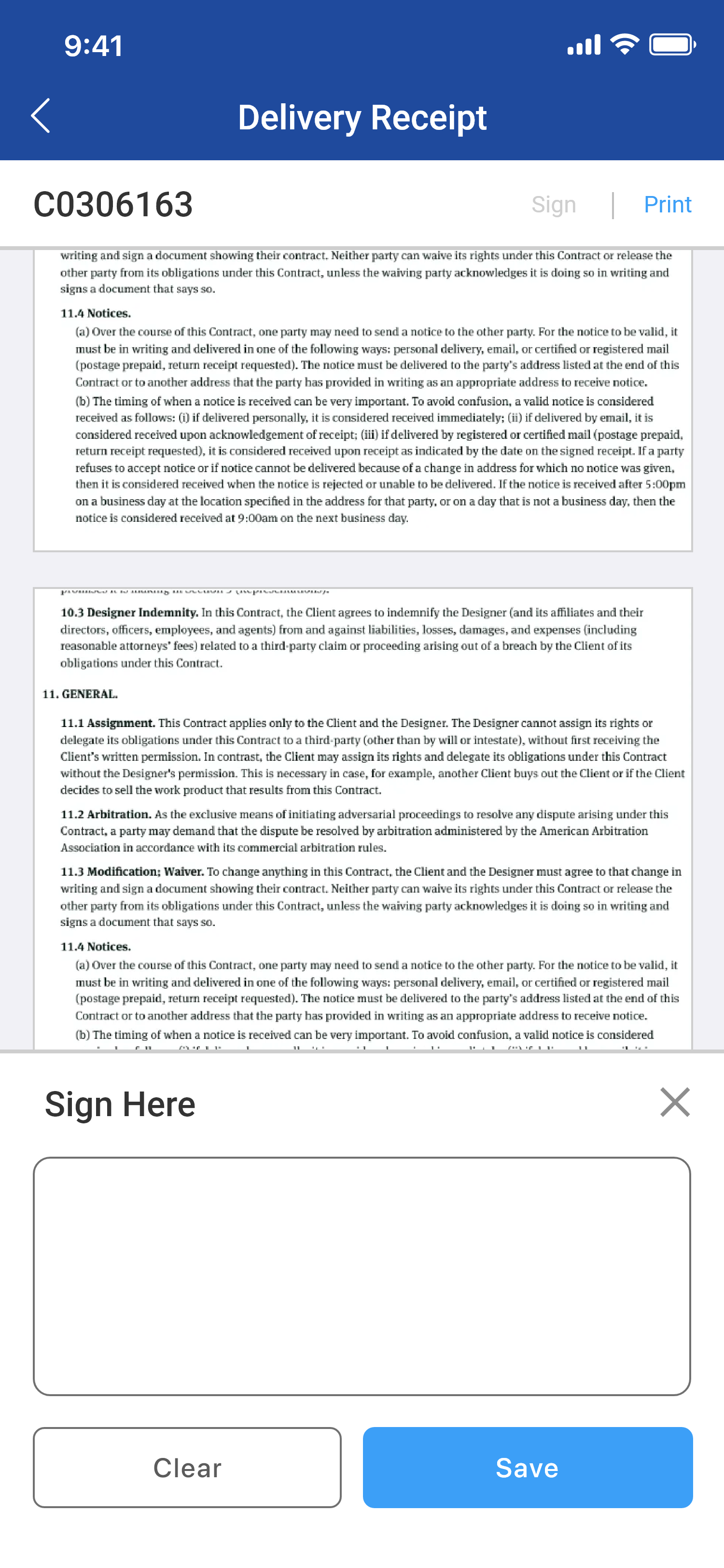
Figure: 1.2 Sign in Delivery Receipt -
Sign within the Panel.
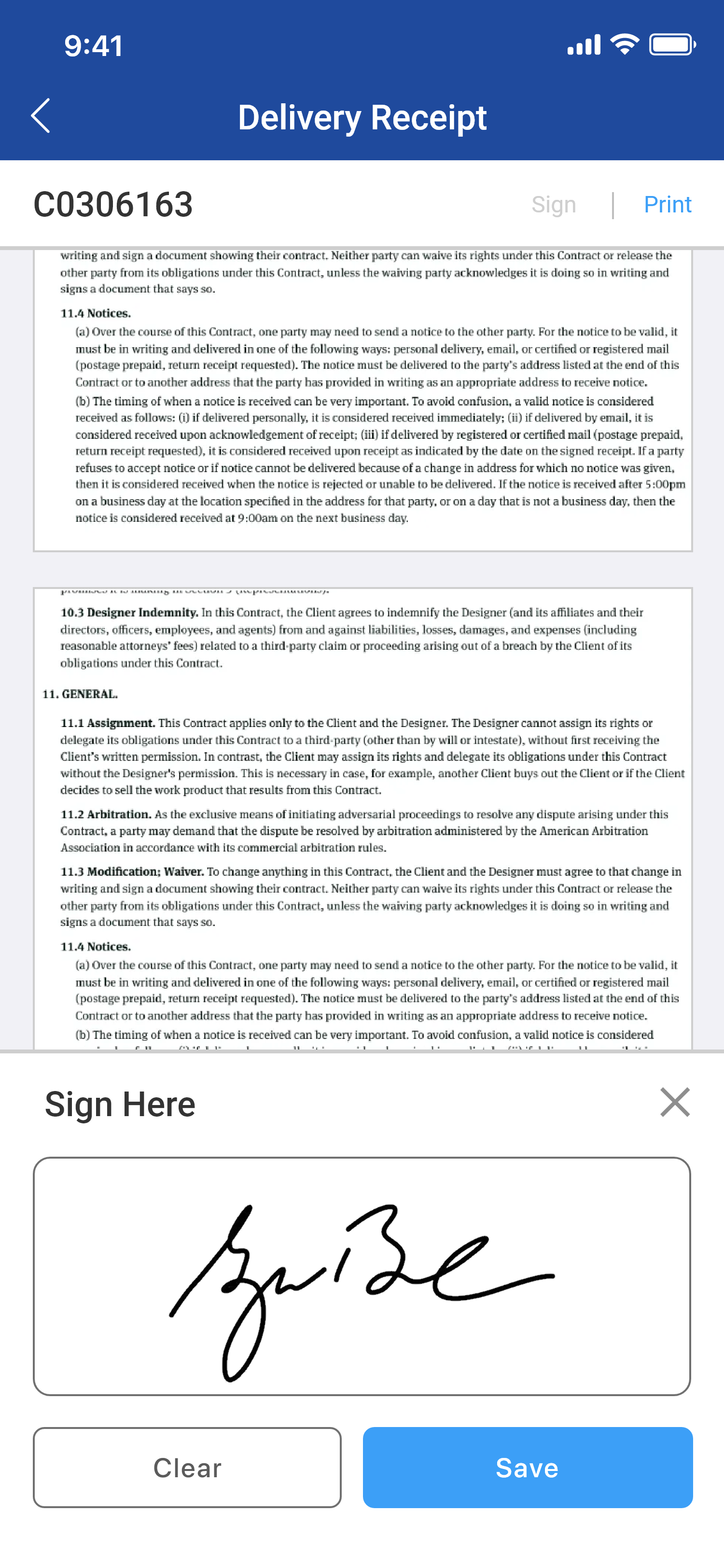
Figure: 1.3 Save -
Click Save to save the signature to the PDF.
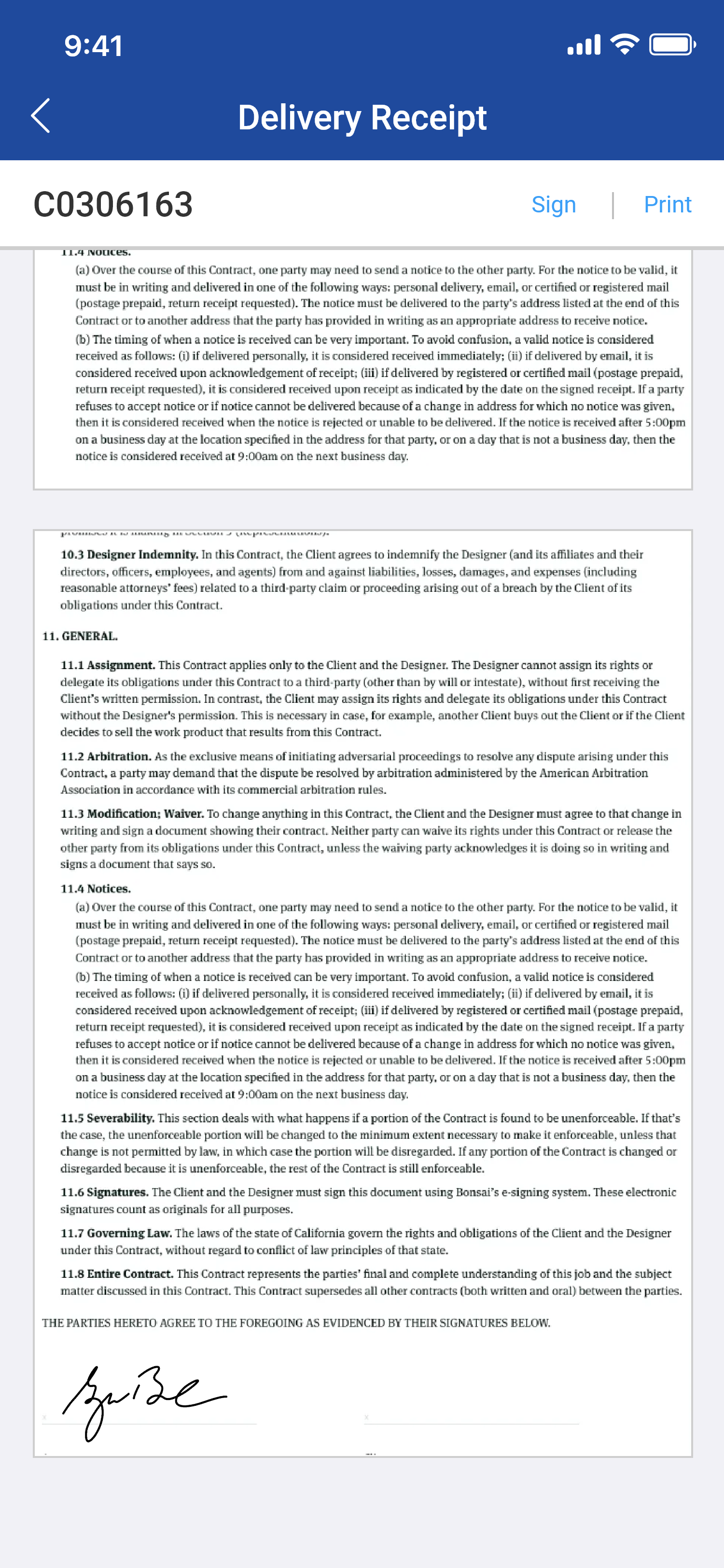
Figure: 1.4 Delivery Receipt with Sign