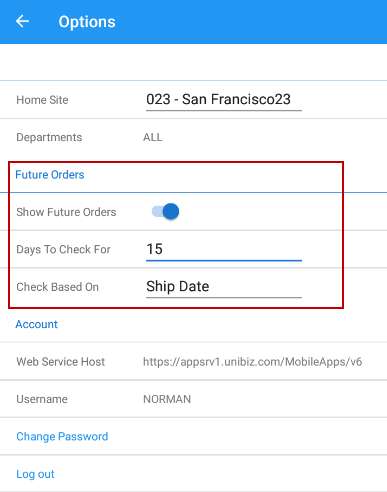
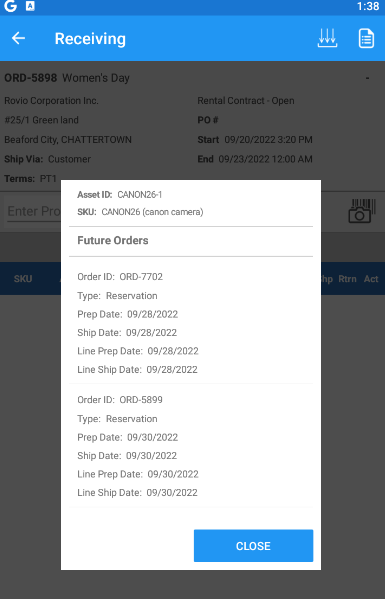
When receiving the items, you can view the future reserved Orders on which the receiving item is added. You can only view the future orders only when you turn on 'Show Future Orders' button in your mobile app.
Supported warehouse operations
-
Receive operation
-
Batch operation
To configure,
-
Go to Receive or Batch tab.
-
Tap Options.
-
Enable Show Future Orders button. Days to check for and Check based on options are enabled.
-
Days to Check for: Enter the numerical value in the textbox.
-
Check based on: Select either Ship Date or Prep Date as required from the dropdown.
-
For example:
If you enter the 'Days to check for' as 15 and 'Check Based on' as Ship Date, then while receiving the items, system lists all the reserved Orders for the next 15 days based on the Ship Date of the order which has tagged with the same item as shown in Figure 1.1