
Content was last updated in 06.24.02-00
Revision History
|
Version No. |
Reference No. |
Changes |
|
06.24.02-00 |
R2-21689 |
Added table showing “How Owned, Total and Locked Qty of Items are affected”. |
|
NA |
NA |
Introduction to Items feature |
This window allows you to create an item by providing all the required details including manufacturer of the product and pricing information and many more.
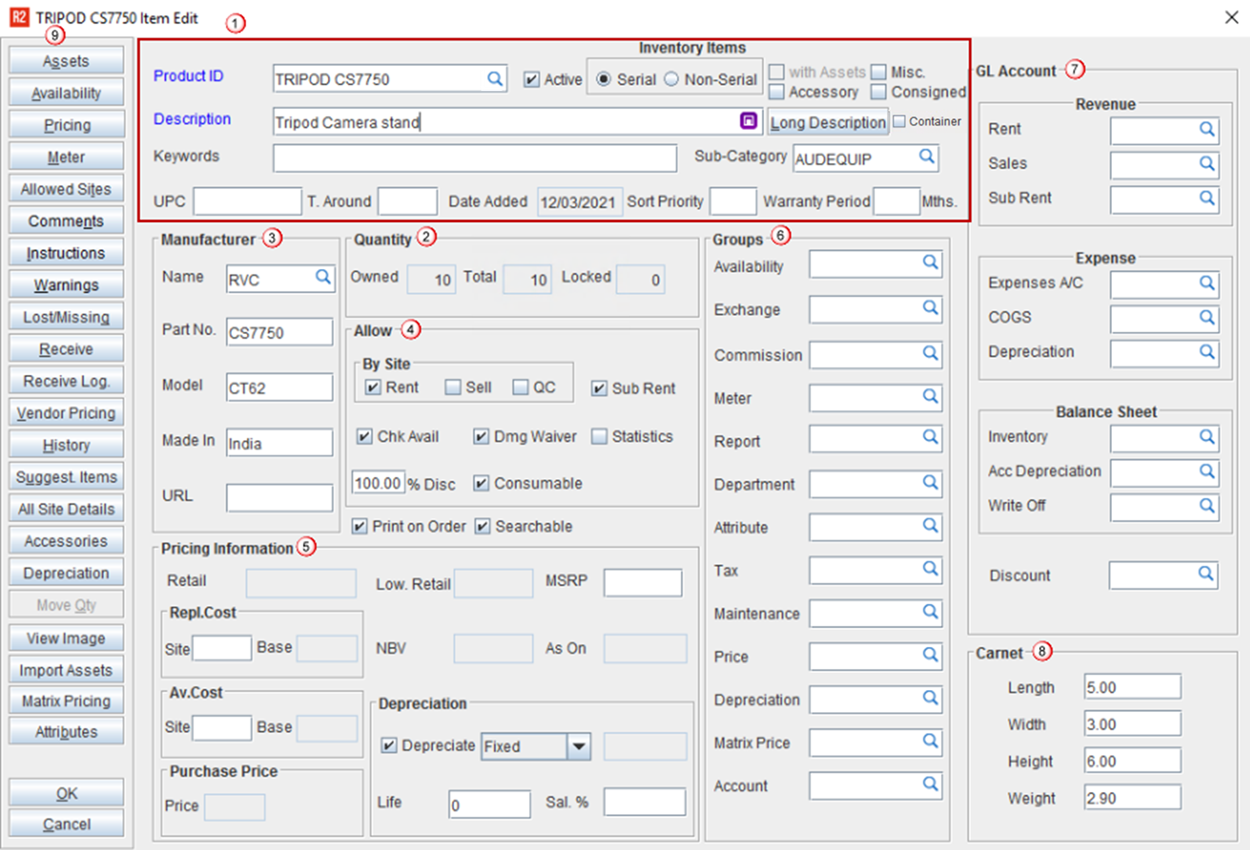
-
General Information
-
Quantity
-
Manufacturer
-
Allow
-
Pricing Information
-
Groups
-
GL Accounts
-
Carnet
-
Additional Actions
General information
This section contains the basic details of the item like product id, description etc.,
|
Field |
Description |
|
Product ID |
The Product ID is automatically inserted based on the IDS defined for items, which can be edited if necessary. This is a mandatory field to save the item. However, you can also provide unique ID if required. You can also add 'Additional Product ID' by clicking the importable button. Want to know more on Additional Product ID? |
|
Description |
Provide the unique description for the item |
|
Type |
To select either the item is 'Serial' or 'Non-Serial' type.
Assigning Asset IDs allows R2 to track individual units in addition to tracking items at the Product ID level. To view Assets already assigned to the selected Product ID, click the Assets button.
|
|
Active |
The selection of the checkbox decides if this item is Active or Inactive and if it can be used on Orders. For more information, click here. |
|
Keywords |
You can enter a value here which can be used while searching items. |
|
Long Description |
To provide a long description for the item. This description can be displayed in prints using the long description CID. |
|
Sub Category |
The sub-category to which the item belongs will be displayed here. |
|
Matrix pricing |
If the item has Matrix Pricing applied, then the details mentioned in the Matrix Grid will get applied. |
|
Attributes |
|