Content was last updated in 06.01.12-00
Revision History
Version No.
|
Reference No.
|
Changes
|
|
06.01.12-00 |
R2-16837 |
Support to view product images in Warehouse tasks |
Details
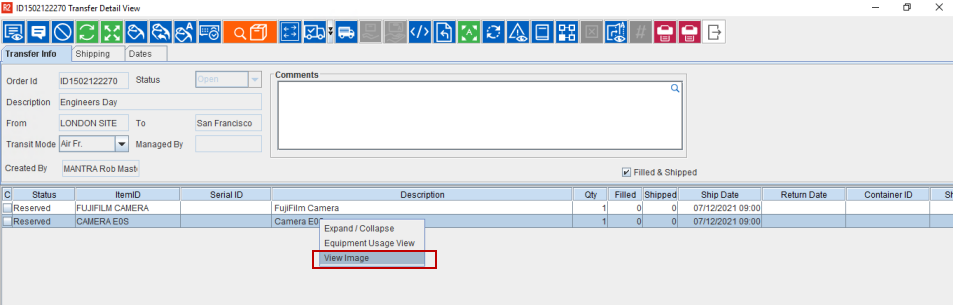
Transfer Orders are an integral part of most of your business workflow. And since these are managed through Warehouse task window, the 'View Image' option is now available here as well.
So now, while performing Warehouse tasks such as — Prep, Ship, and Receive, you can see this option in Transfer Detail window > Right Click as shown in Figure 1.0. It is available for all types of Transfer Orders like Inventory/Normal etc. for which the tasks can be created.
Transfer Detail window opens only when the Open Transfer Order Detail view is selected in Configuration module> Warehouse tab.
While conducting a Warehouse task, since 'only viewing' the product image would be enough. Hence, the Add, Delete, Download, and Primary checkbox in the view image window will be disabled.
Want to know more about View Image? Click here