
What you can do with existing reports?
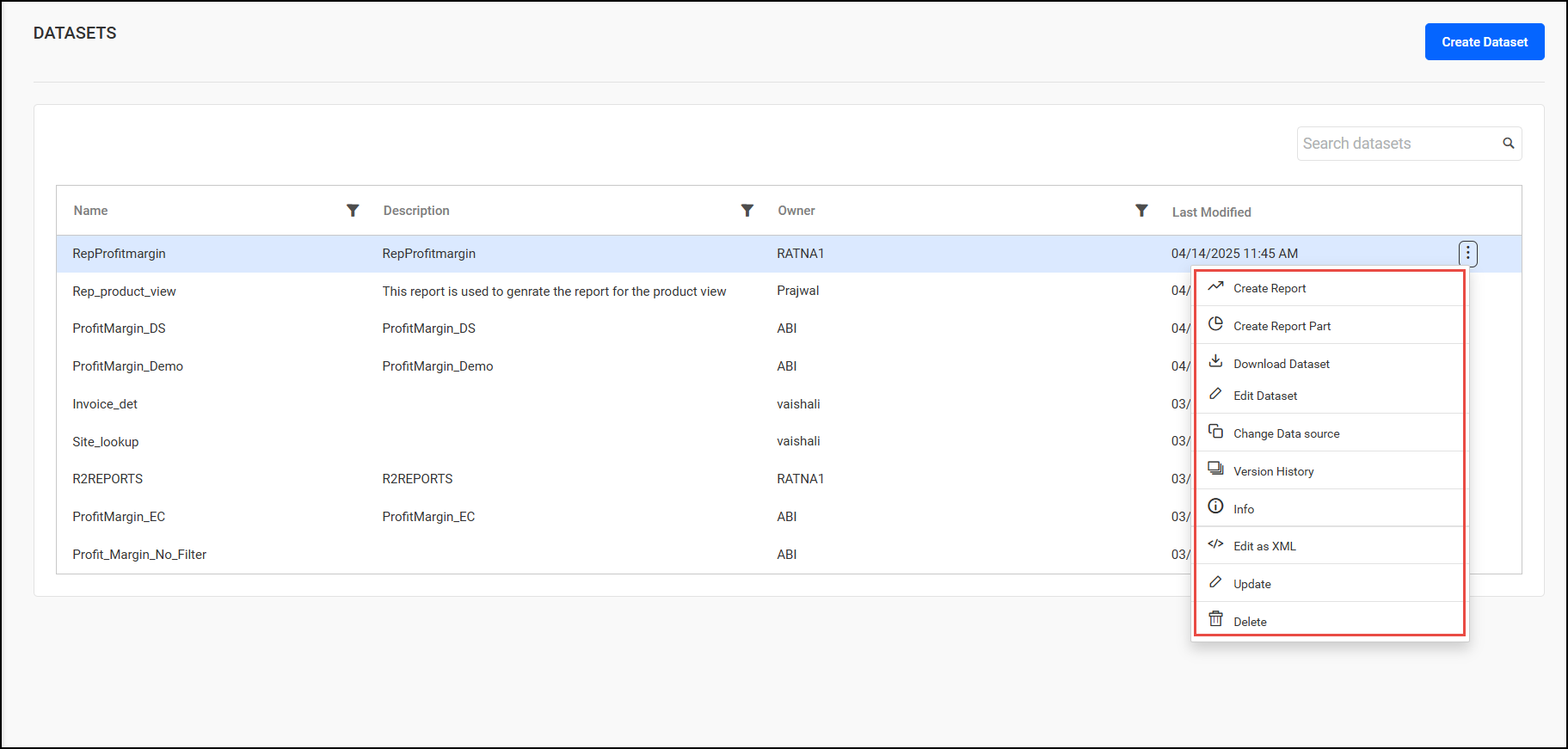
Click on 3 dots on any report, these are options provided:
-
Create Report: Generate a new report based on the current dataset or structure.
-
Create Report Part: Develop a specific section or component of a report, like a header, footer.
-
Download Dataset: Export the dataset used in the report for external analysis or backup.
-
Edit Dataset: Modify the underlying dataset structure, data sources, or queries.
-
Change Data Source: Update or switch the data source associated with the report.
-
Version History: View the history of changes made to the report, allowing for tracking and rollback.
-
Info: Access general information about the report (e.g., author, created date).
-
Edit as XML: Directly edit the report structure or logic using XML.
-
Update: Apply modifications to the report based on recent dataset changes or structure adjustments.
-
Delete: Permanently remove the report from the system.