
The Price Rounding Configuration can be used to convert price on the Order to a different currency. This factor is used to avoid penny pricing and rounding the amount to the nearest factor.
To Define a Price Rounding Definition
-
Access Price Rounding Configuration dialog box in two ways
-
Configuration > Multicurrency > Currency Conversion Setup > Currency Conversion table > Edit any currency > Price Rounding Configurations list
-
Open Orders > Multicurrency tab > Price Conversion Factor > Price rounding Configurations list
-
-
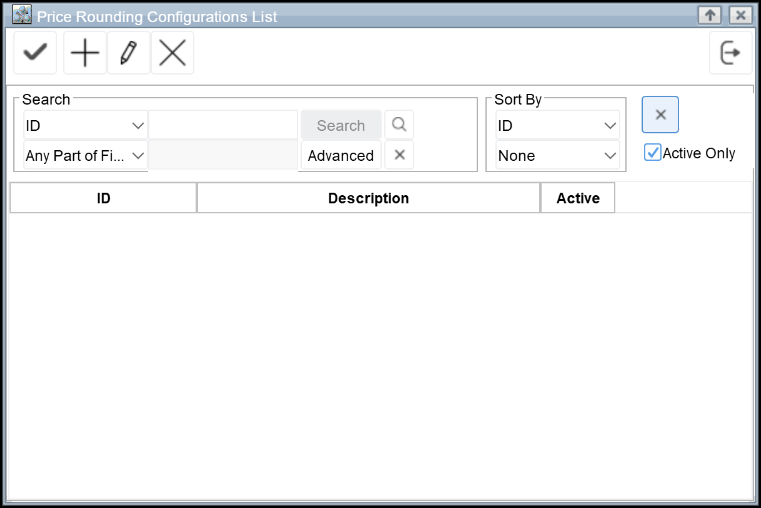
The Price Rounding Configuration dialog box will be displayed with existing definitions
-
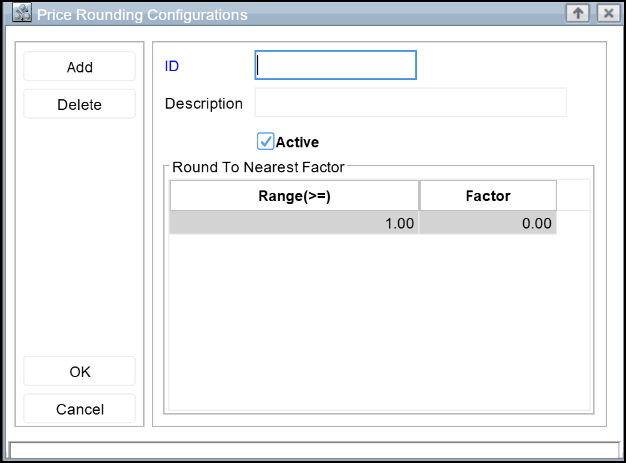
Click on Add button to display Price Rounding definition dialog box.
-
Enter the ID, Description
-
Click Add to define Rounding Settings.(On clicking add a new row will be created in the dialog box.)
-
Enter the value range that has to considered for the rounding factor. (For example if the value 100 is given in the Range field, and .01 is entered as the factor, for all the values entered greater than 100 will be rounded with the factor value .01)
-
Enter the Rounding factor value in the factor field.
-
Click OK
Illustration
For an Item with Standard Pricing as100 USD which is quoted in AUD
-
Conversion Rate for USD to AUD : 1.02564
-
100 USD = 100 x 1.02564 = 102.564 AUD
-
Rounded Value using Standard Method : 102.56
Value after applying Price Conversion Factor - based on the factor value defined for the above example will be as follows
|
Value |
Factor |
Rounded Value |
|
102.564 |
.01 |
102.57 |
|
.02 |
102.58 |
|
|
.05 |
102.60 |
|
|
.10 |
102.60 |
|
|
.25 |
102.75 |
|
|
.33 |
102.63 |
|
|
.50 |
103.00 |
|
|
1.00 |
103.00 |
|
|
2.00 |
104.00 |
|
|
5.00 |
105.00 |
|
|
10.00 |
110.00 |
|
|
100.00 |
200.00 |
In Price Rounding Configuration, you can define the Rounding based on range of values
Example
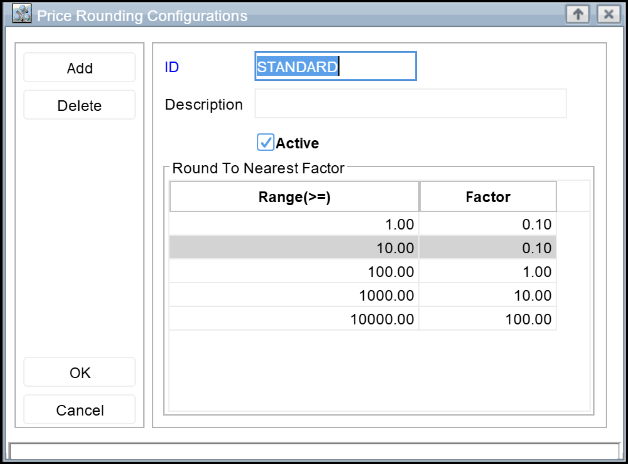
Based on the above definition of Price Rounding, the amount will be rounded as follows:
|
Range |
Factor |
Description |
|
Less than 1.00 |
0.1 |
No change in Price |
|
Between 1.00 and 100.00 |
0.10 |
Amount will be rounded to the nearest 10 |
|
Between 100.00 and 1000.00 |
1.00 |
Amount will be rounded to the nearest dollar |
|
Between 1000.00 and 10000.00 |
10.00 |
Amount will be rounded to the nearest Ten dollar |
|
Greater than 10000.00 |
100.00 |
Amount will be rounded to the nearest hundred dollar |
|
General Price Rounding Factors |
|
|
.01 |
Round to the nearest penny. |
|
.02 |
Round to the nearest even penny. |
|
.05 |
Round to the nearest nickel. |
|
.10 |
Round to the nearest 10 cents. |
|
.25 |
Round to the nearest quarter. |
|
.33 |
Round to .33, .66 or .99. |
|
.50 |
Round to the nearest fifty cents. |
|
1.00 |
Round to the nearest dollars. |
|
2.00 |
Round to the nearest even dollars. |
|
5.00 |
Round to the nearest five dollars. |
|
10.00 |
Round to the nearest ten dollars. |
|
100.00 |
Round to the nearest hundred dollars. |
Applying Price Rounding Factor for Multi Currency based Pricing
The Round To value selected in the Price Conversion Factor of an order is considered while calculating the Transaction Price.
By default the Price Conversion Factor will be set on based on the Round To defined for the applicable conversion rates for Site to Transaction Currency conversion record present in the Currency Conversion Table. Which user can edit.
While calculating at the Site Price or Base Price, system will consider the 'Round To' value of the applicable conversion rates as defined in the Configuration > Currency Conversion setup.
-
This support is provided in Orders and Purchase Orders.
-
It is applicable for Items, Service charge, Misc. charge, Damage Waiver and Labor.
Illustration
Pre-requisites for the Scenarios
-
Set Base Currency as INR in Configuration
-
Create a Site [Site#1] with Currency as USD
-
Create a Customer [Cust#1] with Currency as GBP
Define 'Currency Conversion' and 'Round To' in configuration as below:
|
Sl No |
From |
To |
Rate |
Round To (Range,factor) |
|
1 |
USD |
INR |
51.82 |
(100>=,20) |
|
2 |
USD |
GBP |
0.712 |
(100>=,10) |
|
3 |
USD |
CNY |
99.23 |
(100>=,50) |
|
4 |
USD |
AUD |
1.51 |
(100>=,30) |
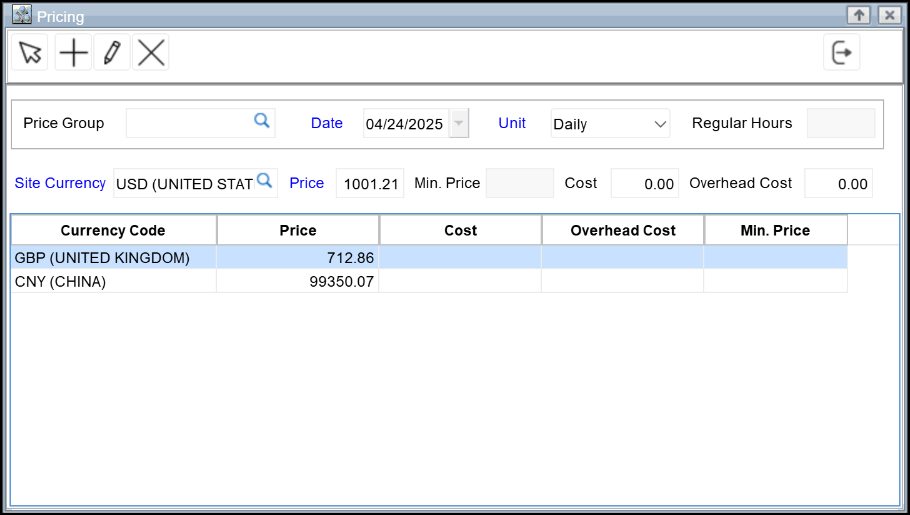
Define Item Site pricing as below:
-
Site Price = 1001.21
-
Site Currency = USD
Define Item Transaction pricing as below:
-
USD to CNY : Price = 99350
-
USD to GBP : Price = 712
Scenario 1
-
Create an Order [ORD#1], in [Site#1] for customer [Cust#1].
-
Add [Item#1] to [ORD#1],
-
The Round To value for transaction price i.e. the Order will be (100>=,10) in the Price Conversion Factor field of Payments tab.
-
The Price will be calculated as below:
-
Unit price will be calculated as 730 - 725 is the Transaction price. Which is rounded to 730 as per the 2nd definition in the 'Currency Conversion' and 'Round To' Table
-
Site price will be re-calculated as 1020. - Site to Transaction conversion rate will be 1/0.712. Therefore Site Price = 725*1/0.712 = 1018.25842699 Which is rounded to 1020 as per the 2nd definition in the 'Currency Conversion' and 'Round To' Table
Scenario 2
When the value of the Price Conversion Factor in the Order is modified.
-
Create an Order [ORD#1], in [Site#1] for customer [Cust#1].
-
Add [Item#1] to [ORD#1],
-
The Round To value for transaction price i.e. the Order will be (100>=,10) in the Price Conversion Factor field of Payments tab.
-
Delete/Un tag the value in the Price Conversion Factor field of Payments tab.
-
The Price will be calculated as below:
-
Unit price will be calculated as 725 (without the round to applied though it is present in the Currency conversion table).
-
Site price will be re-calculated as 1020. (it will display the rounded value as while converting to either Site/Base currency it will always consider the Round To defined in the Currency Conversion table. - Site to Transaction conversion rate will be 1/0.712. Therefore Site Price = 725*1/0.712 = 1018.25842699 Which is rounded to 1020 as per the 2nd definition in the 'Currency Conversion' and 'Round To' Table
Scenario 3
-
Change the Currency of [Cust#1] to AUD
-
Create an Order [ORD#1], in [Site#1] for customer [Cust#1].
-
Add [Item#1] to [ORD#1],
-
Site Price will be calculated as 1001.21 and
-
Unit price will be calculated as 1500 - Site to Transaction conversion rate will be 1.51. Therefore Unit Price = 1001.21*1.51 = 1511.8271 Which is rounded to 1500 as per the Round To tagged in the Order which is (100>=,30)
For more details on Multi-Currency feature in R2 click here.