
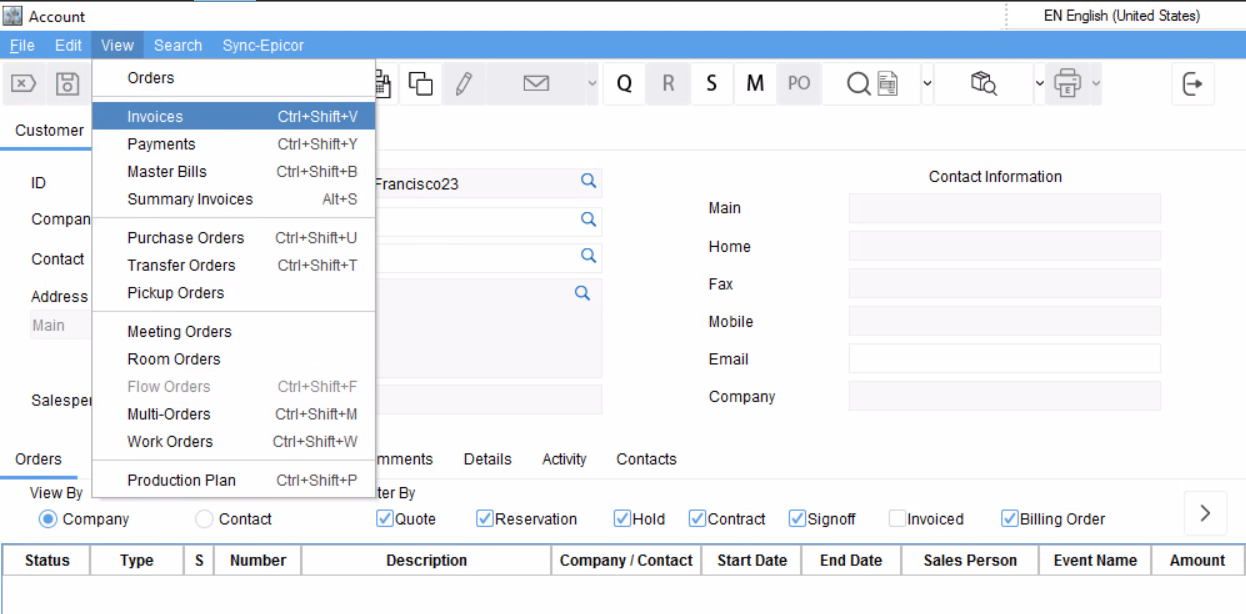
You can navigate to Accounts > View > Invoices to view, search and print invoices.
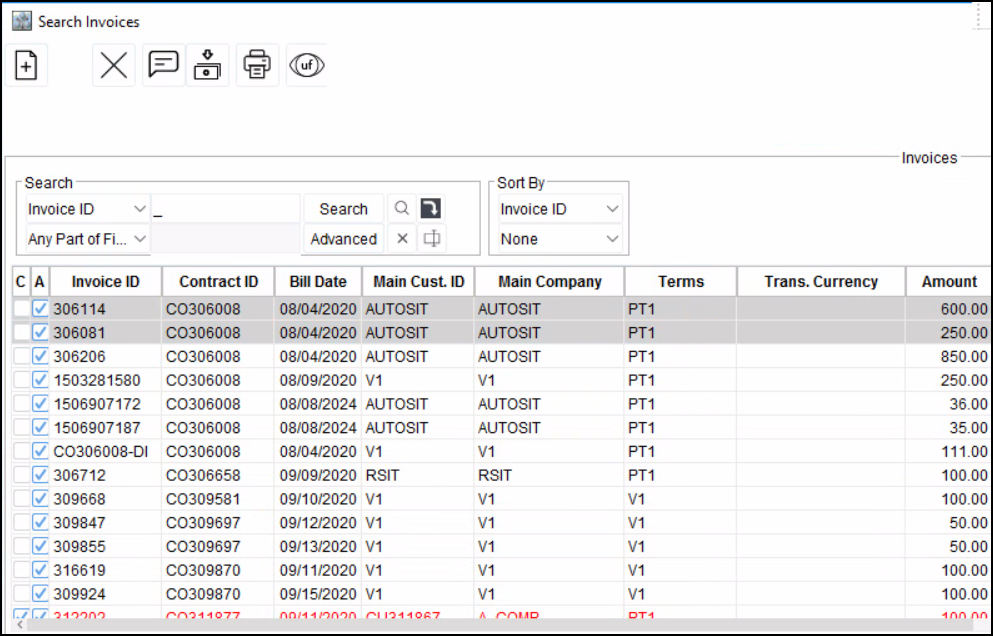
Search Invoices screen is displayed. Here you can search any type of Invoices.
|
Actions |
Descriptions |
|---|---|
|
|
New Standalone Invoice - To create new Standalone Invoice. |
|
|
Delete Standalone/LR Invoice - To delete Standalone/LR Invoice. |
|
|
Comments - To view/add comments for selected Invoice. |
|
|
Adjust Deposit - To adjust deposit invoices against an Invoice. |
|
|
Print Invoice - To print one or many selected Invoices. |


The multi-invoice printing feature allows you to print multiple invoices simultaneously. This functionality improves efficiency by eliminating the need to print invoices individually.
You can select multiple Invoices by pressing Ctrl + Mouse click. Click on Print Invoice icon to print invoices.
This allows you to print same types of Invoices, otherwise it gives an error.