
Overview
Support is provided for the user to view the Suggested Item (s) upon adding an Item to an Order which has Suggested Item (s) tagged to it.
The details are explained in the sample workflow given below:
Sample Workflow
Pre-requisites
-
Select the Configuration module > General tab > select the Show Suggested Items on adding Item to Order check box, as shown in Figure 1.0 .
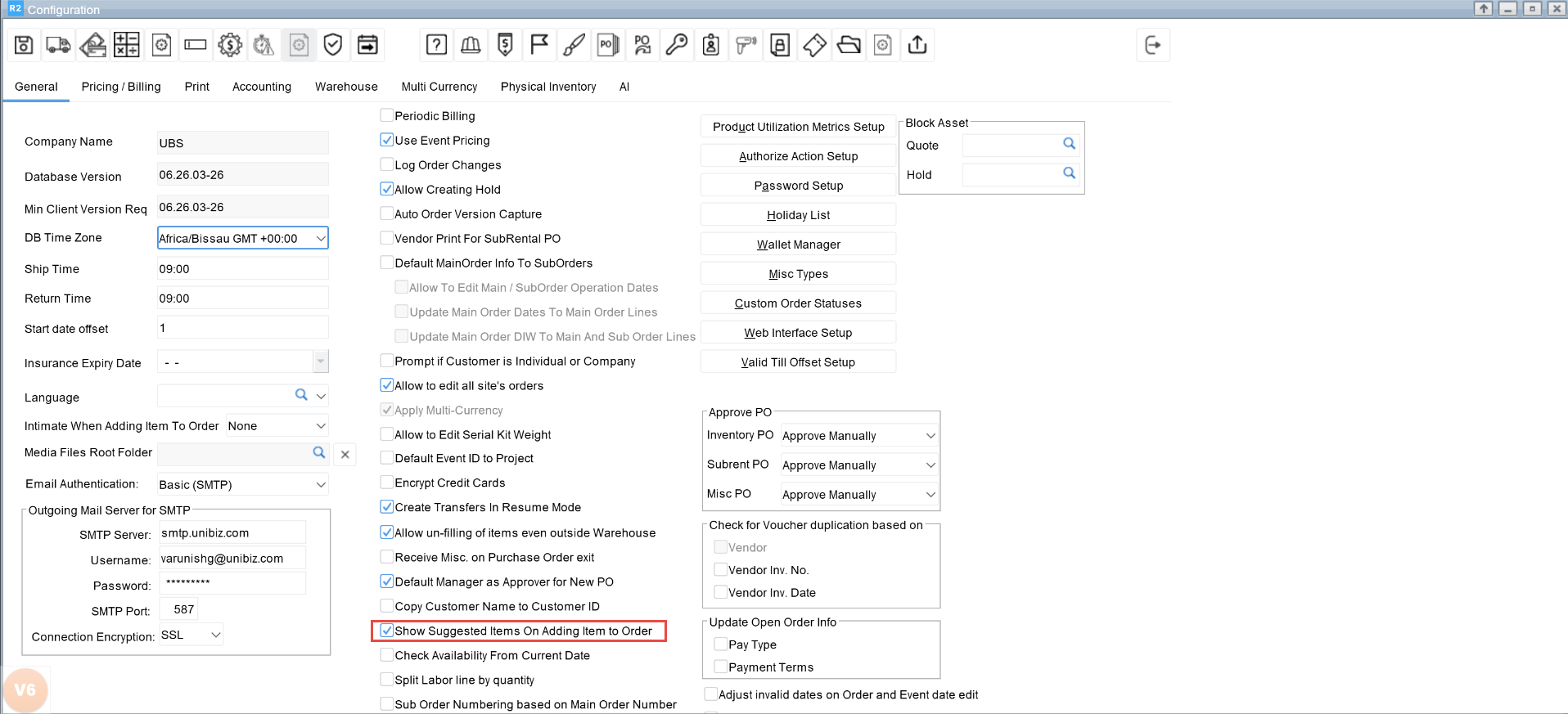
On adding an Item with Suggested Items tagged, the system will display the Suggested Items Tag dialog box only if the Show Suggested Items on adding Item to Order check box in Configuration module is selected.
Scenario
-
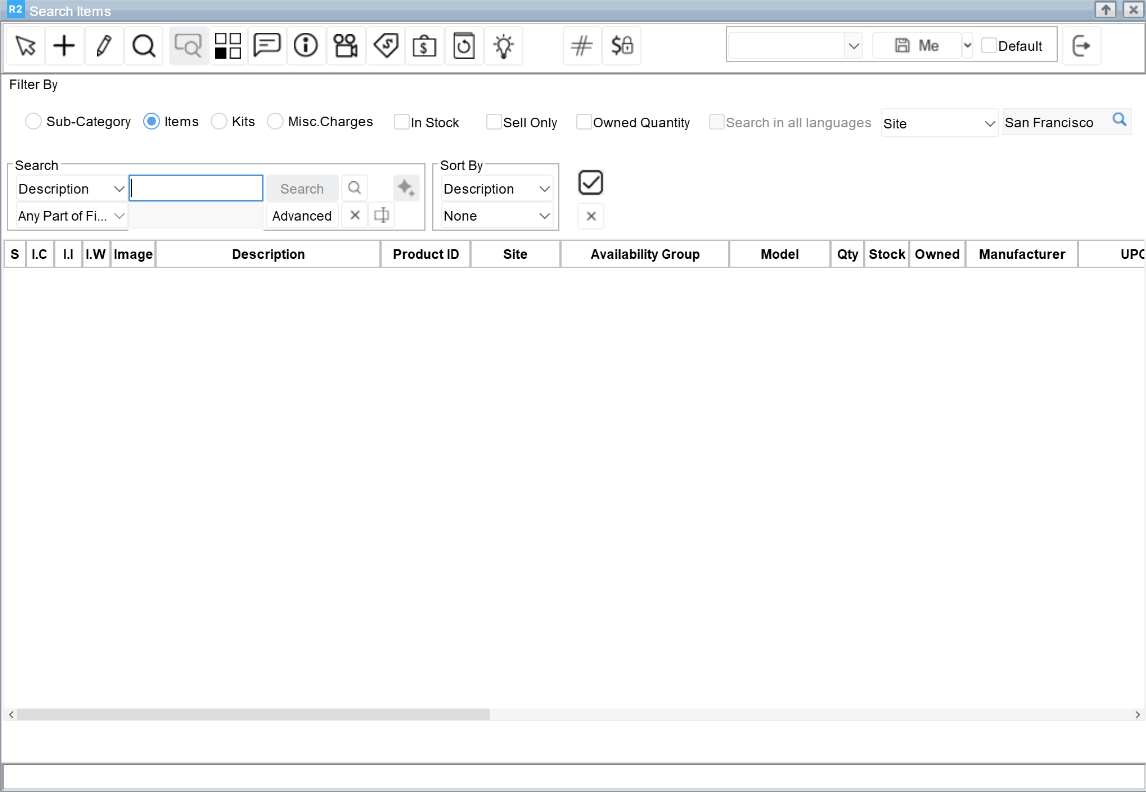
Create an Order > Search menu > Items. The Search Items window is displayed. As shown in Figure 2.0.
-
Search by Description [Camera].
-
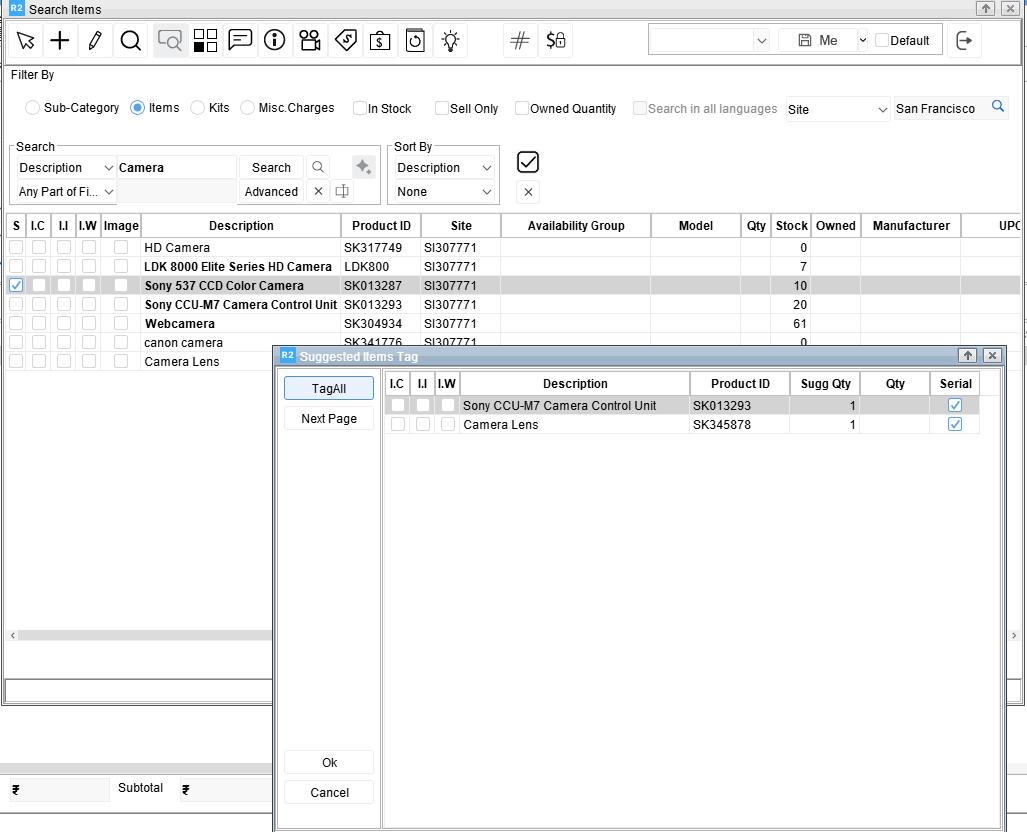
Double-click the Item line [Sony 537 CCD Color Camera] As the Item [Sony 537 CCD Color Camera] has Suggested Items tagged to it, the system displays the Suggested Items Tag dialog with the list of Items added as Suggested Items to it, as shown in Figure 3.0.
The S column check box in the Search results grid id selected indicates that the Item has Suggested Items tagged to it.
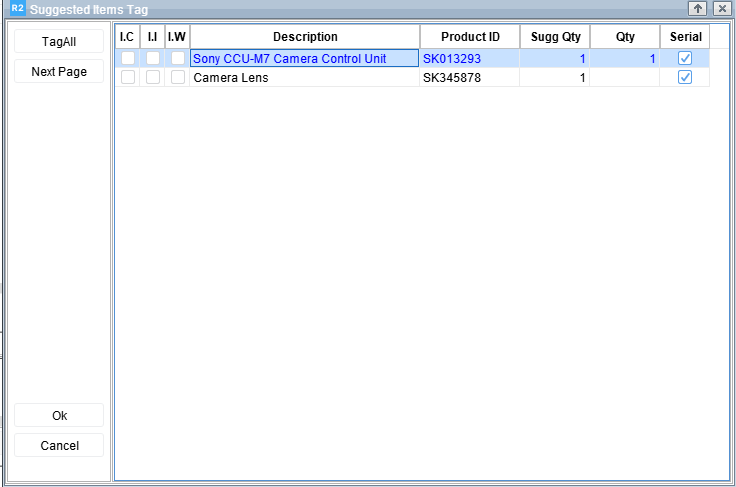
4. Double-click the Items in the Suggested Items Tag dialog box that you wish to add to the Order. For example, tag [Sony CCU-M& Camera Control Unit] and [Camera Lens]. As shown in Figure 4.0.
-
Click OK button. The selected Items get added in the Search Items window.
-
Double-click the Item [WebCamera].
The system tags the Item to be added to the Order but does not display the Suggested Items Tag dialog box as the Item does not have any Suggested Items tagged to it. -
Double-click the Item [Sony 537 CCD Color Camera].
As the Item [Sony 537 CCD Color Camera] has Suggested Items tagged to it, the system displays the Suggested Items Tag dialog box with the list of Items added as Suggested Items to it. -
Close the Suggested Items Tag dialog box without tagging any Item.
-
Click on Select button and exit the Search Items window. The Items along with its Suggested Items are added to the Order.
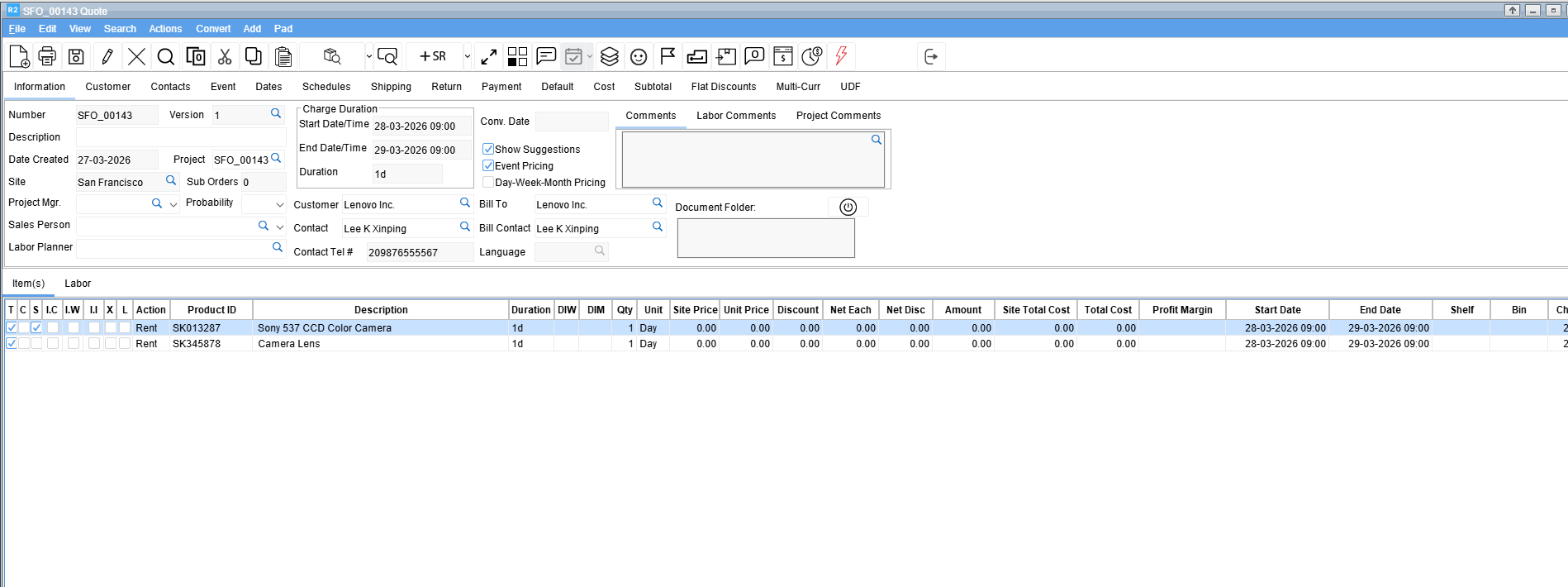
The S column check box when selected in the Reservation Order indicates that the Item has Suggested Item (s) defined for it, as shown in Figure 5.0.
-
In the Order grid, add a new line.
-
In the Description field, start typing the Item name (for example, Camera).
-
From the predictive search list displayed, select the required Item.
-
Repeat Step 4 and Step 5.