
Once dark days are setup, they must be applied to the lines on the order.
-
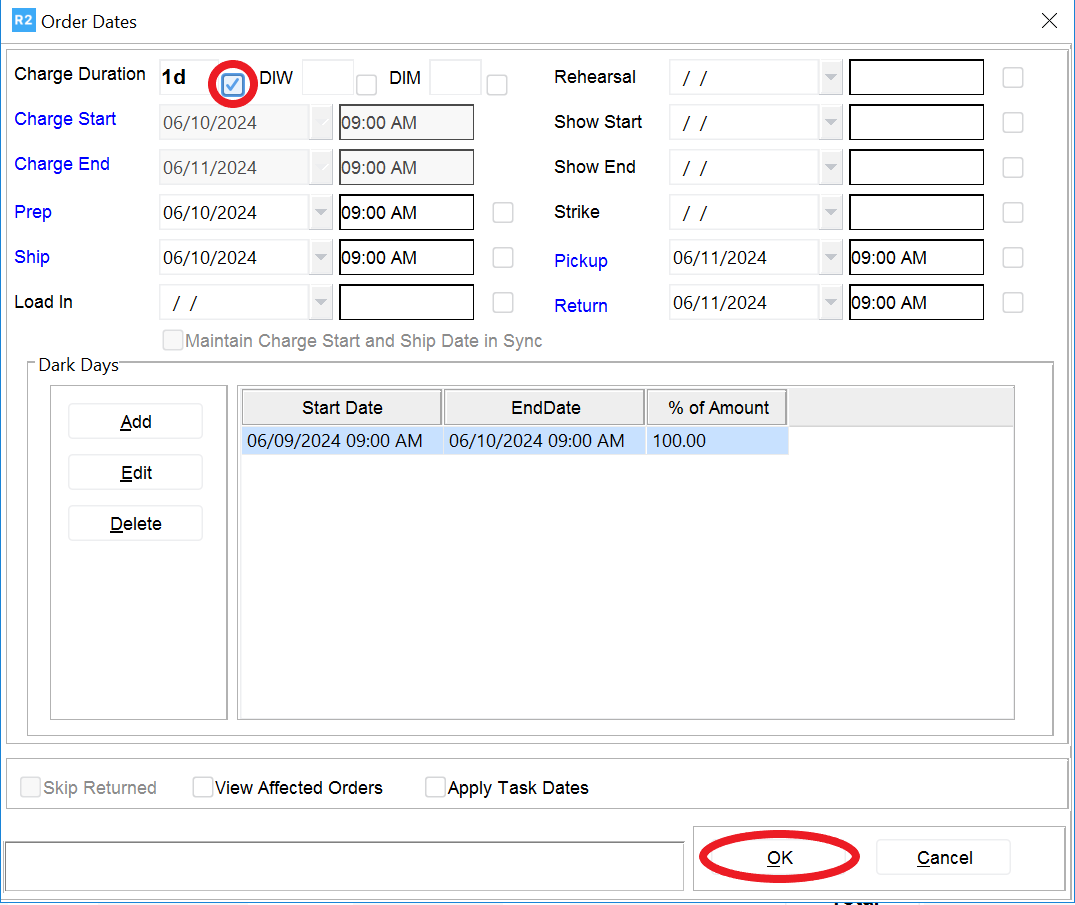
Once the dark days are entered, click on the tic box next to the Charge Duration field at top left, then click on the OK button at bottom right:
Once dark days are setup, they must be applied to the lines on the order.
Once the dark days are entered, click on the tic box next to the Charge Duration field at top left, then click on the OK button at bottom right: