
Overview
R2 can automatically close and reopen warehouse schedules based on warehouse activity.
When all required warehouse activity is complete, R2 automatically marks the schedule as Done. If order changes later create pending warehouse activity, R2 reopens the schedule.
Set up automatic close and reopen
To use this feature, enable the following configuration option:
R2 Configuration → Warehouse → Warehouse Schedules → Auto Close & Reopen Warehouse Schedules
The default value is False.
This option is available only when Generate Warehouse Schedule is enabled.
Automatically close a Prep schedule
-
Create a rental order or sale order.
-
Add the required items.
-
Generate the warehouse schedules.
-
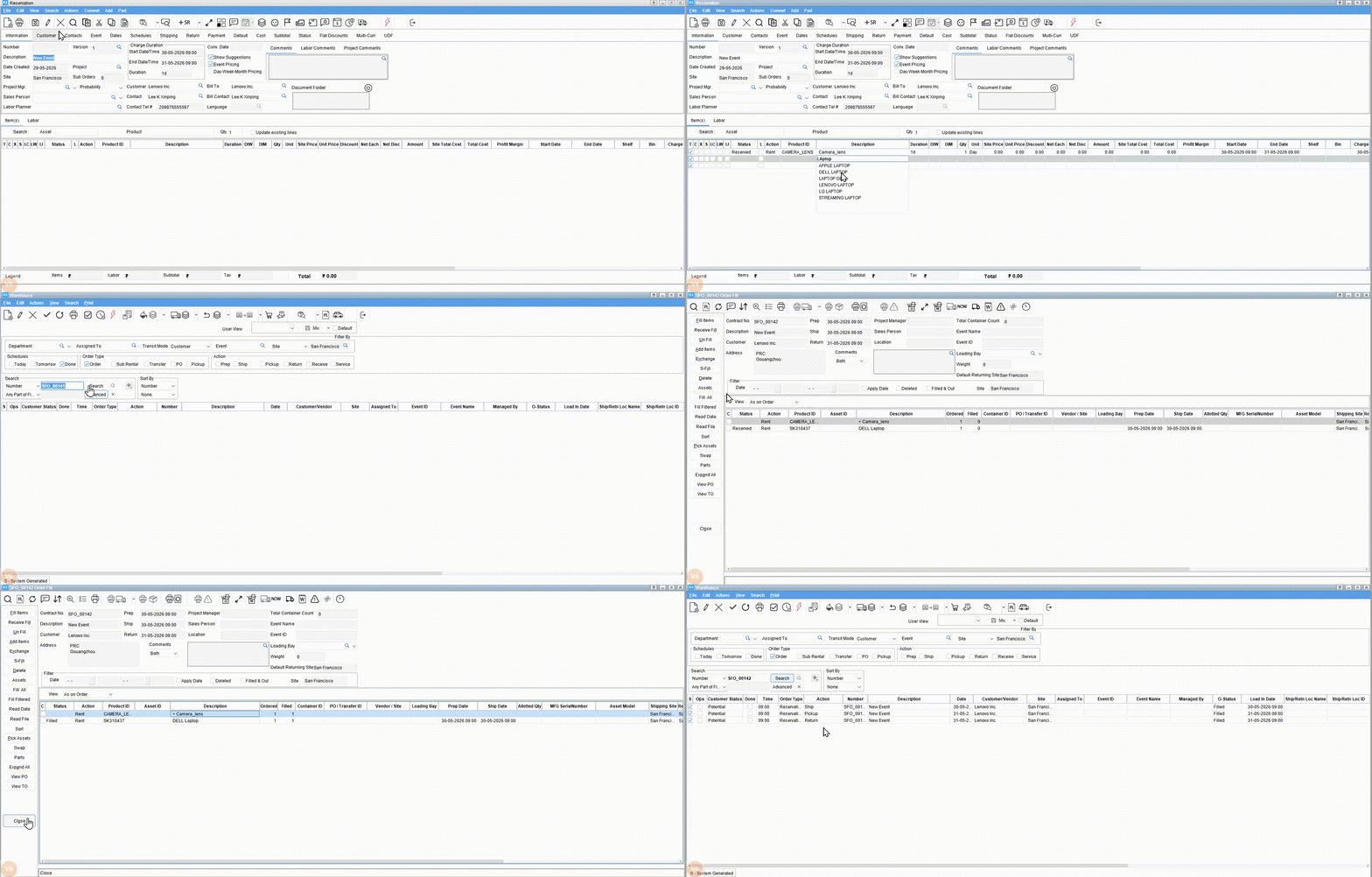
Open the Prep task.
-
Fill all items.
R2 automatically marks the Prep schedule as Done and adds a comment to indicate that the schedule was automatically closed.
Automatically close a Ship schedule
-
Open the generated Ship task.
-
Ship all items.
R2 automatically marks the Ship schedule as Done and adds a comment to indicate that the schedule was automatically closed.
Automatically close a Return or Pickup schedule
-
Open the generated Return or Pickup task.
-
Return or receive all items.
R2 automatically marks the Return or Pickup schedule as Done and adds a comment to indicate that the schedule was automatically closed.
Reopen a warehouse schedule
-
Open an order that has a warehouse schedule marked as Done.
-
Modify the order so that pending warehouse activity is created again.
-
Save the order.
R2 reopens the applicable warehouse schedule. The schedule is displayed in active warehouse schedule searches, and R2 adds a comment to indicate that the schedule was automatically reopened.
-
This feature applies to:
-
Rental orders
-
Sale orders
-
-
This feature does not apply to:
-
Transfer orders
-
Purchase orders
-
Manually created warehouse schedules
-
-
When this configuration is disabled, existing warehouse schedule behavior remains unchanged.
-
Deleted lines are treated as no action required.
-
If an order contains only deleted lines, R2 does not automatically close the task.
-
Existing Include Done search behavior remains unchanged.