
Content was last updated in 06.01.17-00
Revision History
Version No.
|
Reference No.
|
Changes
|
|
06.01.17-00 |
R2-17735 |
Support to provide tool tip for the 'Timesheet exists' icon. |
|
06.01.15-00 |
R2-17543, R2- 17537 |
Support to provide 'Timesheet exists icon in few access places of WB/Planning Order |
|
NA |
NA |
Introduction to 'Timesheet exists' icon in Booking line grid. |
When the Booking line/EWT has Timesheet, you will see the Timesheet icon displayed against each booking line/EWT. The tool tip of the icon provides you the Timesheet’s description along with its status.
This help you to know whether the booking line/EWT is added to Timesheet or not. Also, if Timesheet exists, you can see the Timesheet Description and status in Planning/WB itself. By holding the Timesheet description, you can search for Timesheet details in Timesheet module easily as well.
Icon is supported in the following places.
-
Planning Order > Booking lines:
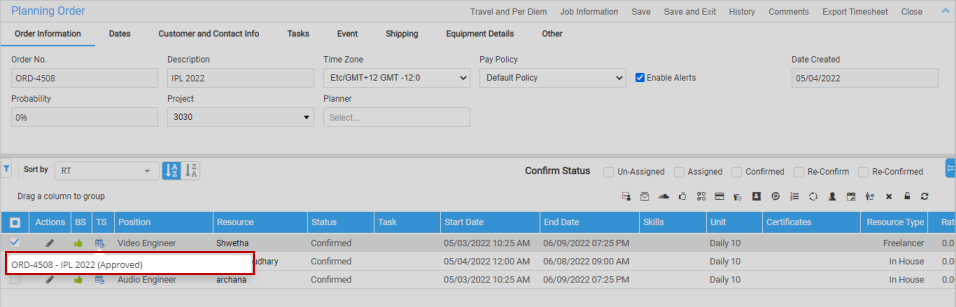
Figure 1.0: Booking line grid
The tool tip shows the Timesheet header status for the entire booking line.**
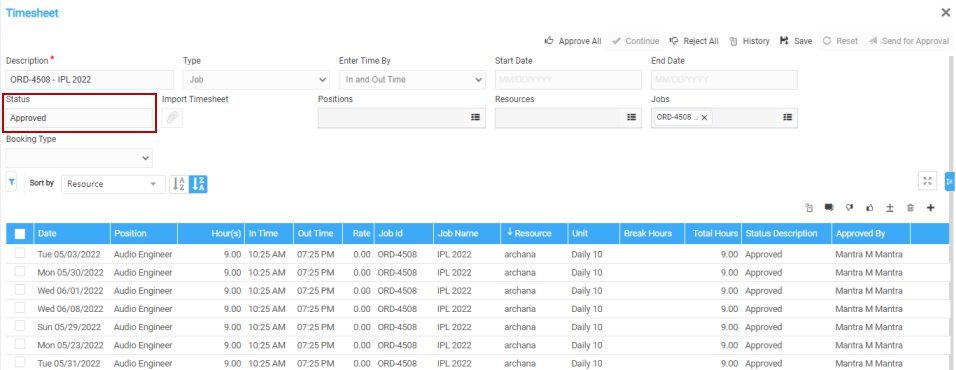
Figure 1.1: Timesheet header status -
Planning Order > Assign Dates:
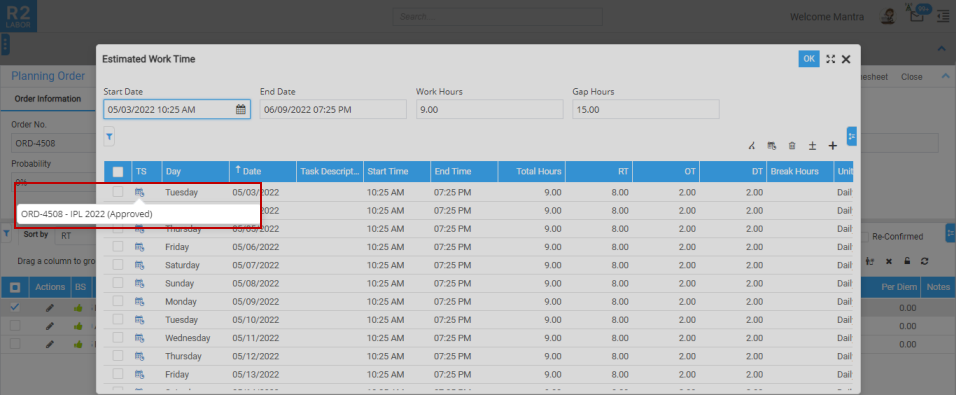
Figure 1.2: Assign Dates
The tool tip shows the Timesheet status for the individual EWT. ** -
Whiteboard window:
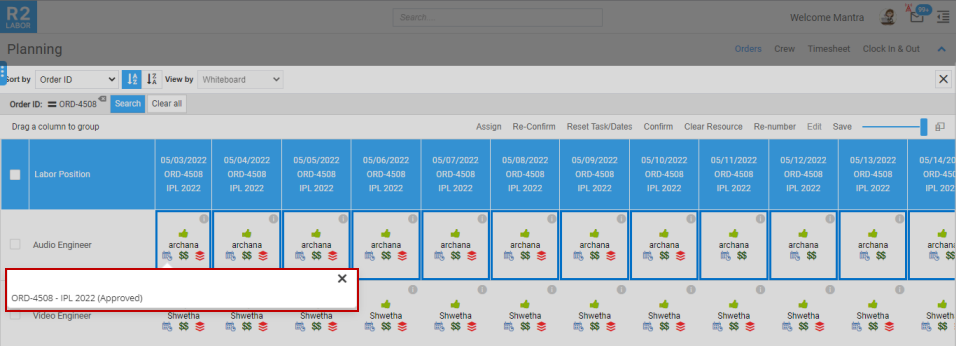
Figure 1.4: Whiteboard window
The tool tip shows the Timesheet status for the individual EWT.** -
Whiteboard > Assign Dates > EWT**
**If there two Timesheets created for a single booking line/single EWT date, then you can see the two timesheet details in the tool tip.