
Content was last updated in 06.23.08-00
How to recall an already submitted PO
Who Can Recall a PO?
Only PO Owner, and their delegate can Recall a PO.
Recall PO' button appear disabled for the user if they are not the PO Owner
When can a PO be Recalled?
A PO can be Recalled ONLY IF the PO status is either — Pending Approval, Approved, or Rejected.
How to Recall a PO?
Click the 'PO Recall Button' in the Purchase Order Window.
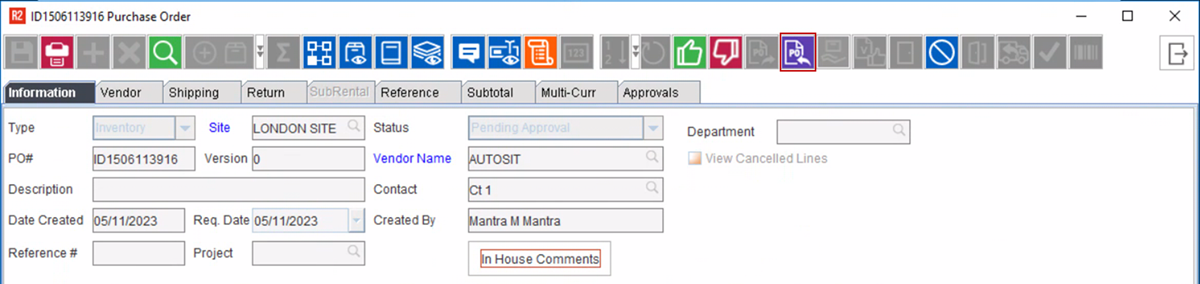
Once you click the button, the following prompt is displayed.
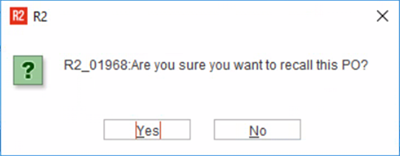
What happens when a PO is Recalled?
The following changes happen:
-
PO status is set as NEW.
-
Approval records under approval tab gets archived.
-
The action to Recall the PO, is recorded under PO History.
-
Approve/Reject buttons on the toolbar gets disabled, and thus there is no scope of any accidental approval/rejection.
-
Also the 'Approver' gets a notification that the PO has been recalled by the Owner.