
Upon creating a new order in R2, you may use the Copy from Order feature. Begin by clicking on the Copy from Order 
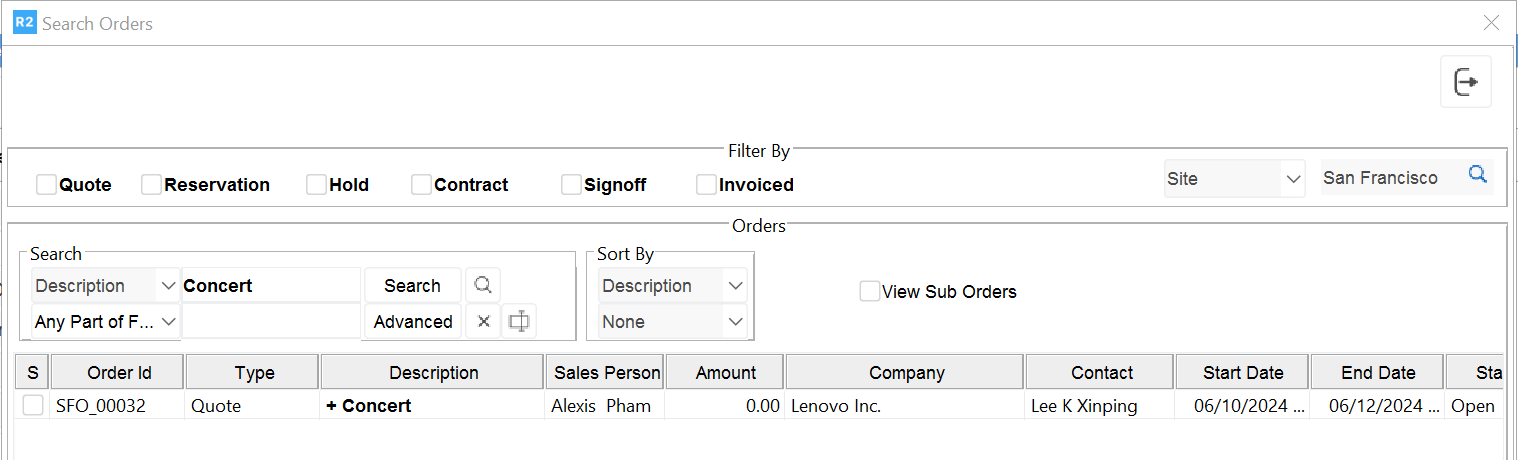
Search for the order by its description, and double-click on the order to select it:
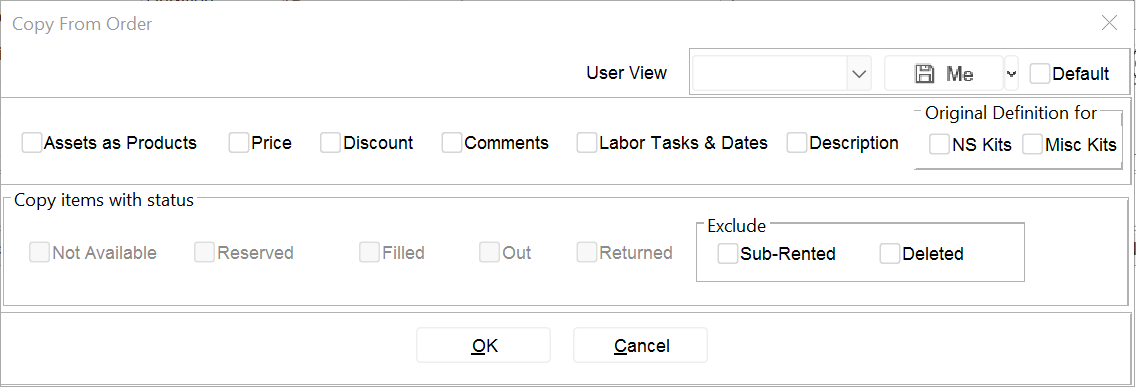
If there are items on the order you’re importing, you may choose to import their specific “Prices”, “Discounts” and “Comments”. Also, if the order has labor, you may import the labor dates set on the template order.
Click on OK to import the template.