Overview
While re-invoicing an Order, system considers the changes done to Labor Charges present on the order and same is either updated into existing first unposted invoice or generate additional invoice if all invoices are already posted.
-
If you have added any new labor lines or the amount is increased or decreased on any of the the unposted labor lines due to valid changes such as duration, rate, or hours, the system updates these changes in the first open invoice.
-
If you have increased the amount on any posted labor lines due to valid changes sch as duration, rate, or hours, the system updates these changes in the first open invoice if exists else it will generate an additional invoice.
This is applicable for order with Pay At as Rent, Return, Periodic Billing (Daily, Weekly, Monthly) and Length of Contract.
For Orders with Pay At - Custom workflow is different and above said is not applicable for them.
Validations and Restrictions
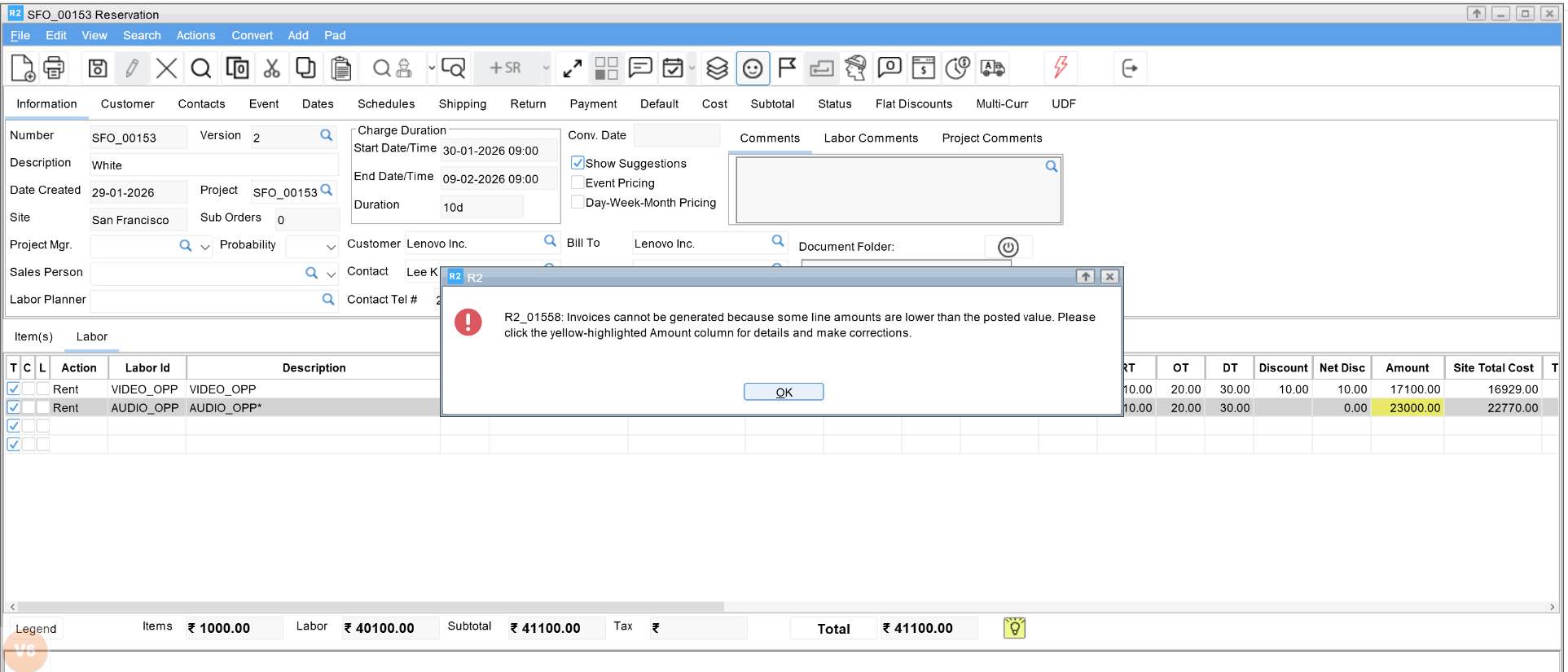
System prevents the invoice re-generation of an Order, when any of its Labor Line Amount or Discount Amount is less than the corresponding posted values. Visual indicators highlight discrepancies and blocks invoice generation until values are corrected.
The system validates posted labor amounts to ensure consistency between order and invoice values and prevents accounting discrepancies.
This validation applies to order with any type of Pay At i.e., Rent, Return, Periodic Billing (Daily, Weekly, Monthly), Length of Contract or Custom.
For Custom Billing, these restrictions is only when any of its Labor Line Amount is less than the corresponding posted values. Discount Amount validation is not applicable for this.
Procedure
-
Create an order using LOC billing.
-
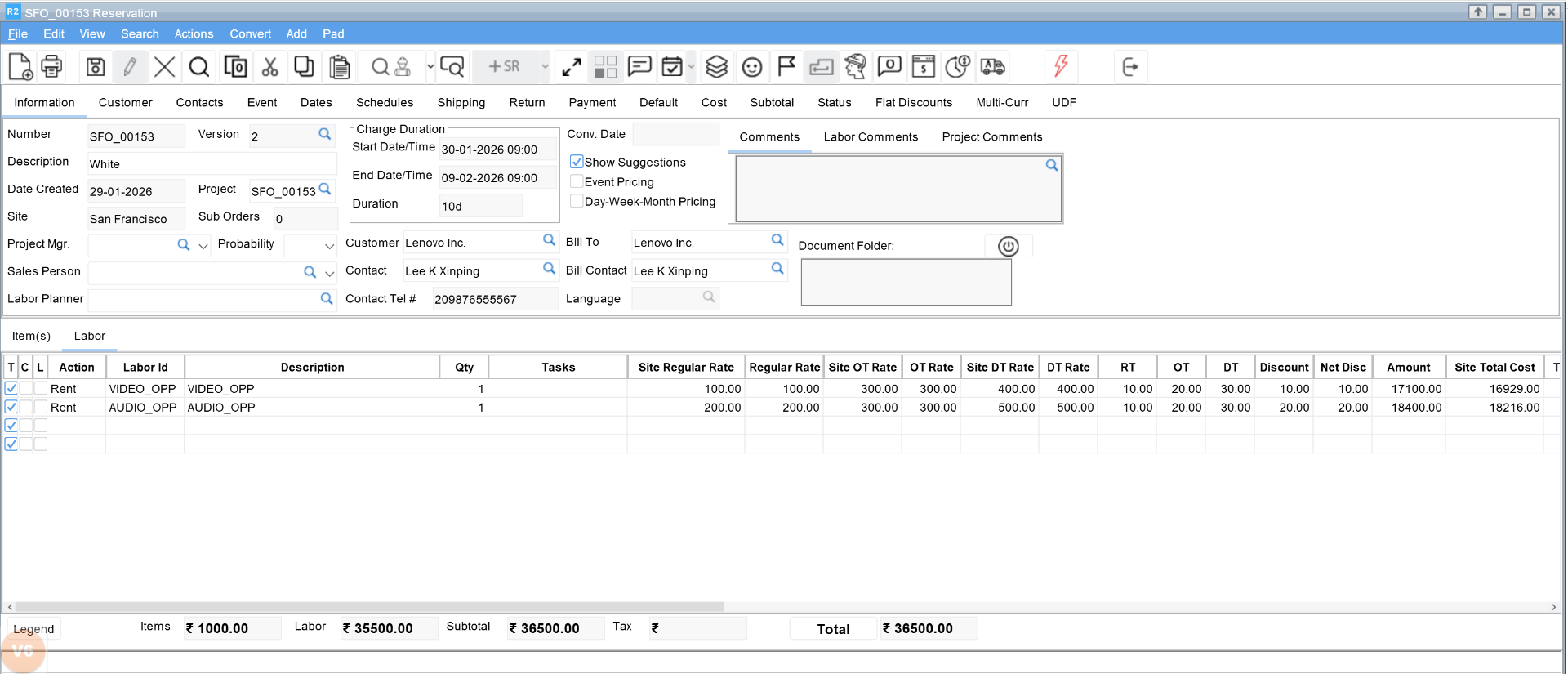
Add item and labor lines with discounts applied.
-
Generate and post the invoice.
-
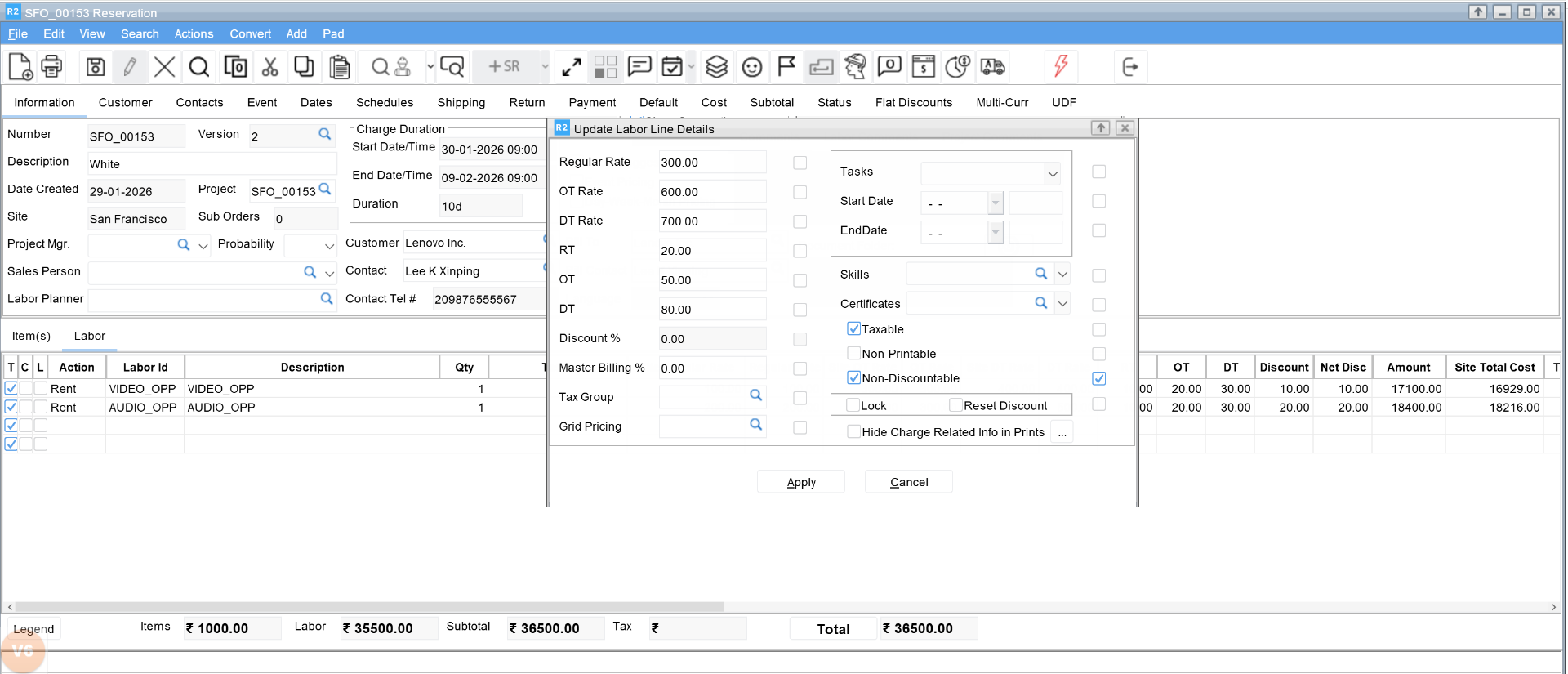
Reopen the order and select Non-Discountable to modify discount-related attributes on a posted labor line.
-
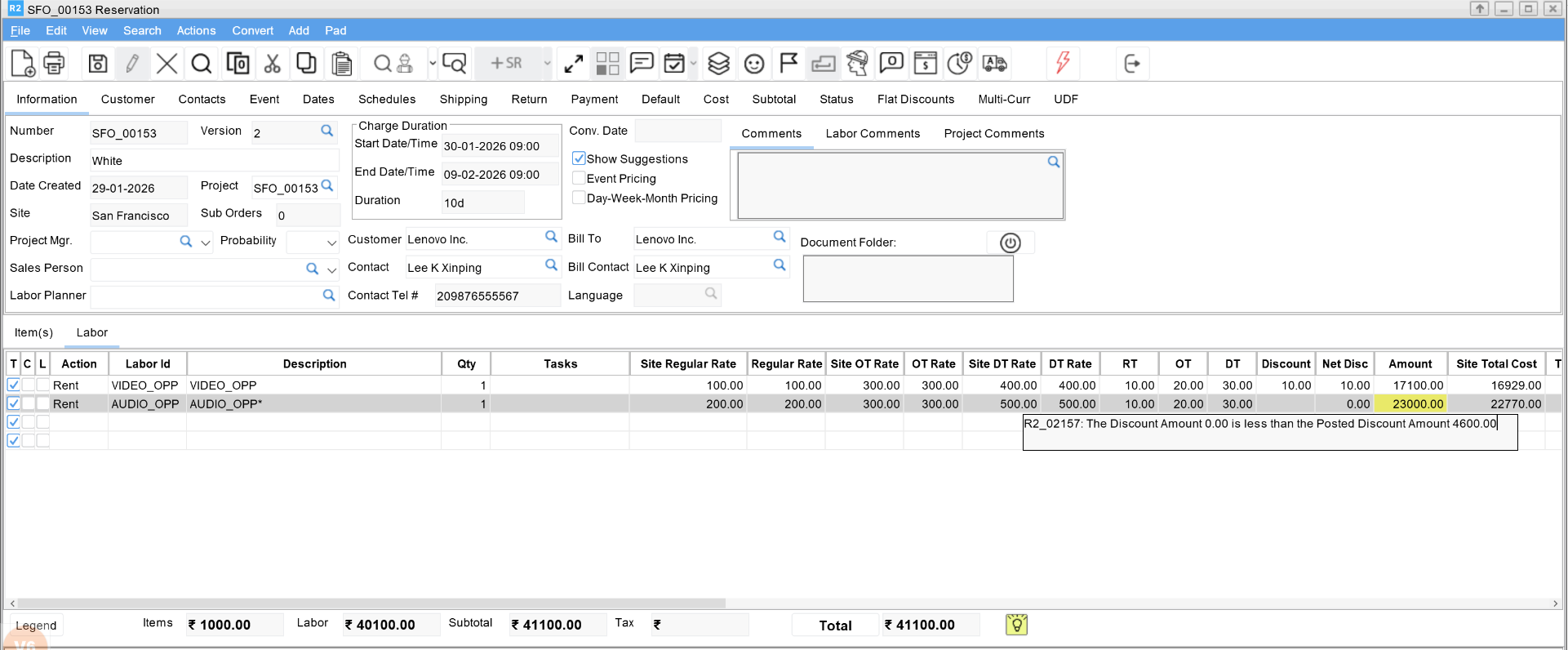
The system compares the current labor discount amount with the posted labor discount amount.
-
If the current discount amount is less than the posted discount amount:
-
Invoice generation is blocked.
-
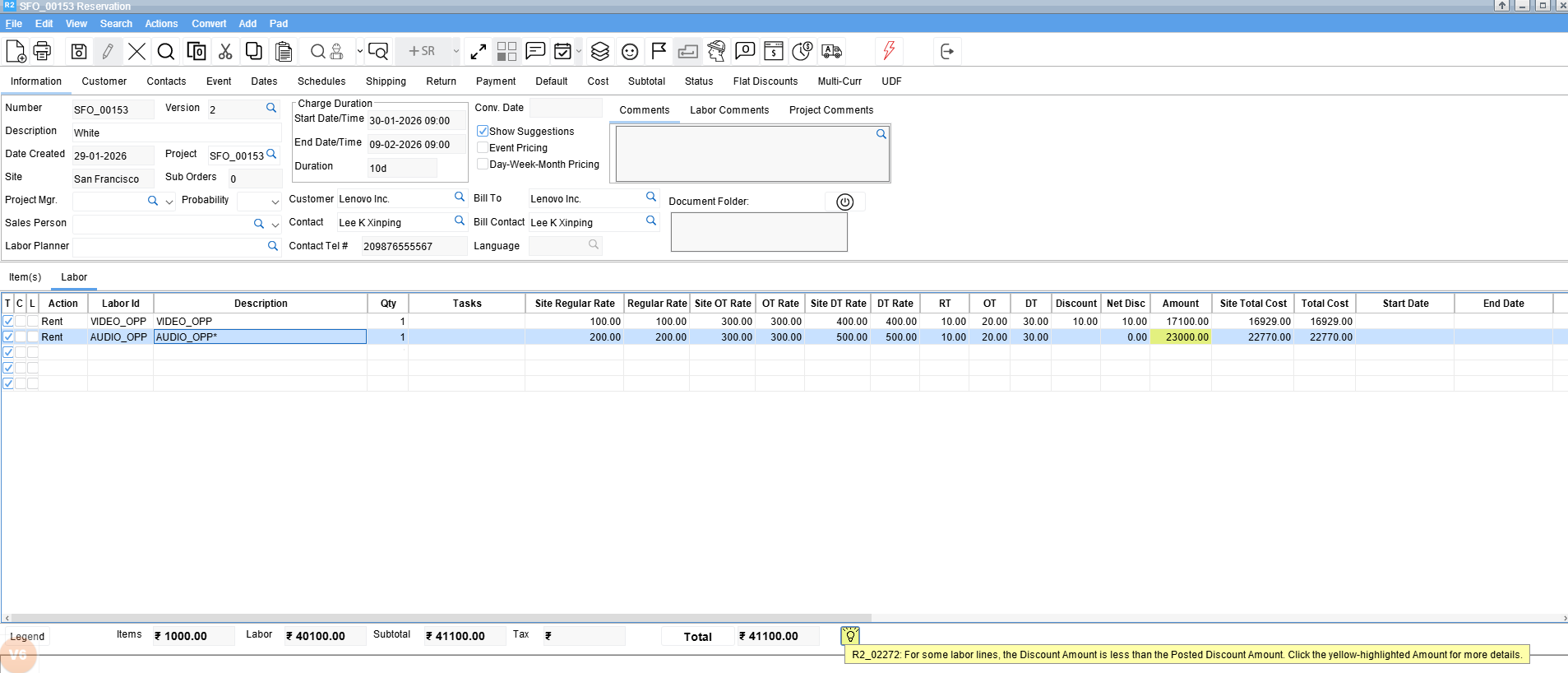
-
When you click Done, the system displays the following error message.