
Use this when creating a transfer order to move equipment between sites. This would not be used when transferring equipment for a customer’s order.
-
Begin at the Account screen.
-
Click on File → New → Transfer Order → Transfer In / Transfer Out
-
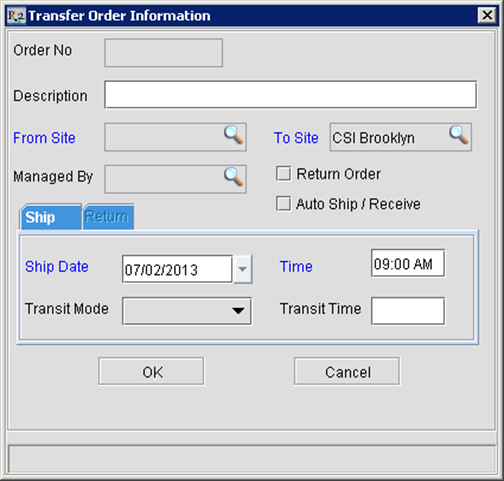
Enter a Description for the transfer order (optional);
-
Select the From Site (depending on where you are logged in, the To Site will automatically be selected as the other site);
-
Select the Ship Date/Time (when the transfer should be leaving the warehouse);
-
Click on OK.
-
Note: you must select either Transfer In or Transfer Out
-
Add items to the order by:
-
Click on Add Items

-
Click on the Fill Items

-