Overview
Inventory lots allow you to track batches of inventory items received into stock. During the receiving process, you can record lot information such as lot numbers, descriptions, costs, quantities, and expiry dates.
Receive an Inventory Lot
-
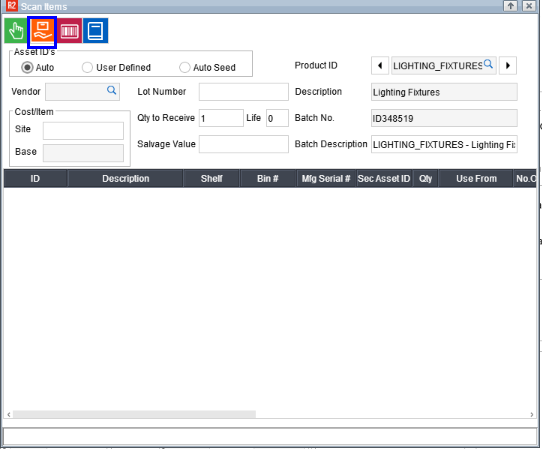
Open the Scan Items screen.
-
Enter the following information:
-
Cost
-
Quantity to Receive
-
Lot Number
-
Lot (Batch) Description
-
-
Click on the Receive icon to complete the receiving process.
View Lot Information from Inventory Search
You can access lot information directly from the Inventory Search screen and other screens that support lot drill-down.
-
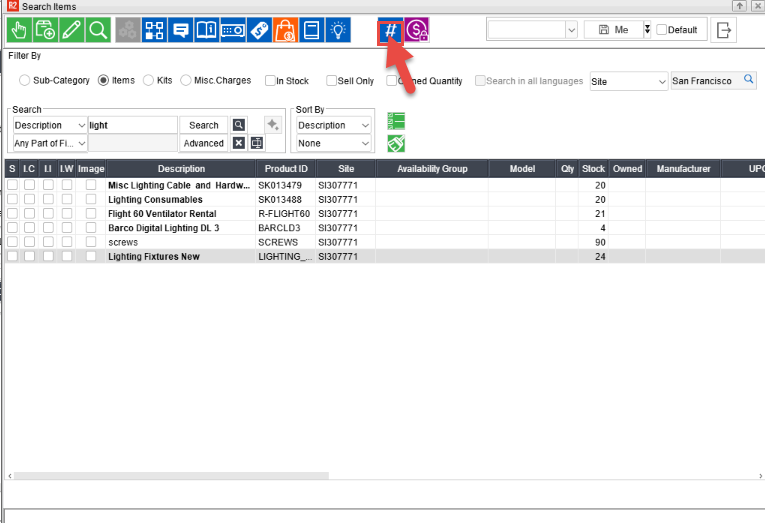
Search for the required inventory item.
-
Select the item.
-
Click the Lot Details icon.