
Content was last updated in 06.23.05-0
Notifications you get while approving or rejecting a level
For each level of approval, a separate notification is sent to the Approver through E-mail.
Since PO Approval/ Rejection is a compliance based process; so until and unless, the PO meets the required criteria, the designated approver won't Approve or Reject it.
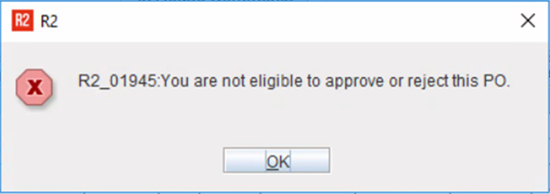
And only designated approvers can approve a PO. If the logged-in R2 user is not the one of the designated approver for the current level, they will see the following prompt.
Else, if the user is amongst the designated approvers, then based on whether they had chosen to Approve/ Reject the PO either of the following prompt is displayed.
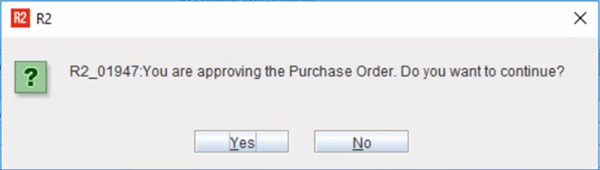
|
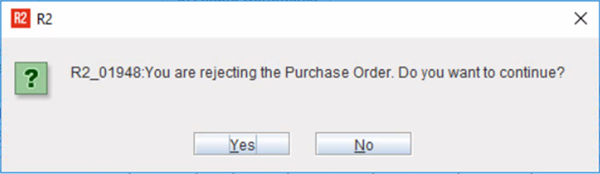
|
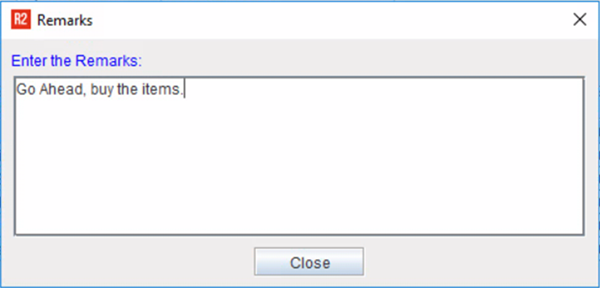
Instead, R2 prompts the approver for Comments/ Remarks in dialog box.
-
Comments / Remarks supports special characters and white-spaces in the text.
-
Comments / Remarks supports multi-language (if it is enabled/ supported in R2).
-
R2 allows a text up to 1000 character limit in the comments box while Approving/ Rejecting a PO.
To know how notifications are received, go to Approve/ Reject PO.