
To approve POs for payment follow the next steps:
-
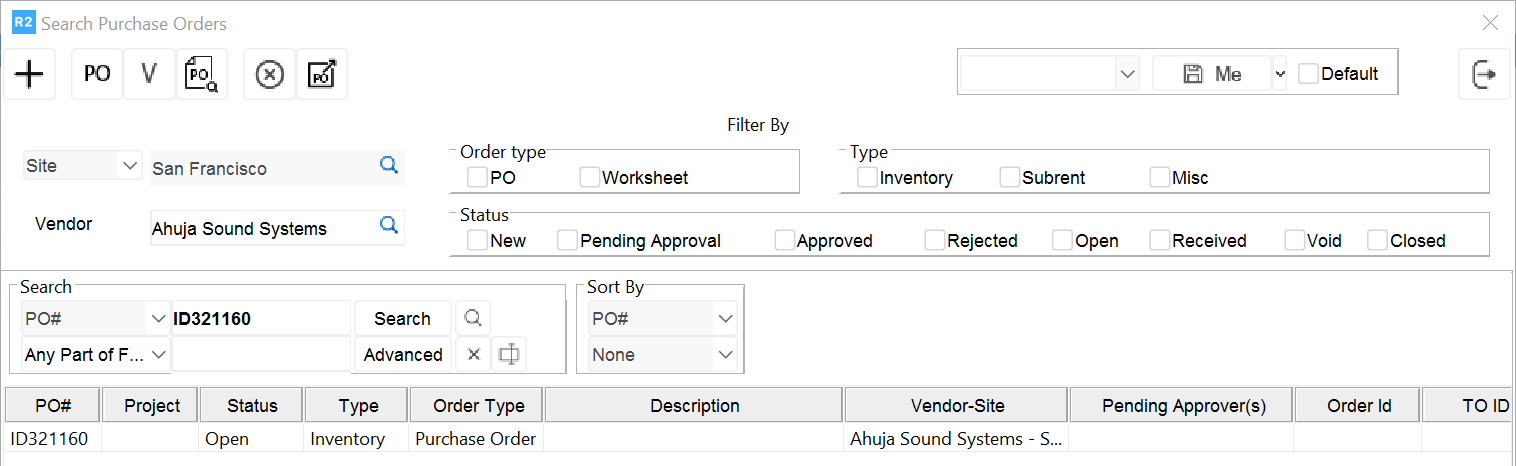
Find the PO in the Purchase Order module by entering the PO number in the PO field.
-
Open the PO by double clicking on the line.
-
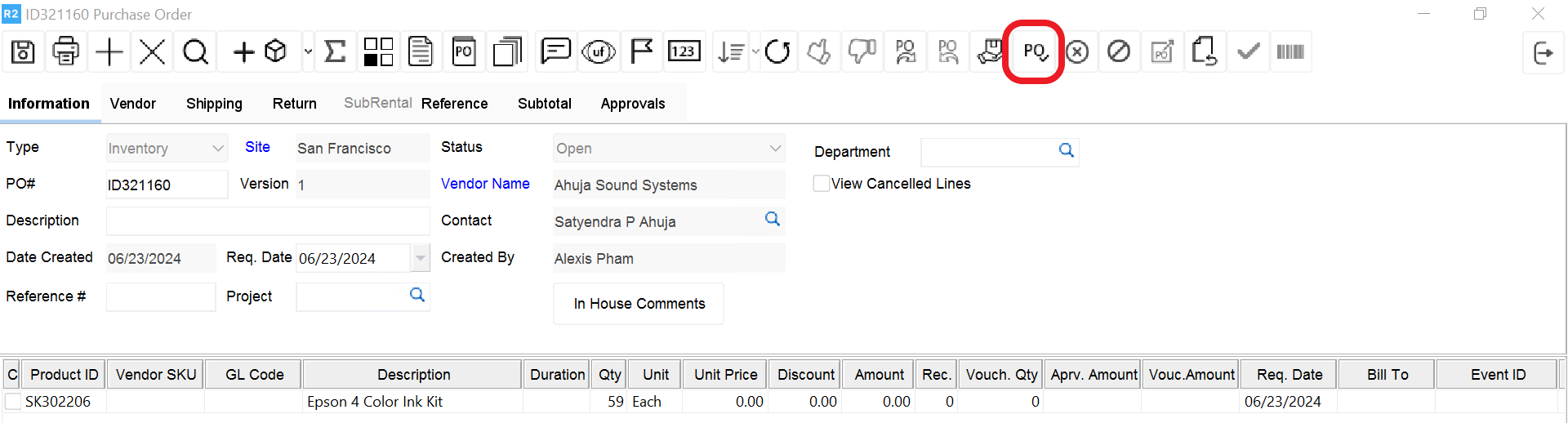
Click on the Approve icon
-
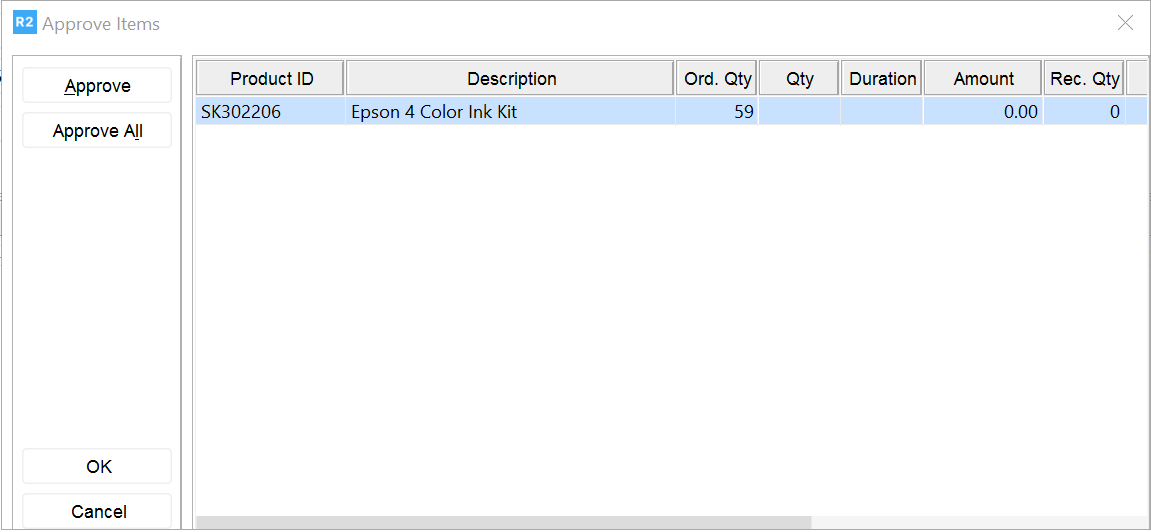
The Approve Items screen will be displayed.
-
Click the Approve All button to approve all items. Or, double click each line to be approved.
-
The approved lines will change to blue font.
-
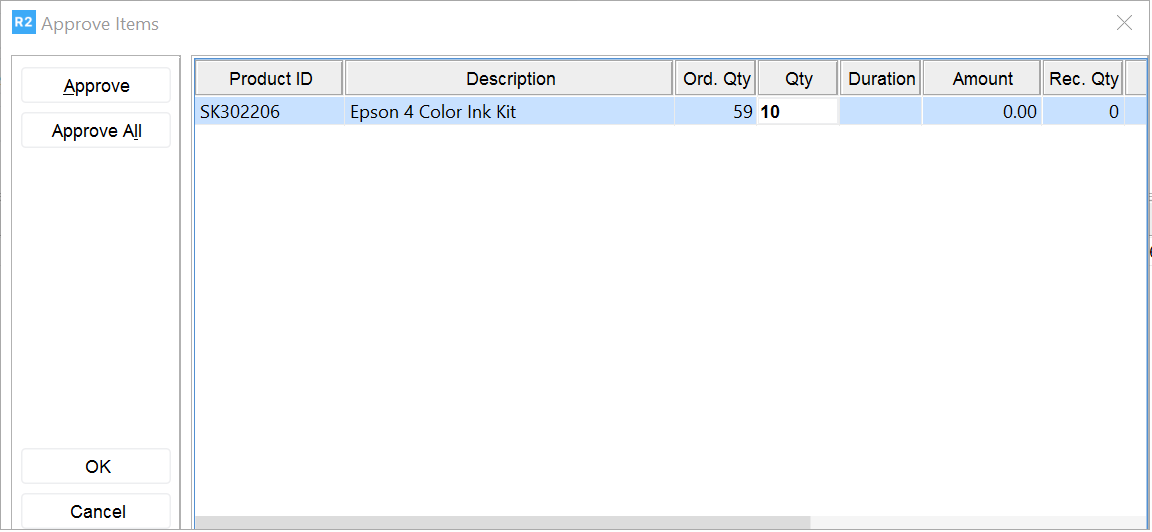
If a different quantity will be approved, update the quantity column accordingly by entering the amount in the Qty column and press Enter.
-
Click OK when done.
-
The PO will be approved.
-
The PO screen will close automatically.