
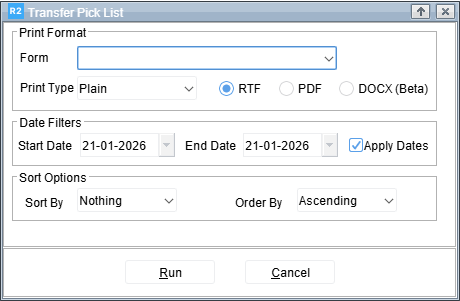
The Transfer Pick List screen is used to generate a report of transfer items for picking, based on selected print format, date range, and sorting options.
|
Section |
Field |
Description |
|---|---|---|
|
Print Format |
Form |
Selects the report layout or template to be used for the Transfer Pick List. |
|
Print Type |
Defines the output format of the report. Options include Plain, RTF , PDF, and DOCX. |
|
|
Date Filters |
Start Date |
Specifies the beginning date for transfers to be included in the pick list. |
|
End Date |
Specifies the ending date for transfers to be included in the pick list. |
|
|
Apply Dates |
When checked, limits the report results to the specified start and end dates. |
|
|
Sort Options |
Sort By |
Determines the field used to sort the pick list data. Currently set to “Nothing”. |
|
Order By |
Defines the sort order (Ascending or Descending). |