Reference No: R2-12476
Version No: 06.00.06-00_P05
Master Bill commission and Tax have been supported in MB Print and in Great Plains Export.
Prerequisites
-
Calculate Tax After MB Discount must be unchecked in Site Edit screen.
-
GL codes must be defined for Taxes, Master Bill Commission, Sales, and Tax on MB Commission.
-
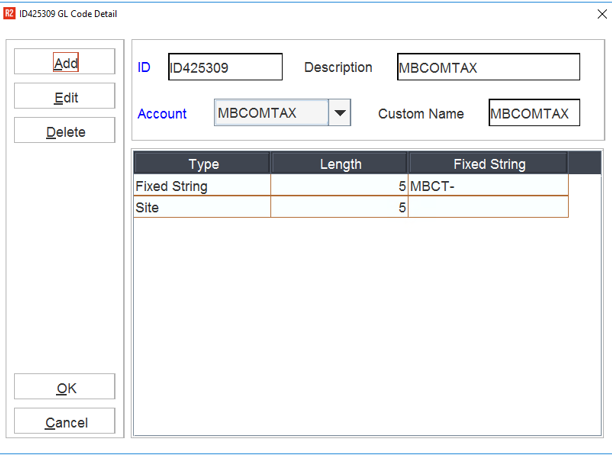
Complete the setup in Invoicing GL Code Details > MBCOMTAX.
-
Print
Support is provided for below CIDs in Master Bill Print in 169500UI.
Table 1.0 CID Details For Master Bill Invoice
|
CID |
Panel ID |
Description |
|
701 |
163201 |
To print sub-total |
|
702 |
163201 |
To print net-due amount |
|
01 |
163203 |
Tax on Invoice Amount of MB Invoice. |
|
02 |
163203 |
Tax Description. |
|
03 |
163203 |
Tax on MB Commission Amount of MB Invoice. |
Credit and Debit memo on Master Bill are also considered for the above CIDs.
For CIDs 01, 02, and 03
To fetch details from different rows of Tax schedule table, prefix CIDs with row number as shown in belowExample. The first digit denotes the row
|
Row |
Tax On Invoice |
Tax Description |
Tax On MB Commission |
|
1 |
101 |
102 |
103 |
|
2 |
201 |
202 |
203 |
|
3 |
301 |
302 |
303 |
Great Plains Export
-
Details of the Tax on Commission are exported separately.
-
Dist.txt
-
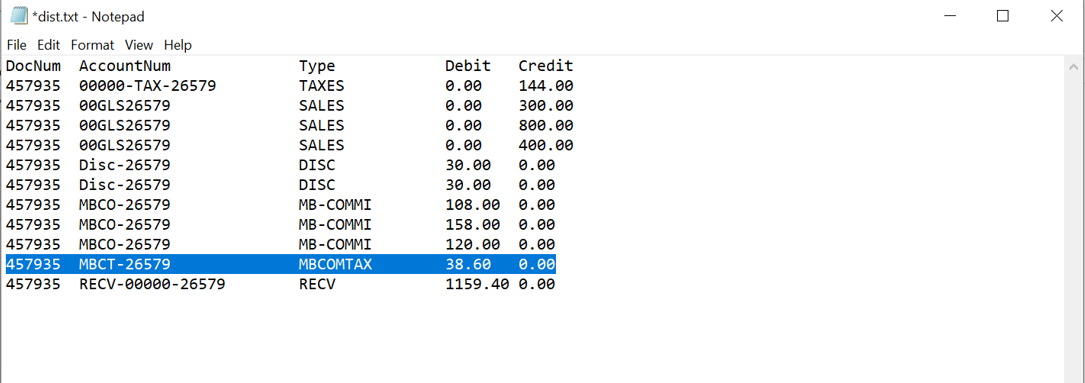
Tax entry will be written based on the flag ‘Calculate Tax after Commission’
-
Tax on commission entry is supported
-
Account No exported for Tax on commission should be defined for Invoicing GL Code Details > MB Comm Tax (this flag is supported)
-
-
Posting Register Report
-
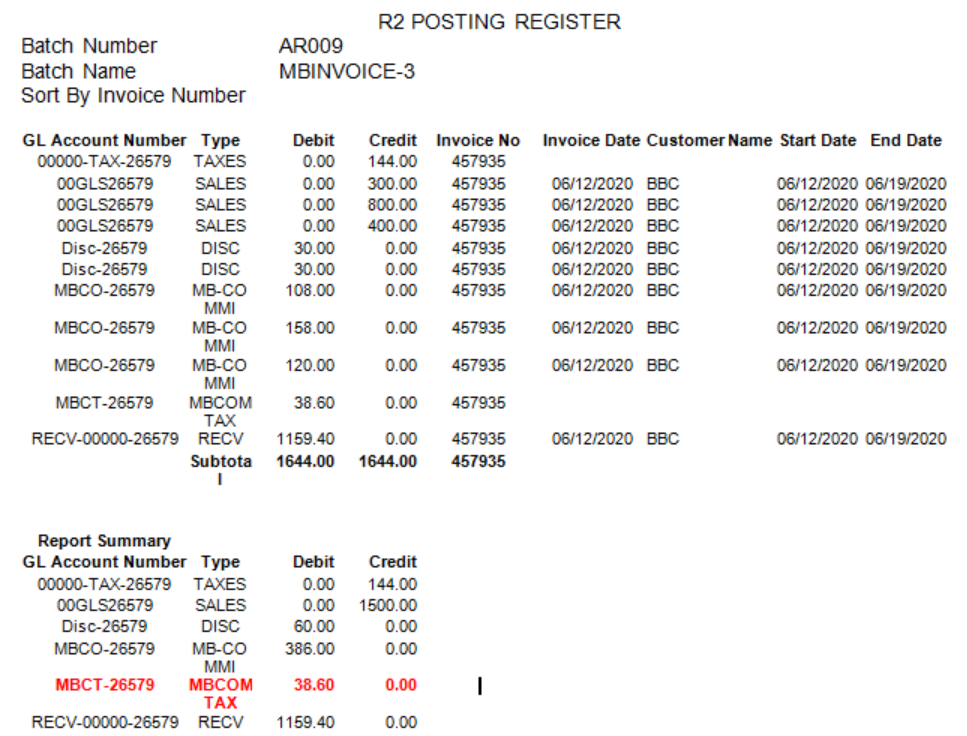
Should reflect as per Dist.txt described above
-
-
Tax Amount in R2RM
-
This will use the formula, Tax on MB Invoice Total (Tax entry value in dist.txt) - Tax on Commission (Tax on commission entry value in dist.txt)
-
-
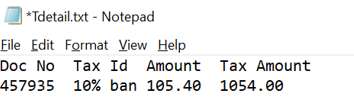
TDetail.txt
-
Tax Amount: MB Invoice Total - MB Commission
-
Amount: Tax on MB Invoice Total (Tax entry value in dist.txt) - Tax on Commission (Tax on commission entry value in dist.txt)
-
Sample Workflow
-
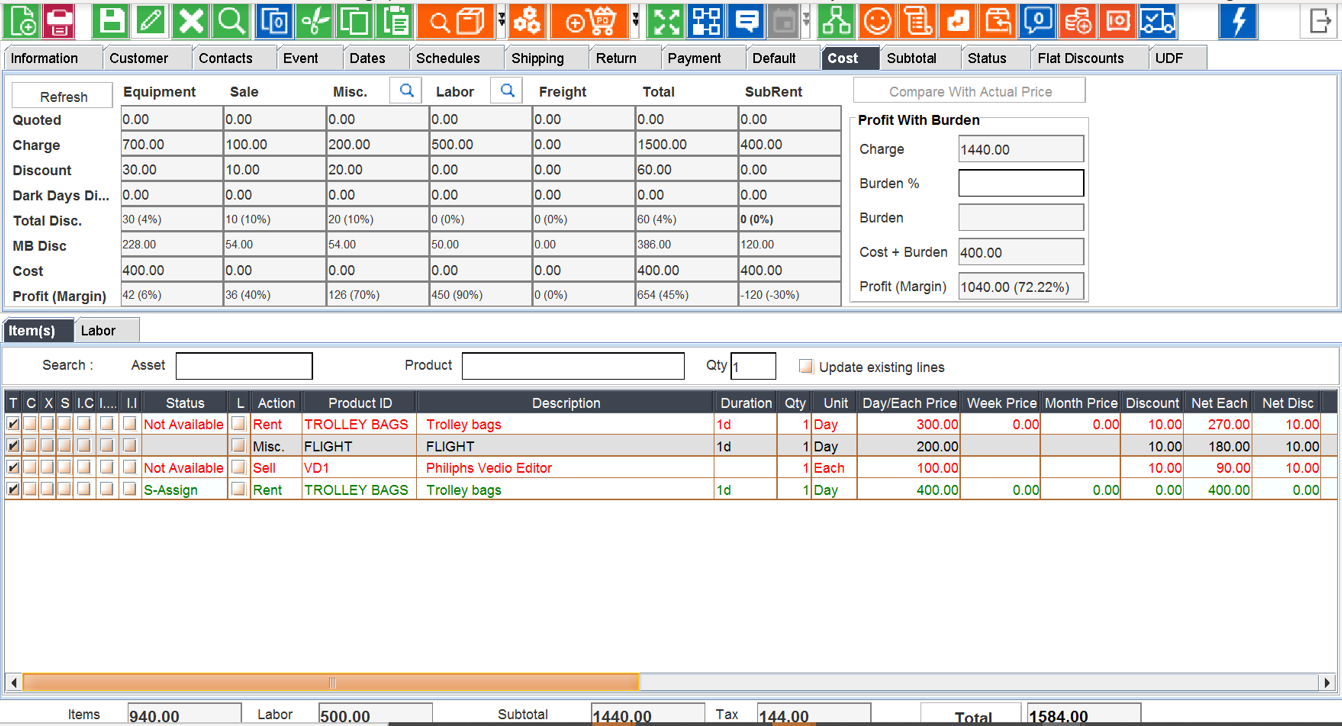
Create Order as below
-
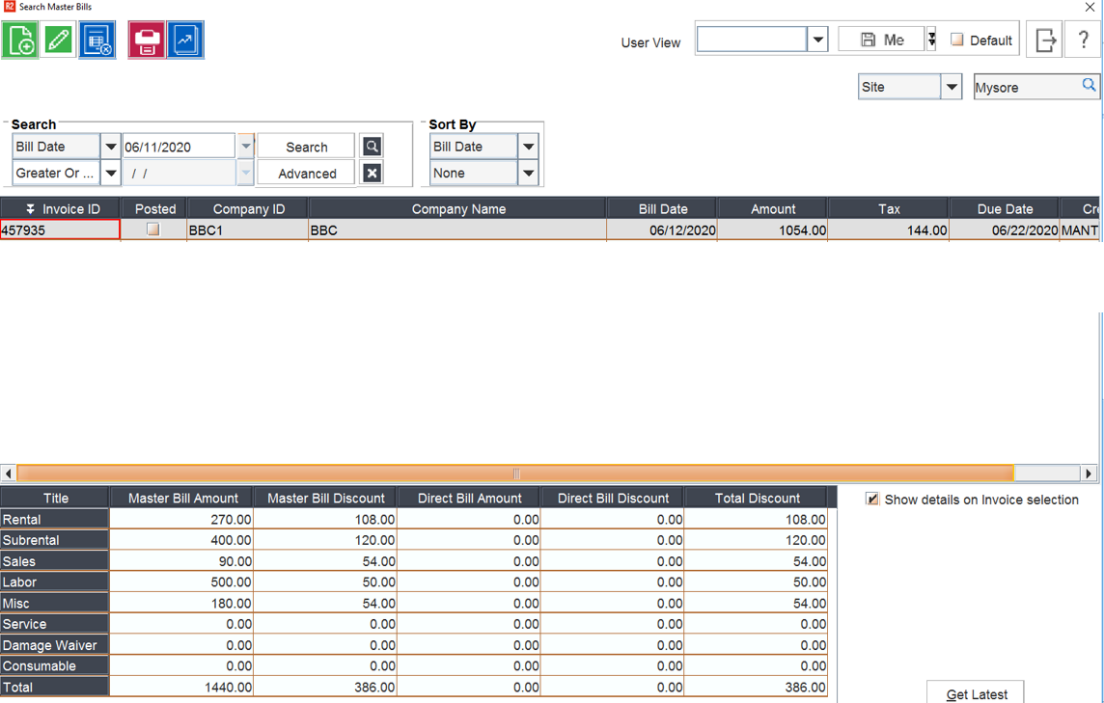
Create a Master Bill Invoice as below
-
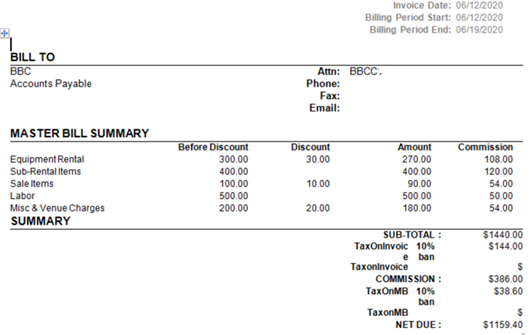
Print the Master Bill Invoice
-
CIDs supported are shown below
Great Plains Export
-
Define GL Code for MB Commission Tax as required. Example below
-
Post the Invoice
-
R2 Posting Register displays Master Bill commission Tax
-
Dist.txt displays Master Bill commission Tax as below
-
R2RM.txt



-
Tdetail.txt