
To view discrepancies, click on the discrepancy button 

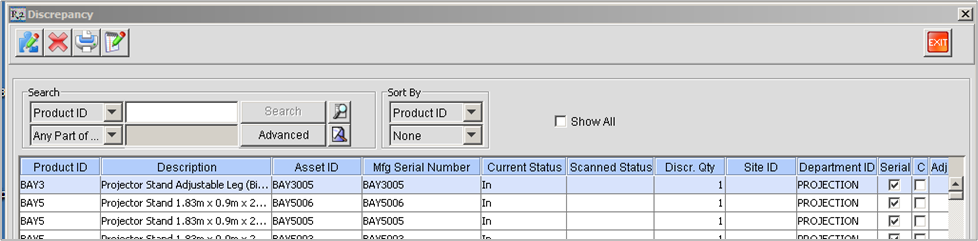
On clicking the Discrepancy icon on the Physical Inventory window, Discrepancy window appears. Here the assets that were having the discrepancy will be listed.
Physical Inventory Batch shows assets with the following status or condition:
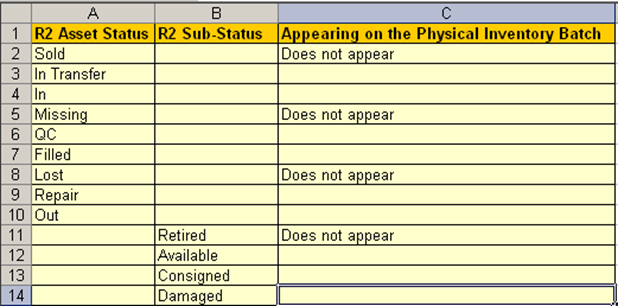
In sum, all items except for Retired, Lost, Missing and Sold are shown in the batch.