Reference No: R2-14947
Version No: 06.01.04-00
Details
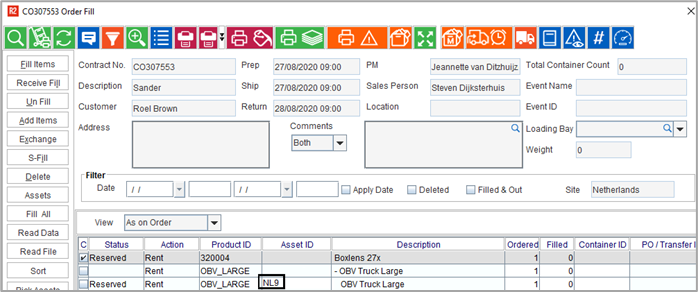
Support has been added for a ‘New Column’ in the grid as “Reserved Asset ID” that shows the data dynamically if reserved by Asset ID instead of showing it in the current Asset ID field. As per the business requirement, the Order Warehouse Tasks need to display Asset ID even when its a Reserved by Asset on Order and not yet filled.
Functionality Covered
All the below screens have been included to fulfil this functionality.
-
Fill Order
-
Ship Order
-
Return Order
-
Multiple Return Order
Pre-requisites
-
Create an Item say item#1.
-
Receive 5 assets, asset#1, asset#2, asset#3, asset#4, asset#5.
Sample Workflow
-
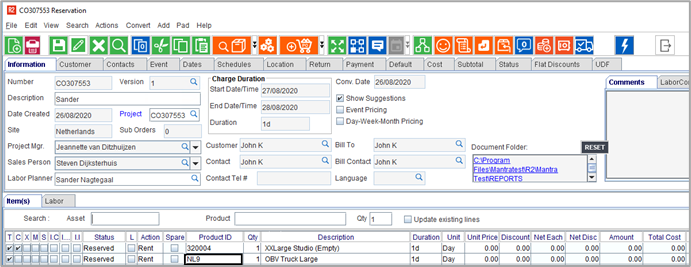
Create an Order by adding Assets to it.
-
Save and Exit the order.
-
Open the Prep Task.
-
Click on Expend all.
-
The Prep Task displays the asset id.