
Overview
This feature enables timesheet creation in R2 Labor by importing approved work time logs of resources from the Employment Hero (EH) application against the jobs/bookings/calendar events the resources have worked on. The timesheet and associated actual costs will then be reflected within R2 Labor.
Prerequisites
Ensure the following prerequisites are met:
-
Install components on the client machine:
-
Python
-
Oracle SqlPlus Client
-
Oracle Sql* Loader
-
-
Set up R2 Labor with:
-
An order with at least one labor position added.
-
Assigned resources to those positions with status "Confirmed".
-
A defined start and end date for each assignment.
-
EWT records defined for the same date range.
-
A calendar event definition.
-
Configuration
Setting up EmploymentHeroAPIConfig.ini
The configuration file EmploymentHeroAPIConfig.ini, located at:
../CustomScripts/EmploymentHeroIntegrationForTimesheet/
Sections and Fields
|
Field Name |
Description |
|---|---|
|
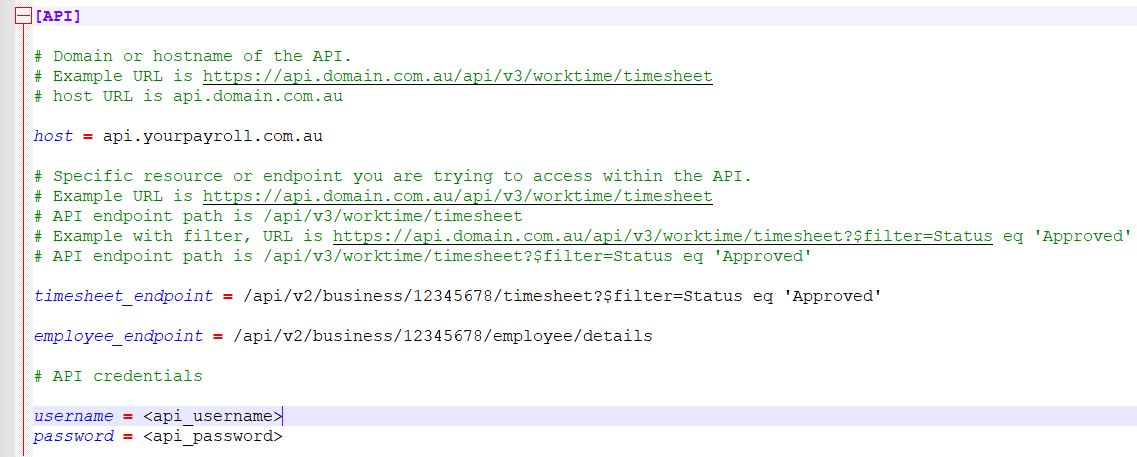
[API]Host |
Domain or hostname of the API. |
|
[API}timesheet_endpoint |
Specific resource or endpoint you are trying to access within the API for the timesheet. |
|
[API}employee_endpoint |
Specific resource or endpoint you are trying to access within the API for the employee details. |
|
[API]Username |
API credentials |
|
[API]Password |
API credentials |
|
[Database]schema_username |
Username for Oracle schema being used. |
|
[Database]schema_password |
Password for the above Username |
|
[Database]service_name |
Configured Service Name for the Schema being used. |
|
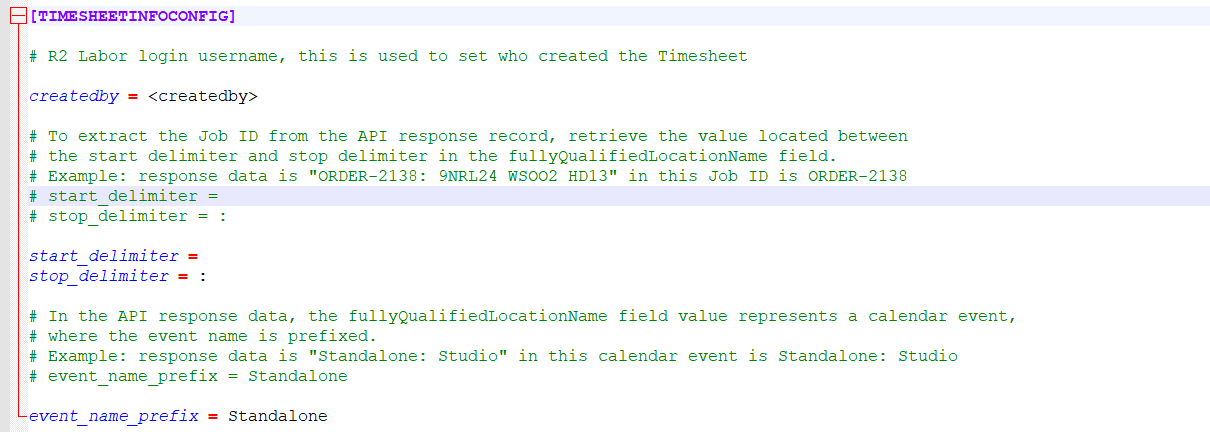
[TimesheetInfoConfig]createdby |
R2Labor user who created the Timesheet |
|
[TimesheetInfoConfig]start_delimiter |
Start and Stop Delimiter are used to extract the following values from the Start_Delimiter field can be blank.
|
|
[TimesheetInfoConfig]stop_delimiter |
|
|
[TimesheetInfoConfig]event_name_prefix |
The ‘event_name_prefix’ is picked from the above setting and matched the with ‘Description’ text of all the ‘Calendar Events’ definitions in R2Labor, to ascertain if the extract record is indeed a ‘Calendar Event’ or not.
See below, screenshot of a sample INI file
Screenshot of a sample INI file

Execution Modes: dry_run vs live_run
The integration batch program must be executed with a required parameter to determine the execution mode:
-
dry_run:-
Only generates success and failure logs
-
No timesheets are created
-
Useful for previewing potential outcomes
-
-
live_run:-
Processes valid EH records and creates timesheets
-
Generates success and failure logs
-
If neither parameter is provided, the program will terminate immediately.
To separate manual and scheduled usage, users can run the integration in either mode as per requirement.
How Sync Works?
For a record from Employment Hero to be successfully processed:
-
A matching EWT record must exist in R2 Labor
-
A matching calendar event (either existing or auto-created) must exist
Only records with Approved status in EH are considered.
Enhanced Handling of Mixed Record Validity
-
Valid records are processed and integrated
-
Invalid records (e.g., missing Resource ID, duplicates) are skipped
-
The batch continues processing without being blocked
Timesheet Naming Convention
-
Timesheets will be named:
Processed from EH <From Date> - <To Date> -
If a timesheet with the same name already exists, a suffix like
_01,_02, etc., is appended -
From DateandTo Datereflect the earliest and latest timesheet lines -
Timesheet type will be
Week
Log Files & JSON Payload
For each execution:
-
Two CSV logs are generated:
-
One for successfully processed records
-
One for failed records with detailed reasons
-
-
JSON Extract:
-
Contains the full EH response payload
-
Placed alongside the logs for reconciliation
-
Folder Structure
-
Success Folder:
-
If all records succeed
-
Stores success logs and JSON response
-
-
Failure Folder:
-
If some or all records fail
-
Stores failure logs, success logs (if partial success), and the JSON response
-
File Naming Convention
All logs and JSONs will follow this format:
Live_Run_<Order Description>_<YYYYMMDD>_<HHMMSS>.JSON
Live_Run_Failure_Details_<YYYYMMDD>_<HHMMSS>.csv
Live_Run_Success_Details_<YYYYMMDD>_<HHMMSS>.csv
Dry_Run_<Order Description>_<YYYYMMDD>_<HHMMSS>.JSON
Dry_Run_Failure_Details_<YYYYMMDD>_<HHMMSS>.csv
Dry_Run_Success_Details_<YYYYMMDD>_<HHMMSS>.csv
Supported Scenarios
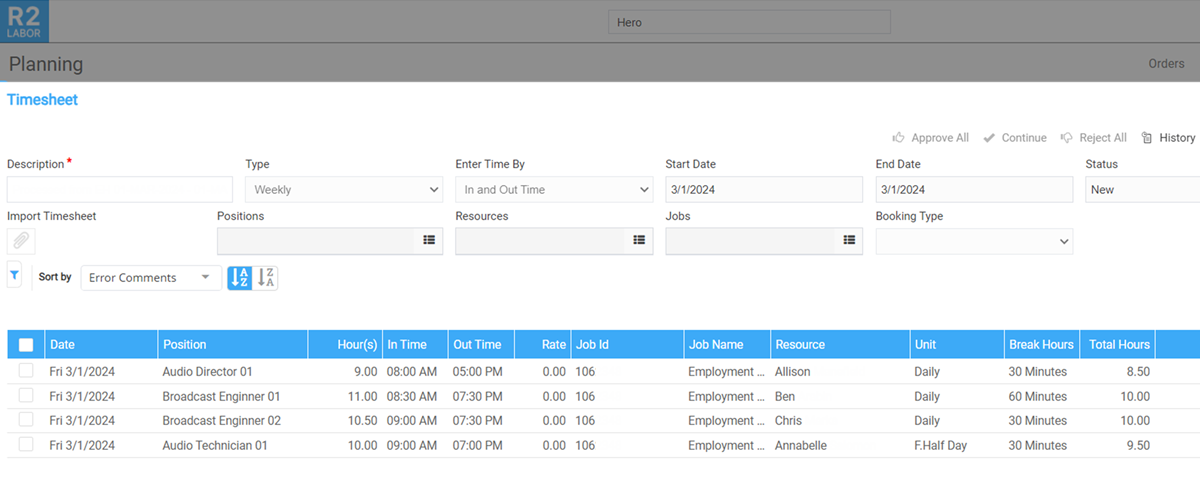
Scenario 1: Timesheets for Booking Lines
-
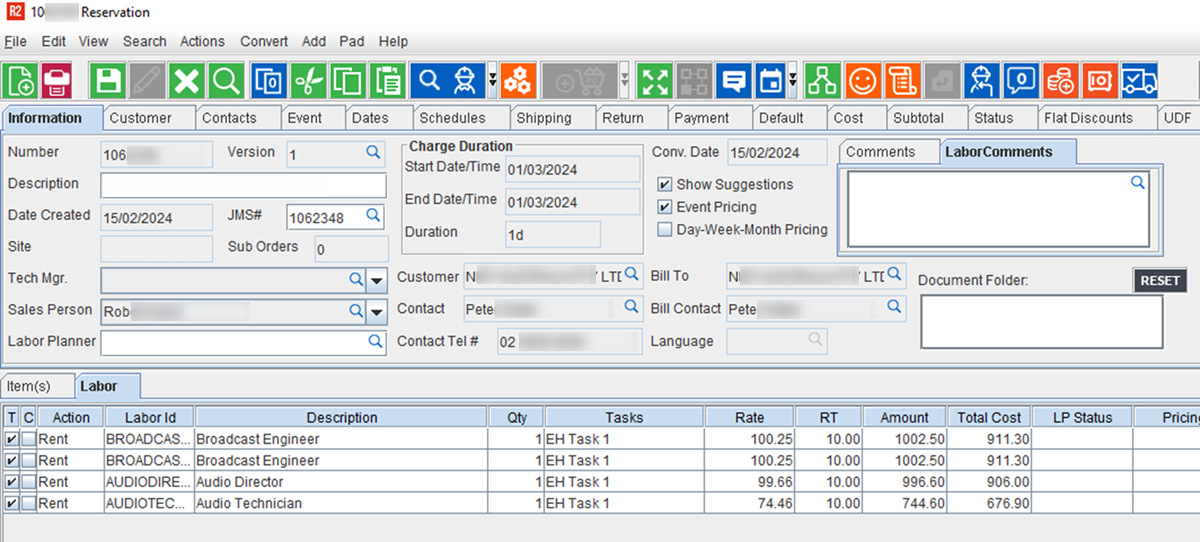
Create and save an order with labor details in R2.
-
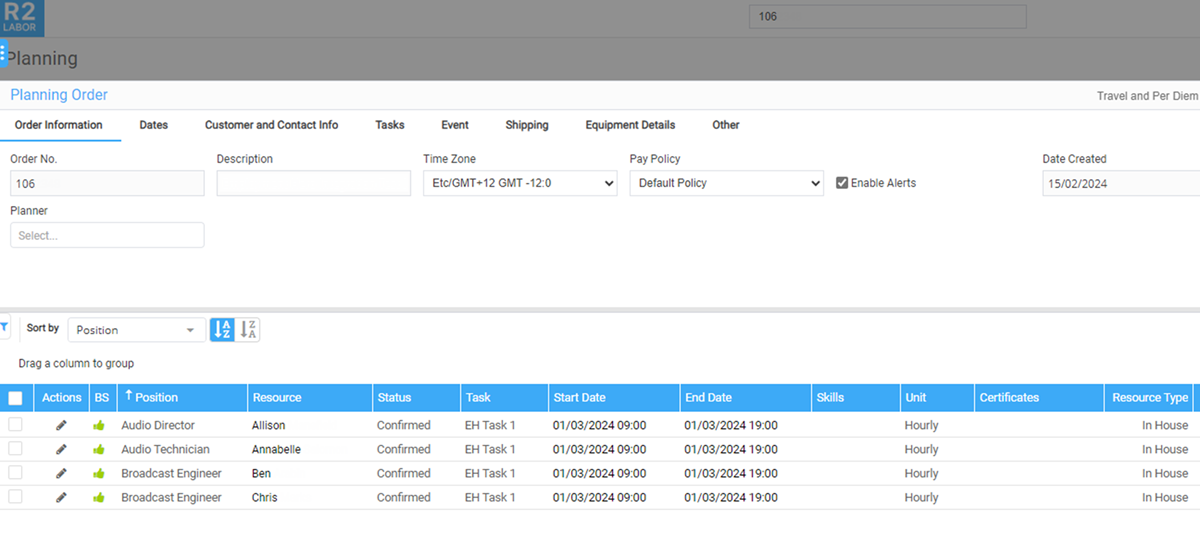
Assign positions and confirmed resources in R2 Labor.
-
Run the script in the required mode(Dry_run/Live_run)
-
Timesheets will be populated in R2Labor for successful entries
Scenario 2: Timesheets for Existing Calendar Events
Within R2Labor, this has two parts - Defining a Calendar Event and Creating a Calendar Event for a specific crew on a certain date.
Before extraction is initiated, it is important to ensure that: All the ‘Calendar Events’ needed from Employment Hero are in ‘Approved’ state, since the scripts will look for only those events.
-
Pre-create matching Standalone Events in R2Labor and EH
-
Records from EH will be mapped using
event_name_prefix -
Timesheets are created if matches are found; otherwise logged as failed
Scenario 3: Timesheets for Auto-Created Standalone Events
-
No manual calendar event creation in R2Labor required
-
Integration auto-creates standalone events in R2Labor if not exists
-
Timesheets created after event creation if valid
Multiple records for the same resource and same event/date will cause the entry to be skipped and logged as failure.
EH Data Integrity
-
No updates are made to Employment Hero
-
It is the user’s responsibility to mark records as “Processed” in EH
-
This avoids reprocessing on future runs