Scheduler provides you the ability to predefine times or intervals at which reports are generated. This helps you to automate the process of generating, saving time and reducing manual effort.
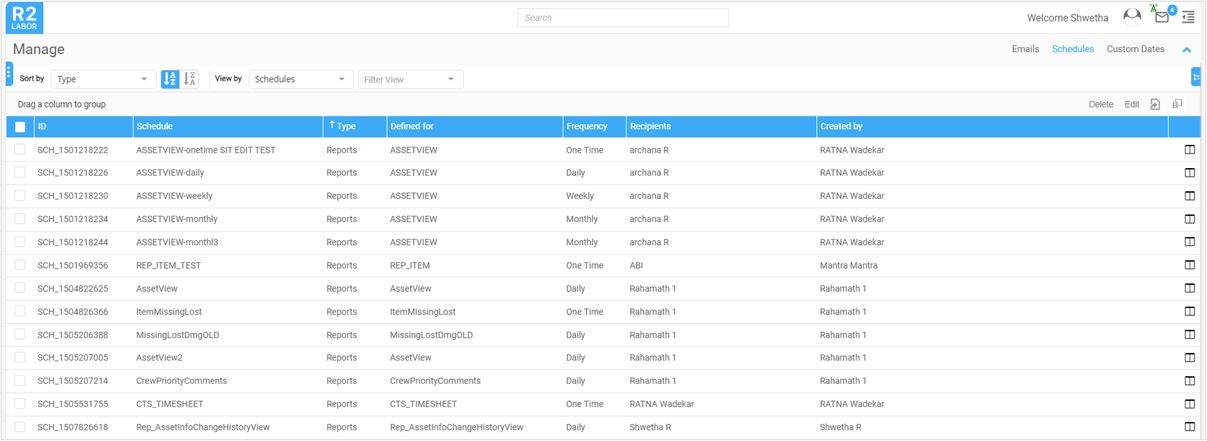
You can find and modify all the schedules created so far under R2 Labor> Main menu> Manage> Schedules as shown in the below screen.
-
Create: Schedules can be created for a specific report. Click here to know more..
-
Edit: To modify existing schedule, select the Schedule from list and click Edit.
-
Delete: To delete existing schedule, select the schedule from list and click Delete.