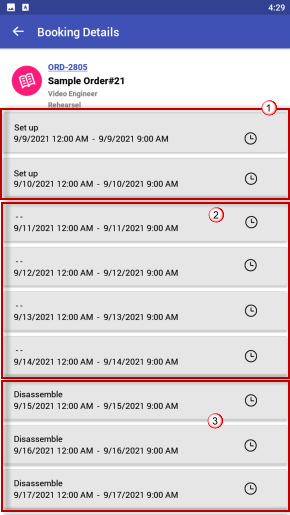
When the confirmation request is sent to the resource, the booking details in their app., display the Task assigned to each schedule and position.
In case the Schedule/Task is not defined it would show a -- (Double dash symbol). See Figure below.
-
This way the resource would know that it is not a display error and the Schedule/Task is omitted on purpose.
-
From a business use-case, this helps the crew to know their task before arriving on the job site and is able to prepare for the task beforehand.
Let's say from this list we open the assigned named Sample Order#21 - ORD, where the assigned Crew type is Video Engineer.
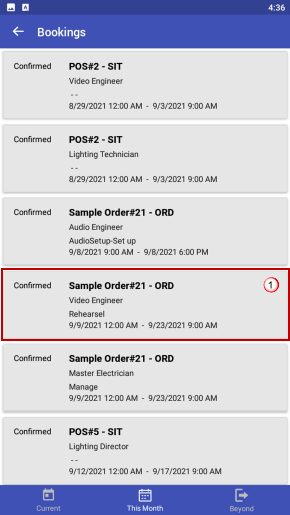
Scenario Explanation:
|
Order Information Header |
Value |
|---|---|
|
Order ID |
Order 2601 |
|
Order Description |
Sys Planning Order 1 |
|
Order Labor Details |
Video Engineer assigned for 9 days 9th September 2021 to 17th September 2021 (12 AM to 9PM). |
Each day for the assigned Crew position a task has been assigned.
For Example:
-
9th and 10th September the task assigned is Set up.
-
11th to 14th September no specific task is mentioned. So the line shows – –
-
15h to 17th September the task assigned is Disassemble.