
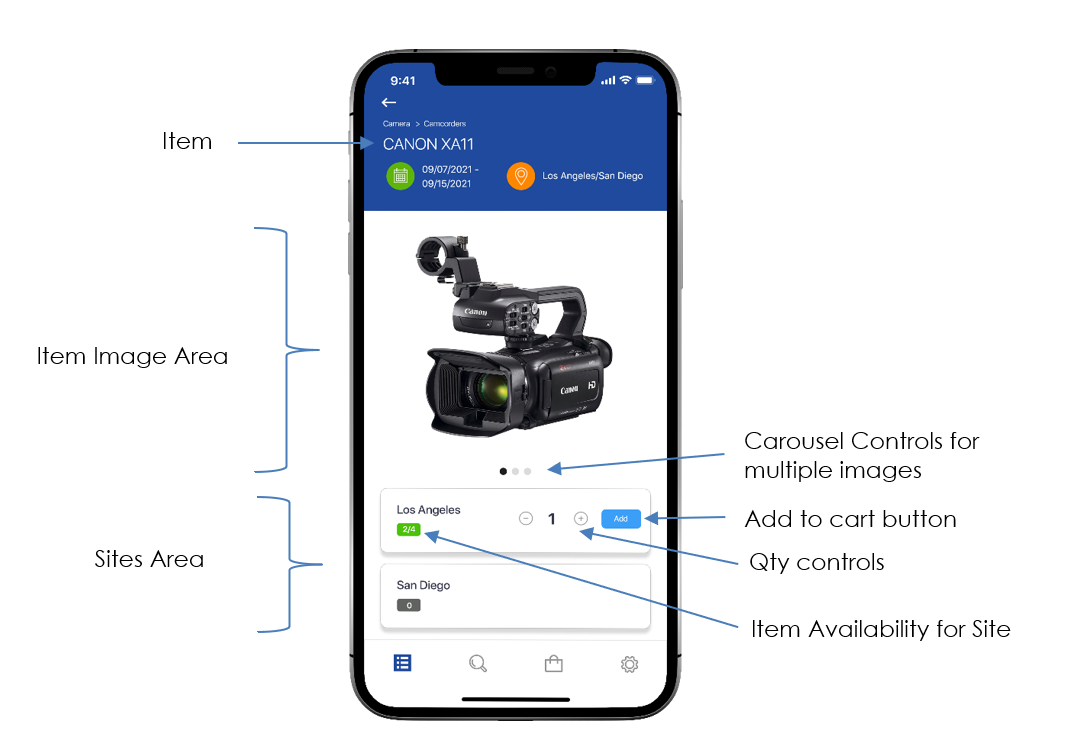
1. Item Availability
The item availability for the specific site is show in green

2. Quantity Controls
Use the quantity control to specify how many items are needed
3. Add to Cart
Once you have specified the number of items needs, click the Add to Cart button
A confirmation message appears when successfully added to Cart

The Cart icon now displays the number of items in the cart

At this point you can check out or select addition items