
Open any entity (Order, Purchase Order, etc.) and choose Print option.
In the Form Type Options dialog, select Export As format or Direct Print (works only in RDP) to print it directly through a printer.
Select the Direct Print option, and R2 will prompt you to select the printer to print the document.
Select the Export As option, and R2 will give you the selection of RTF, PDF or DOCX.
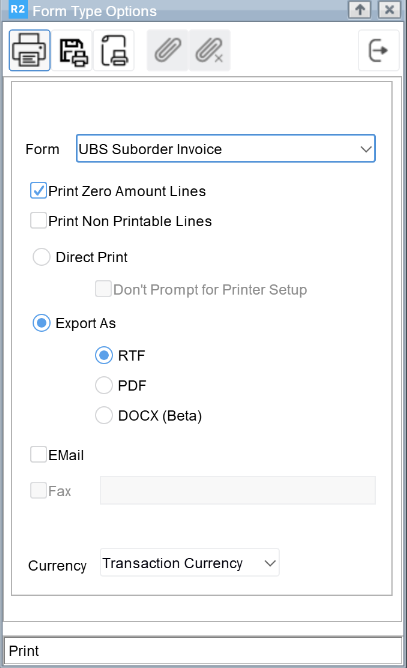
Click Print.
-
In the R2 web application, your output format will be downloaded. You may preview through local machine.
-
The Microsoft Office application is not provided along with your R2 system. Need to be purchased separately.
-
If you wish to use PDF format, please request that PDF printing to be enabled on your R2 system.