
Form Designer is an intuitive, visual interface that enables you to efficiently edit print forms. It serves as a more user-friendly and efficient alternative to the CSV-based editing process.
What can you do in Form Designer?
📝Modify Print Forms- Make quick updates to existing forms through intuitive interface.
👁️ Real-Time Preview- See your changes as output preview instantly as you design.
☁️ Flexible Form Access- Work with forms stored locally or on the server.
💾 Simple Form Export- Download and store forms locally for convenient offline access.
Supported Browsers 



Benefits of the Form Designer
-
Improved Efficiency
-
Reduces time spent on form modifications in CSV format.
-
-
Intuitive User Interface
-
Visual drag-and-drop functionality
-
Real-time preview of changes
-
No need to understand CSV formatting
-
Edit component properties
-
-
Reduced Errors
-
Visual interface prevents CSV formatting mistakes
-
Preview mode ensures accuracy before saving
-
How do you access Form Designer?
-
Navigate to R2 Launch Pad > Maintenance > Form Setup. Form Setup screen is displayed.
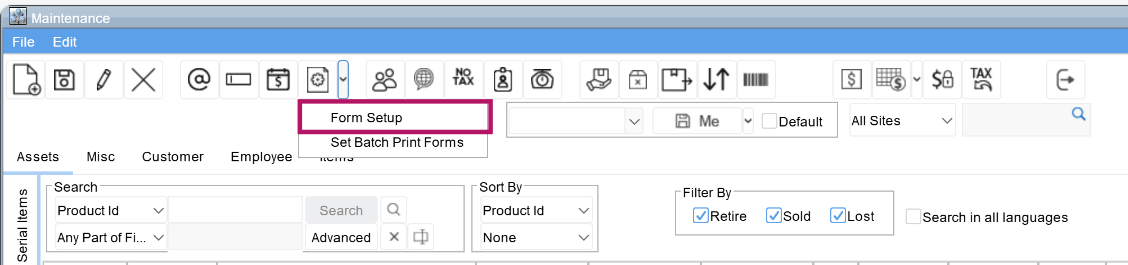
-
Click the Edit icon next to the form you wish to modify. You will be directed Form Designer in the default browser.
.png?cb=93bb98dc9029386058ef48ed4a848d9f)
While R2 doesn’t offer a direct option to create a new print form using Form Designer, you can start by selecting an existing form to edit and then use the Form Designer to create a new print from there.