
Content was last updated in 06.01.17-00
Revision History
Version No.
|
Reference No.
|
Changes
|
|
06.01.17-00 |
R2-17740 and R2-17895 |
Change in Design how PAT Testing is executed. |
|
NA |
NA |
Content ported from previous release pertaining to same topic. |
The following sample workflow displays the Asset's PAT Test effective date is expired as of today and is in QC Status.
Sample Workflow
-
Create a Serial Item [CRANE#2].
-
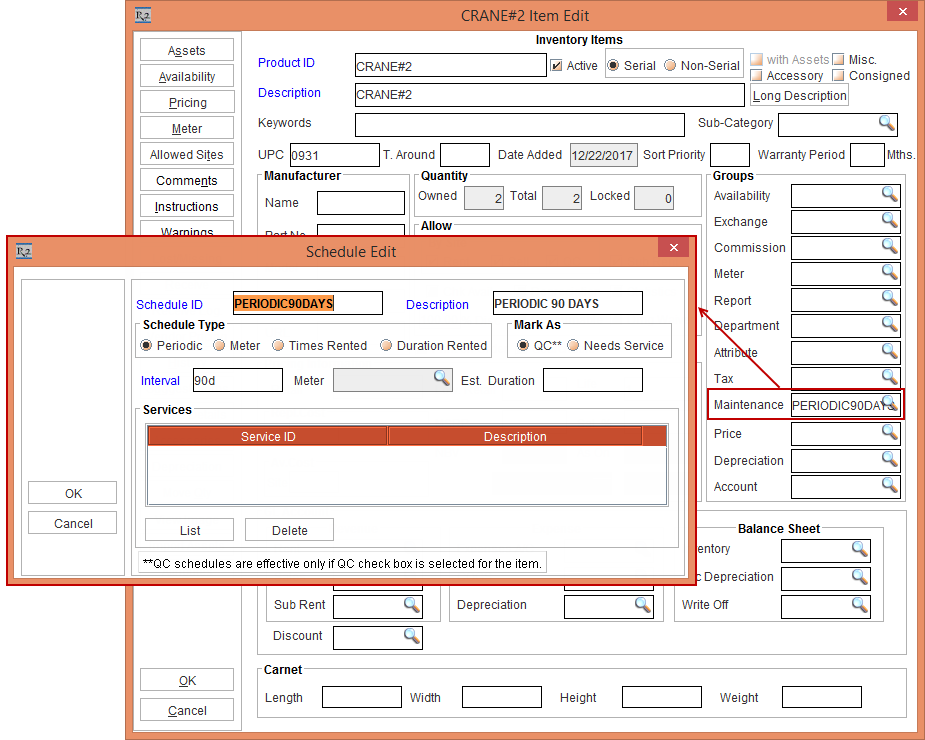
Tag a Maintenance Group [PERIODIC90DAYS] with Maintenance Schedule Periodic 90Days to Item [CRANE#2]. This is , as shown in Figure 1.10.
-
Receive an Asset [CRANE_ASSET#03] for [CRANE#2] on 1 - March - 2017.
-
Create a Rental Reservation Order [CO424420] from 31 - May - 2017 to 20 - June - 2017.
-
Add the Item [CRANE#2] to the Rental Reservation Order [CO424420]. Do not Generate Needs Service.
-
Right click and select the Fill & Dispatch option, as shown in the Figure 1.11.
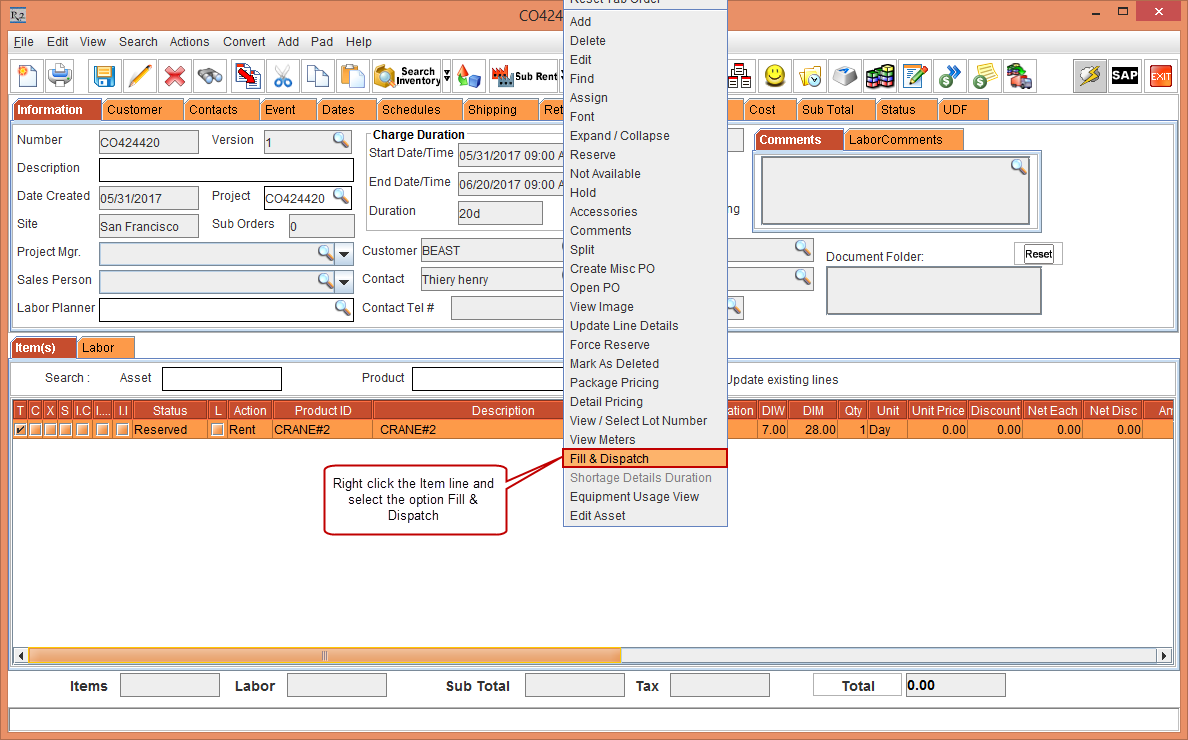
The Serial Items window is displayed.
-
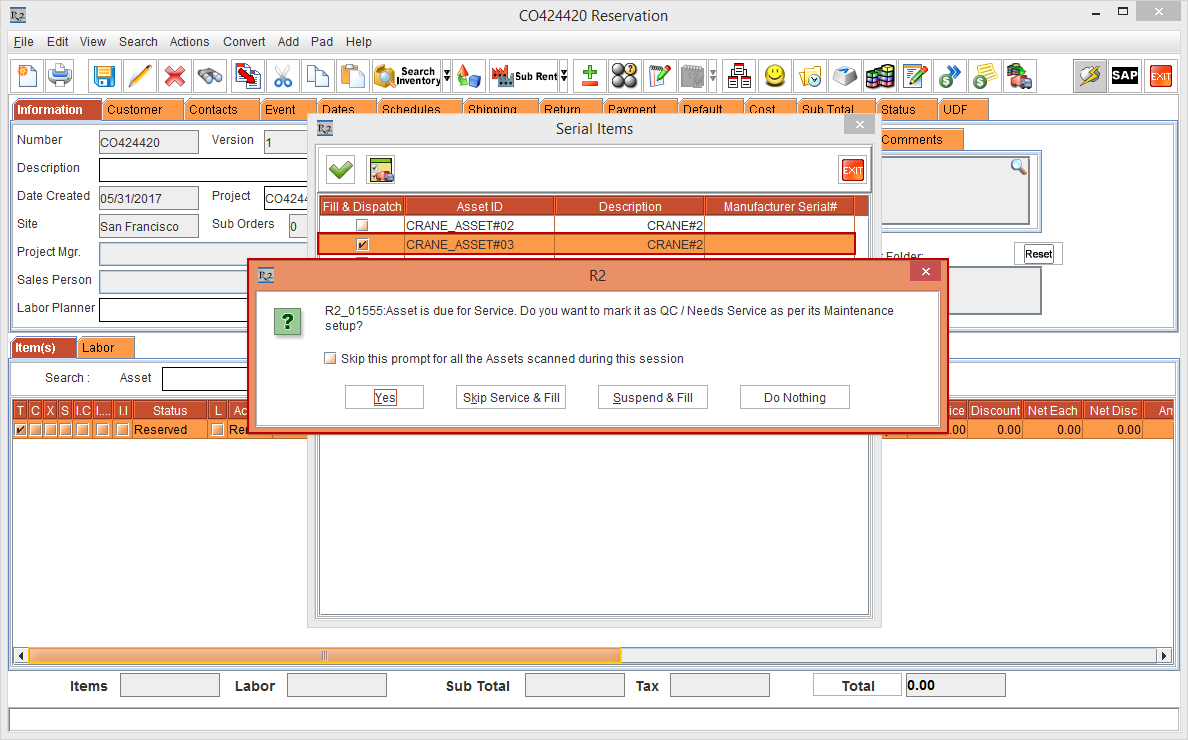
In the Serial Items window, select the Fill & Dispatch check box for the Asset [CRANE_ASSET#03].
-
The system displays the dialog, as shown in the Figure 1.12.
-
Click the Yes button (if any other option is selected, it will have the same functionality as explained in the previous scenario).
-
The Asset [CRANE_ASSET#03] will be marked as QC and it will not fill the Asset [CRANE_ASSET#03].
-
Create and complete the Service Ticket either by Quick Service Ticket or Normal Service Ticket to bring the Asset to IN Status.