
In the Report Assistant window, the user can create, modify , delete a report and will be able to generate a new report based on the filter layout of the report.
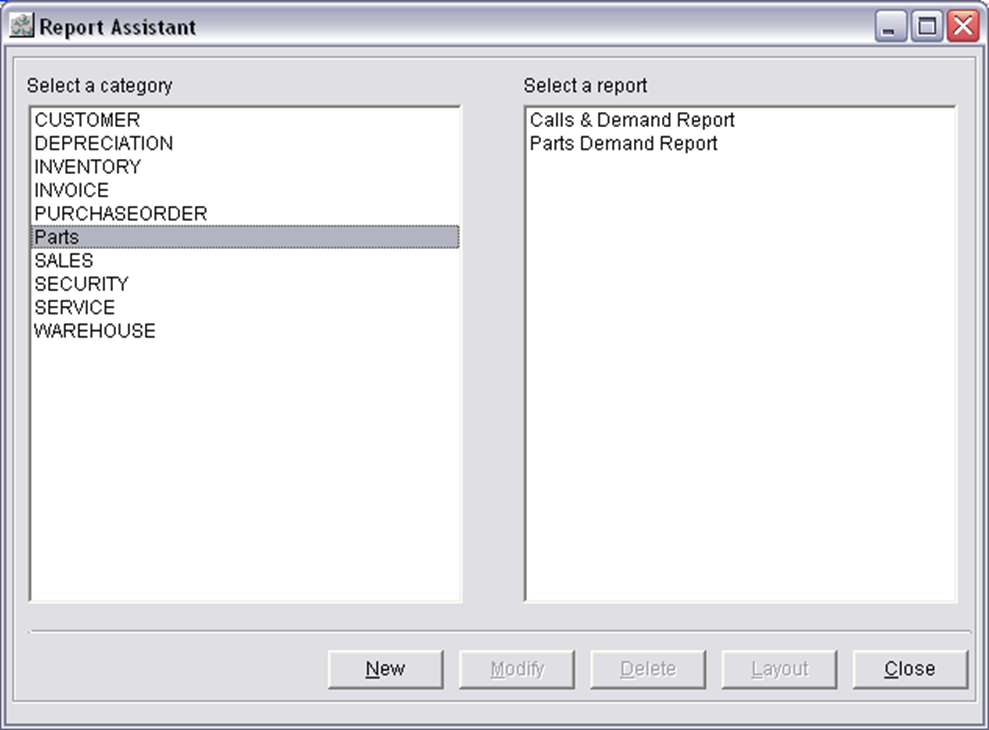
Section Information of the Report Assistant window
Select a category
Displays the list of the Categories created in the Configuration module.
Select a report
Displays the reports created for the selected category in the 'Select a category' section.
Button Information of the Report Assistant window
New
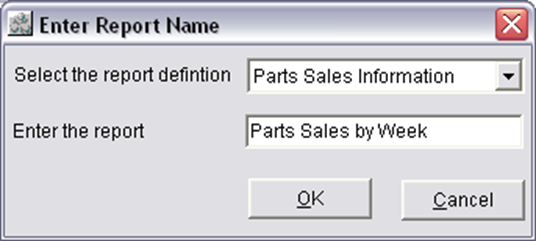
On clicking on the New button will display the Enter Report Name dialog, where the user will be able to define a name for the report.
Modify
On selecting a report in the 'Select a report' section, and then on clicking on the 'Modify' button will display the Report Assistant - Report Wizard window, where the user will be able to modify the report.
Delete
On selecting a report in the 'Select a report' section, and then on clicking on the 'Delete' button will delete the report from the 'Select a report' section.
Layout
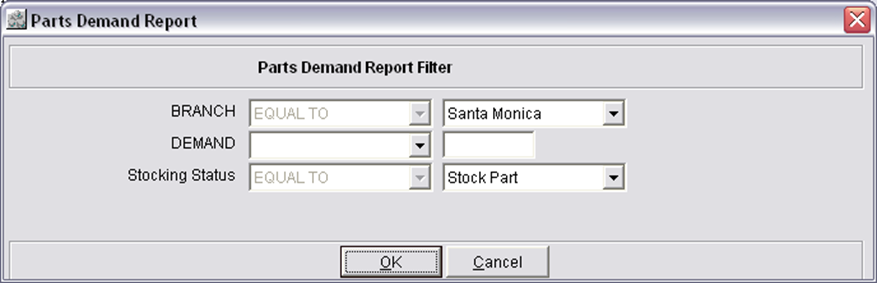
On selecting a report in the 'Select a report' section, and then on clicking on the 'Layout' button will display the Filter Layout of the report using which the user will be able to generate a report based on the selected filter option and value.
Close
On clicking on the Close button will close the entire Report Assistant window