
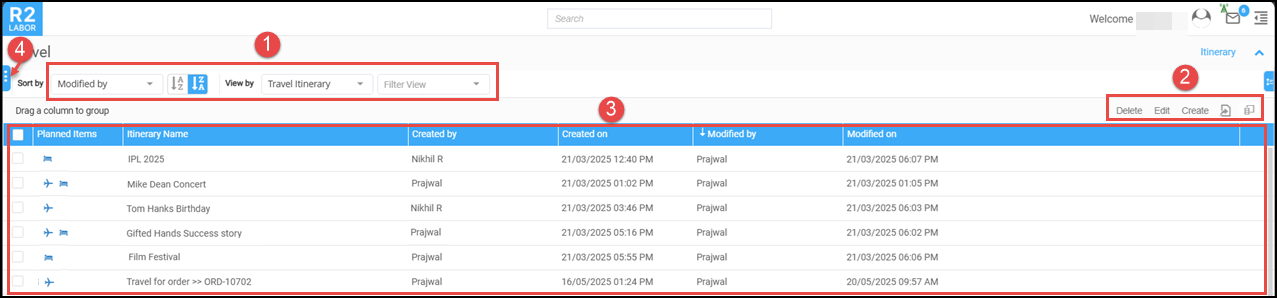
The Itinerary Search screen displays a list of travel itineraries created by Labor Planners or Travel Coordinators. In this screen, each itinerary includes key details like itinerary name, creator, planned items etc. The interface is user-friendly and provides options for sorting, filtering, and managing the resources' travel plans.


-
Create: To create a new travel plan.
-
Edit: To edit the existing itinerary. Just select the desired itinerary check box and click Edit button.
-
Delete: To delete the itinerary.
-
Export: To export the itinerary list.

