
The itinerary associated with a Booking Line can be accessed within the Planning Order. This allows Planners or Project Managers to directly view or edit the itinerary corresponding to that booking line.
To access the itinerary:
-
Click the Edit icon on the desired Booking Line.
-
Select View Itinerary.
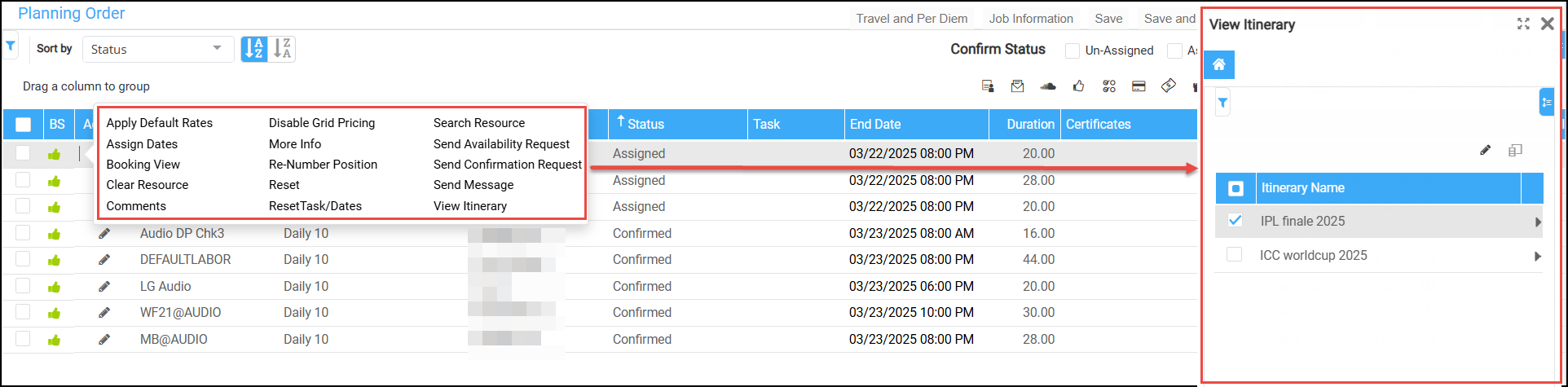
Figure 1.0: Itineraries list
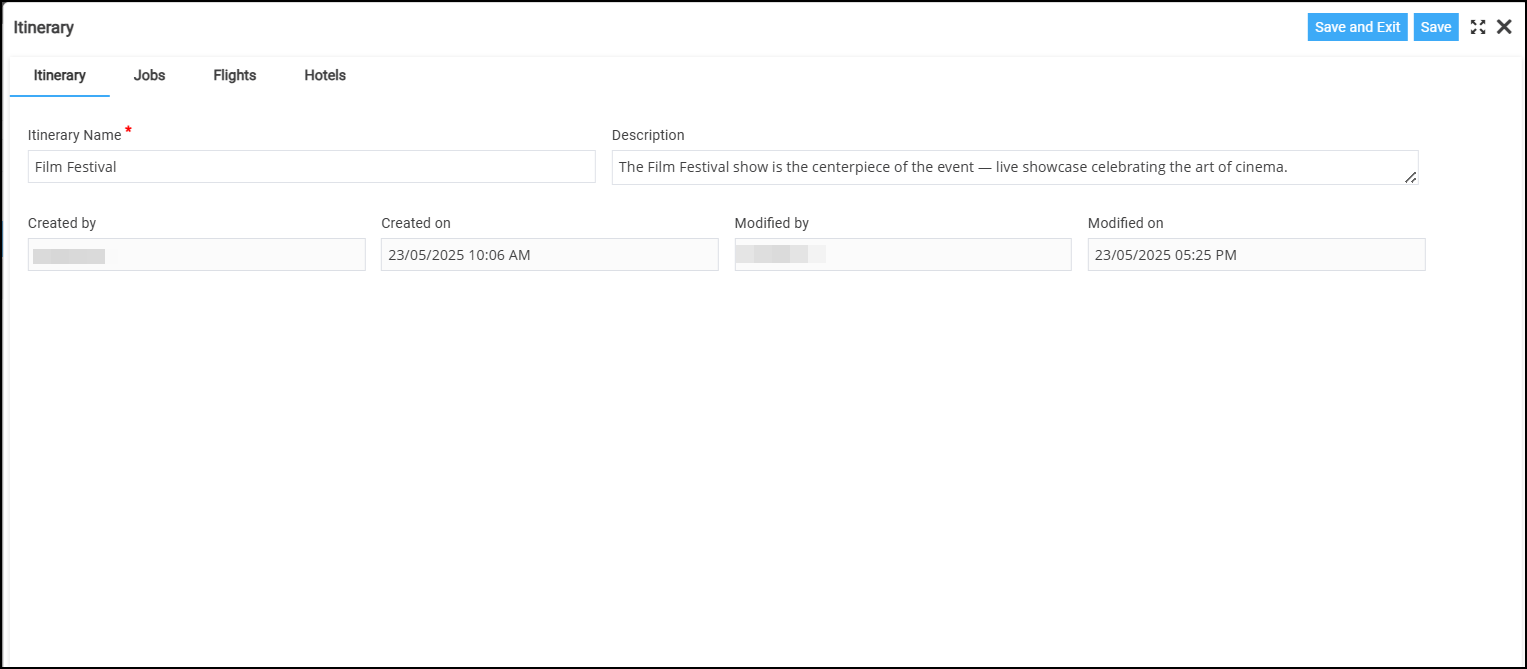
Figure 1.1: Tab - Edit Itinerary name and Description
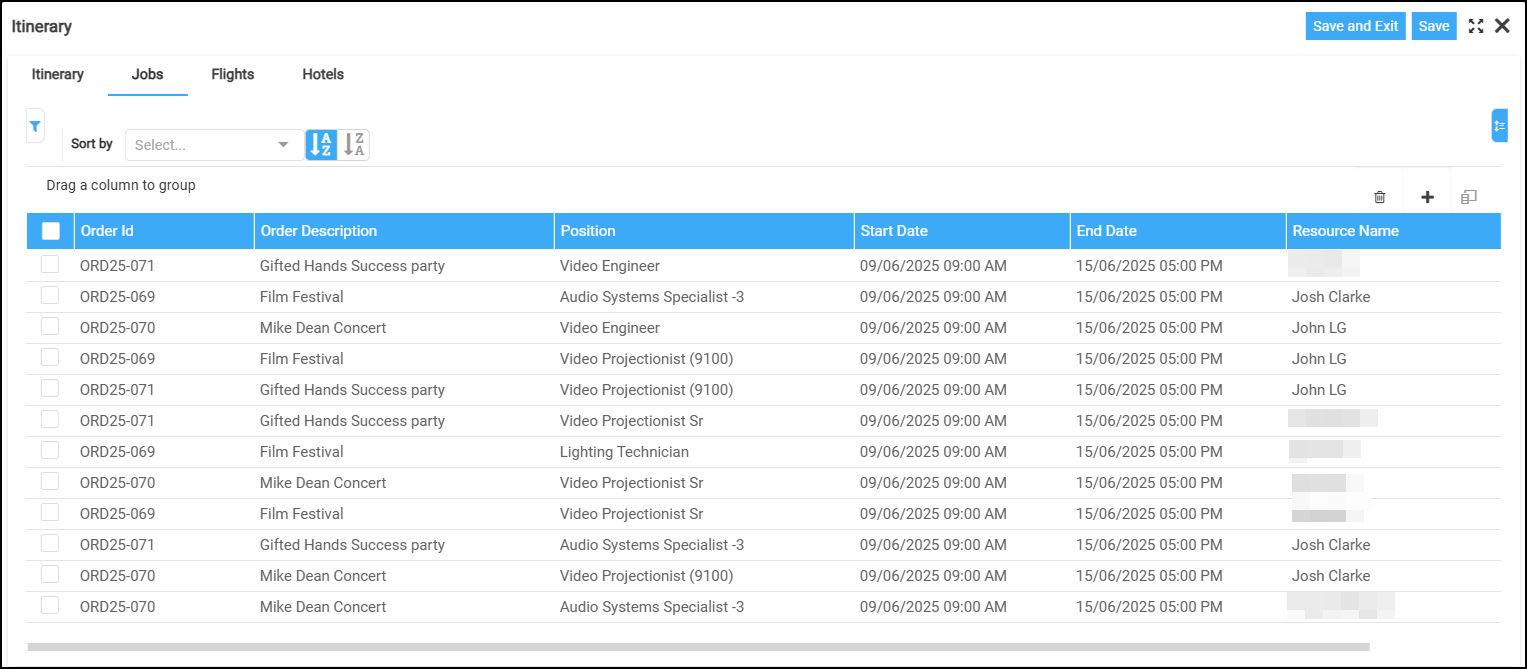
Figure 1.2: Tab - Edit Job details
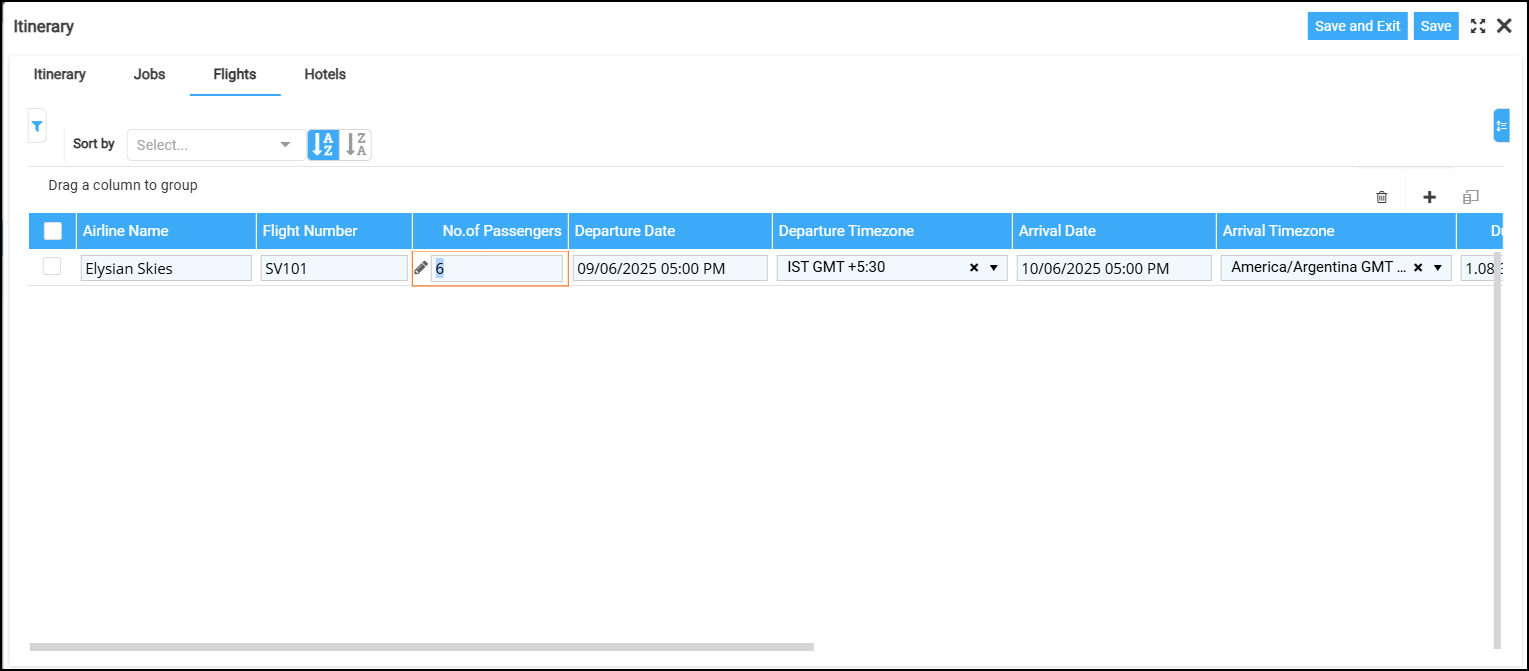
Figure 1.3: Tab - Edit Flight details
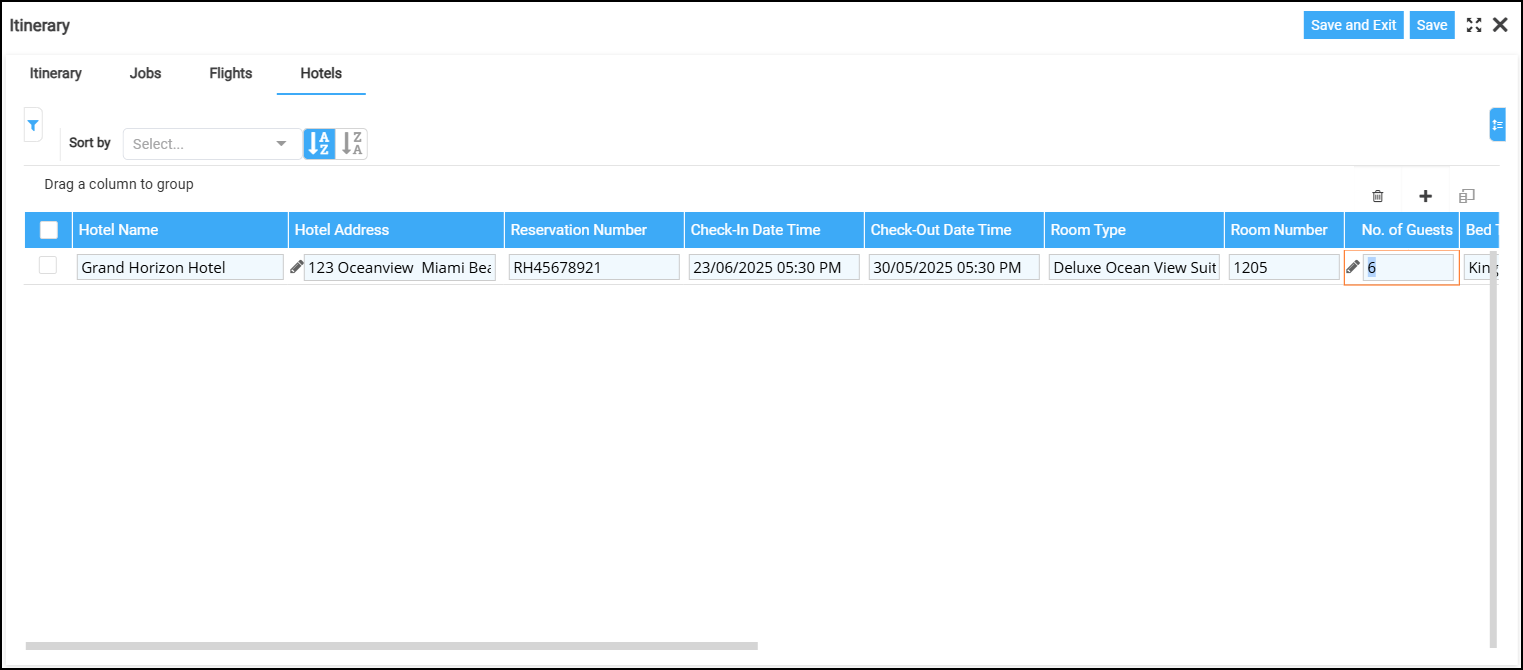
Figure 1.4: Tab - Edit Hotel details
This dialog displays all itineraries linked to the selected booking line.
-
To modify or view itinerary details, click the edit icon.
-
For instructions on editing or deleting itinerary details, refer to the section click here.
-
When you click Edit in ‘View Itinerary’ screen, the following tabs will be available: