
If you want to view the details about any Item / Asset then you have option in PackNShip under “Item Lookup”.
In Item Lookup screen you can scan/enter Asset ID / Product ID and see information about any asset/product. This will help you to inspect and return to the proper shelf.
-
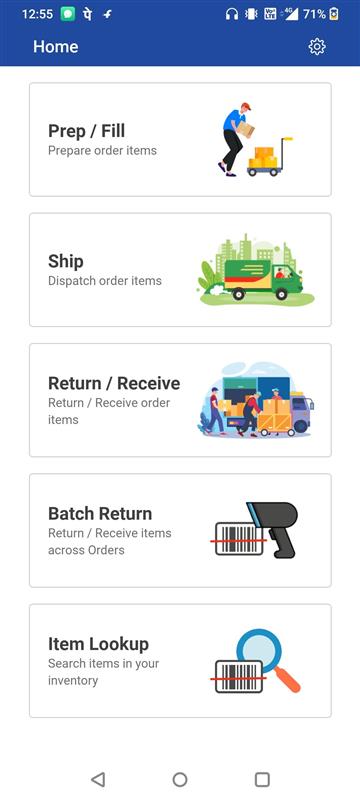
Click on Item Lookup
-
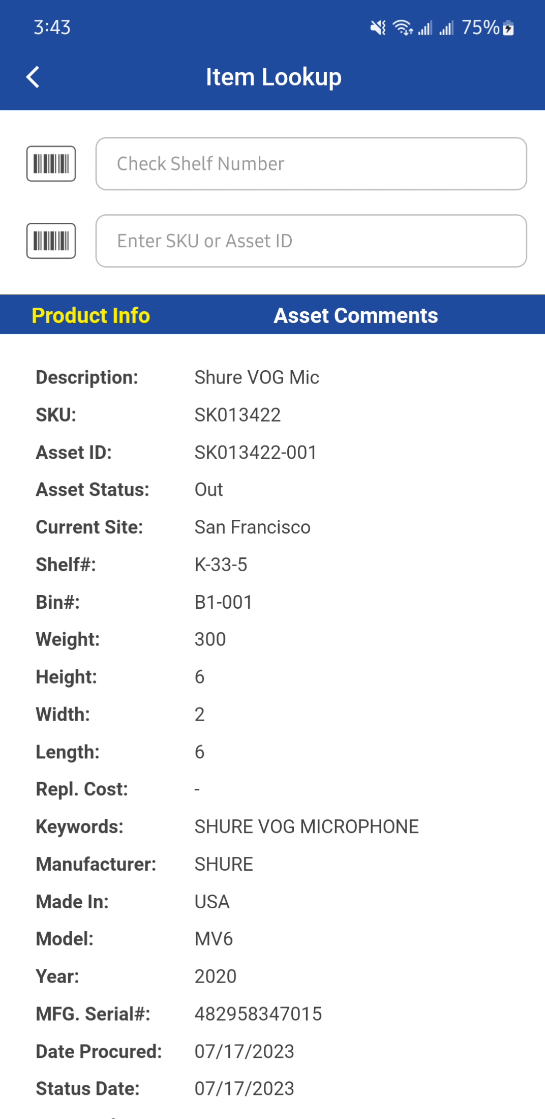
Enter/Scan the Asset ID or Item ID then following information is displayed.
|
Product Info |
Asset Comments |
|---|---|
|
|
Item / Asset Information
|
Field name |
Description |
|---|---|
|
Description |
Description of the asset.
|
|
SKU |
Product ID. |
|
Asset ID |
Asset ID. |
|
Asset Status |
Asset Status shows status such as (In, Out, Lost, Sold, Filled etc.) |
|
Current Site |
Asset’s Current Site. |
|
Shelf |
Asset’s Shelf number. For non-serial, it will be Shelf of the logged in site. |
|
Bin |
Asset’s Bin number. For non-serial, it will be Bin of the logged in site. |
|
Weight |
Weight of the Item, which is extracted from Item edit screen. |
|
Height |
Height of the Item, it is extracted from Item edit screen. |
|
Width |
Width of the Item, it is extracted from Item edit screen. |
|
Length |
Length of the Item, it is extracted from Item edit screen. |
|
Repl. Cost |
Site Replacement Cost extracted from the Item edit screen. Site considered here will be the current logged in Site. |
|
Keywords |
Keywords of the Item extracted from Item edit screen. |
|
Manufacturer |
Manufacturer name extracted from the Asset edit screen. For non-serial it will be extracted from Item edit. |
|
Made In |
Made In field extracted from Item edit screen. |
|
Model |
Model extracted from the Asset edit screen. For non-serial it will be extracted from Item edit. |
|
Year |
Asset’s year of manufacturing. Not applicable for non-serial product. |
|
MFG. Serial# |
Asset’s manufacturing serial number. Not applicable for non-serial product. |
|
Date Procured |
Asset’s received/procured date (Date Entered) Not applicable for non-serial product. |
|
Status Date |
Asset’s status date. The date on which the status of the Asset changed last time on the order such as (Filled, Out, Returned). Not applicable for non-serial product. |
|
Damaged |
Shows whether Asset is damaged or not, it is extracted from Asset edit screen. Not applicable for non-serial product. |
|
Retired |
Shows whether Asset is retired or not, it is extracted from Asset edit screen. Not applicable for non-serial product. |
|
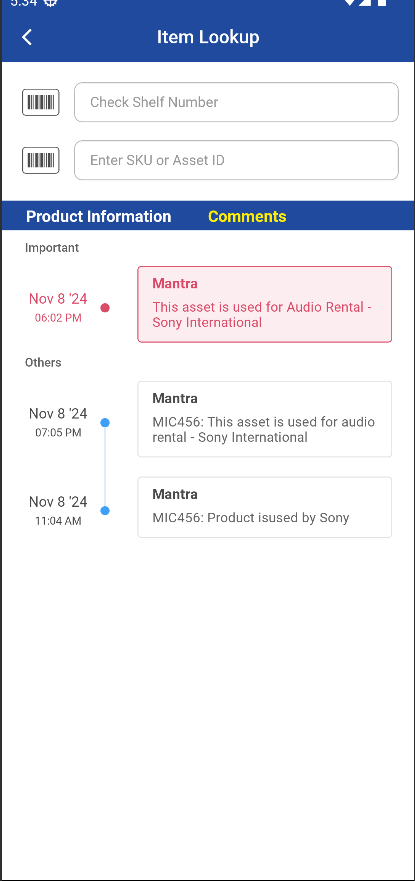
Asset Comments |
Asset “Comments” extracted from Asset edit screen. Not applicable for non-serial product. |