
The app displays a list of scheduled orders and transfers that are due for action, including tasks such as prep, shipping, returning, and receiving.
Workflow
-
Go to any Operation Prep/Ship/Return/Batch Return.
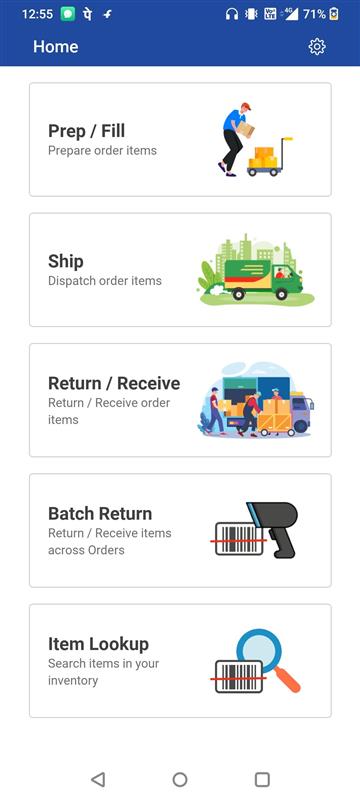
Figure: 1.0 Dashboard -
The schedule task list is displayed
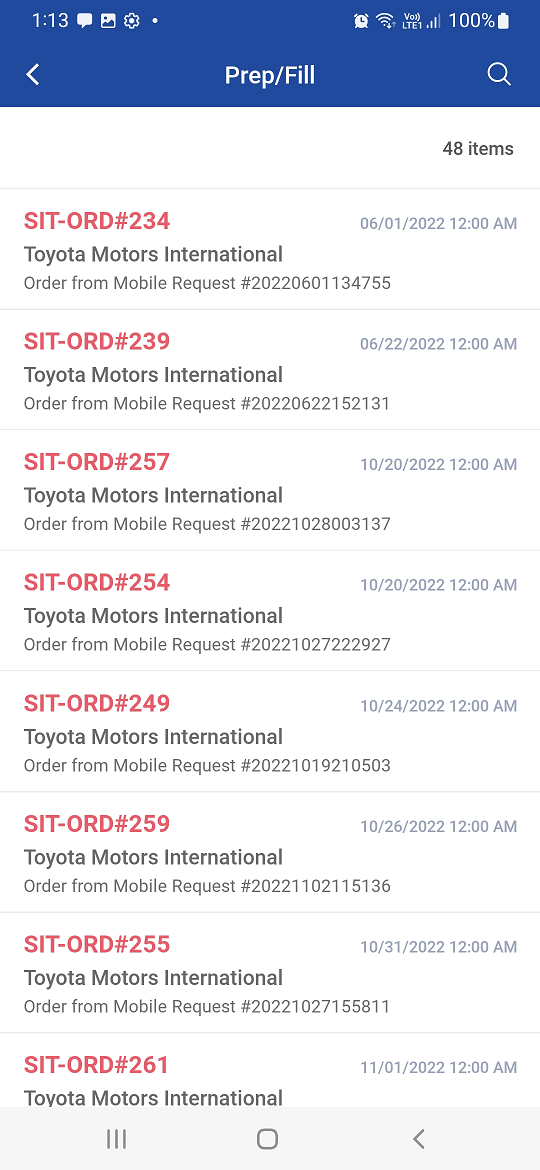
Image 1.1 Schedule list
-
The Warehouse tasks that are for Prep/ Ship / Return / Receive operation are listed in the Schedule list.
-
It is listed in chronological order (earliest date to latest date)
-
You can see the Order Id, Description, Customer and Schedule Date/Time on the list
-
You can search Order and Transfer schedules from the list
-
The schedule list is shown based on the criteria applied such as:
-
Site, Filter Date, Order Type, Department
-
-
Date format displayed as per R2 employee profile date format.