
The new R2 PackNShip app has new sections, where the entered data is grouped logically in different sections, such as:
-
Username, password is grouped under “Account Info” section
-
Home, work is grouped under “Preferences” section
-
App name, version is displayed in the bottom of the screen
-
Sign-out button is in the bottom of the screen.
After login click on settings button, the Settings screen is displayed as shown below.
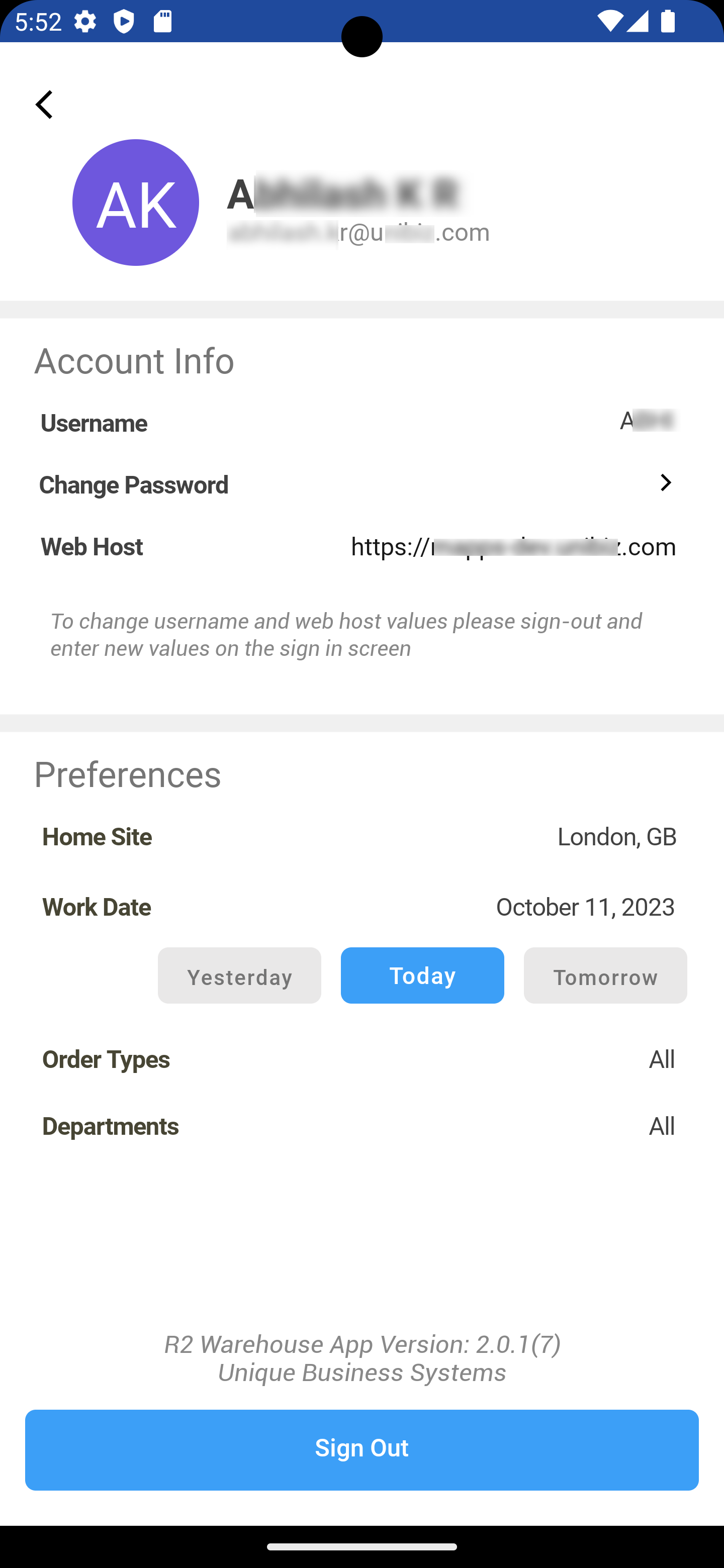
Settings Screen details
|
Field name |
Details |
|---|---|
|
Name |
Full name of the person logged in to the app. |
|
E-mail ID |
Email Id of the person logged in as per their profile. |
|
User Name |
User name of the person logged in to the app. |
|
Home Site |
Home site of the employee logged in to the app. |
|
Work Date |
Previously worked date of an employee |
|
Order Types |
Order type shows whether the Order is Rental, Sale or Transfer. |
|
Departments |
Department of an logged person. |