Skip table of contents

Receiving

  1. Begin at the Account screen. Click on View → Transfer Orders.

  2. Search for the transfer in order (T-IN) and double-click on it to open.

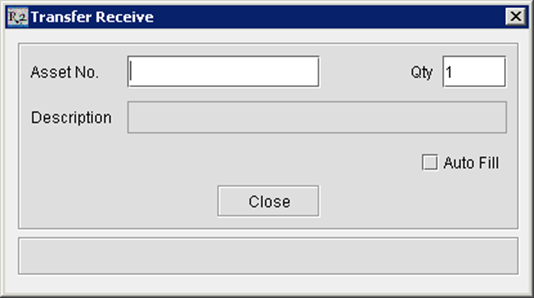
  3. Click on the Receive image-20240529-060837.png icon and the following screen will open. Scan each item that you are receiving from the other site.

image-20240529-060845.png

The inventory is now available in your local site and has been reduced from the shipping site.

JavaScript errors detected

Please note, these errors can depend on your browser setup.

If this problem persists, please contact our support.