In R2, we created the following:
-
Four Employee profiles with Planner and Salesperson as the position. The names of the profiles are as follows:
-
Michael Ross
-
Harvey Specter
-
Rachel Zane
-
Donna Paulsen
-
-
A Company/Customer named V. B International and added Jessica Pearson as the primary contact.
-
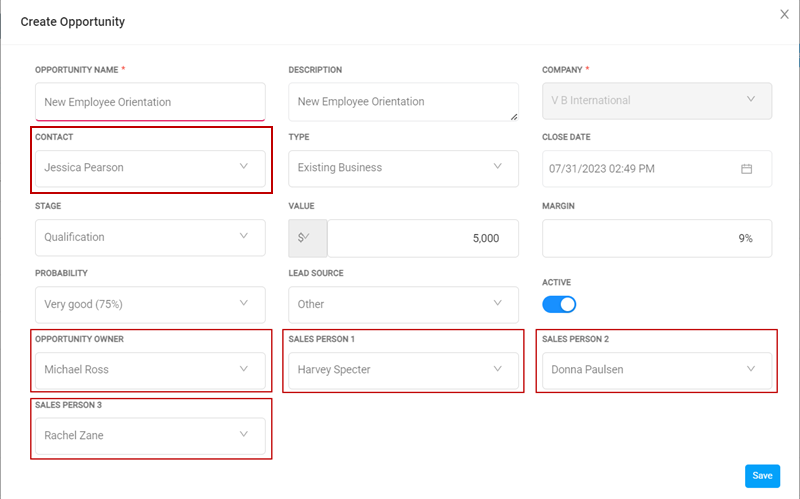
The we used Michael Ross' login to create an Opportunity in the name of 'V. B International' with the following details.
|
E-Mail Recipient's Profile |
Person's Name |
|
Opportunity Owner |
Michael Ross |
|
Opportunity Contact |
Jessica Pearson |
|
Salesperson 1 |
Harvey Specter |
|
Salesperson 2 |
Donna Paulsen |
|
Salesperson 3 |
Rachel Zane |
Shown below is a hypothetical E-mail exchange happened between the 4 Opportunity handlers and the Customer Contact.
Step 1: Communication initiated by the Customer's Representative (Opportunity Contact).
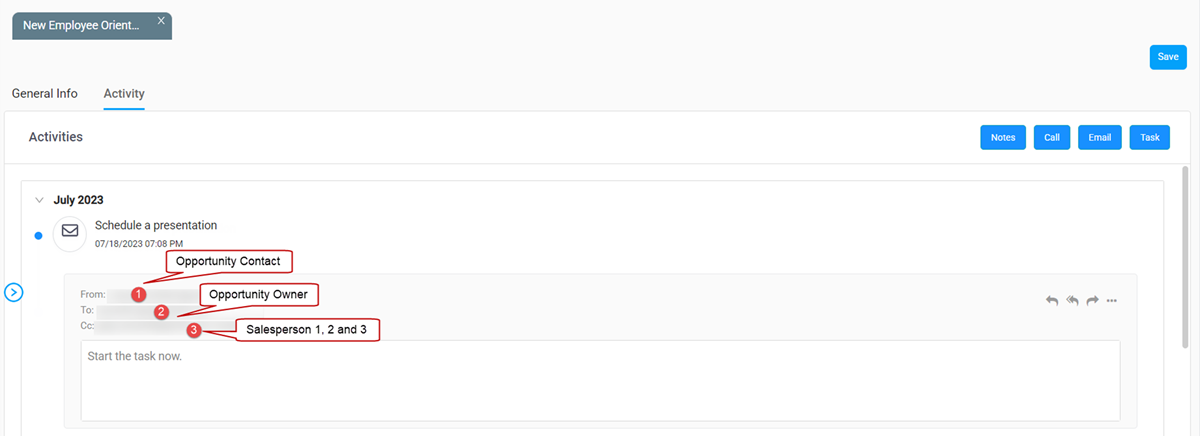
Step 2: Responded by Opportunity Owner, with instruction/ to-do items for Salespersons.
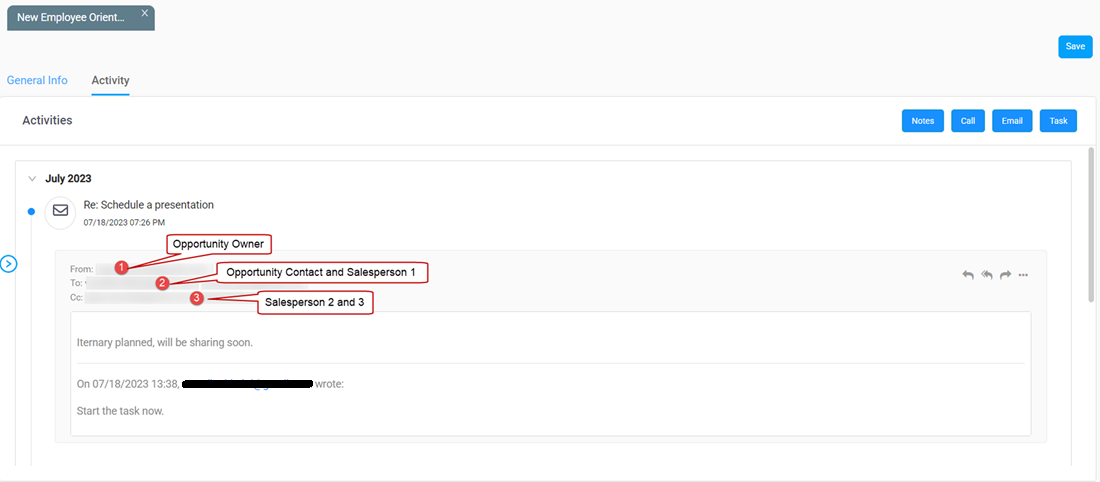
Step 3: Further responded by another Salesperson, with some decision points or action items.
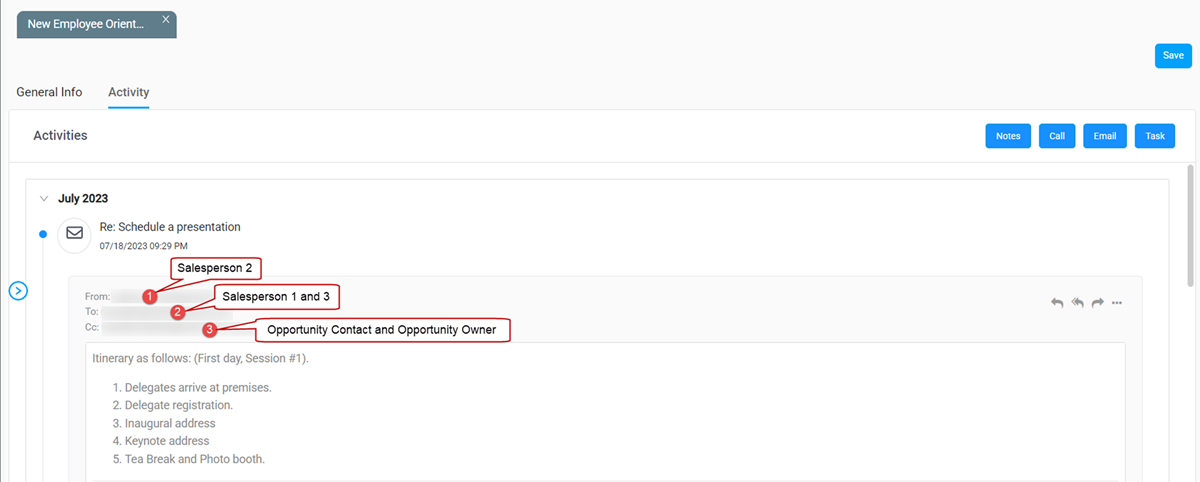
Step 4: Further responded by a Salespersons with some to-consider options etc. Seeking opinion from Opportunity Contact.
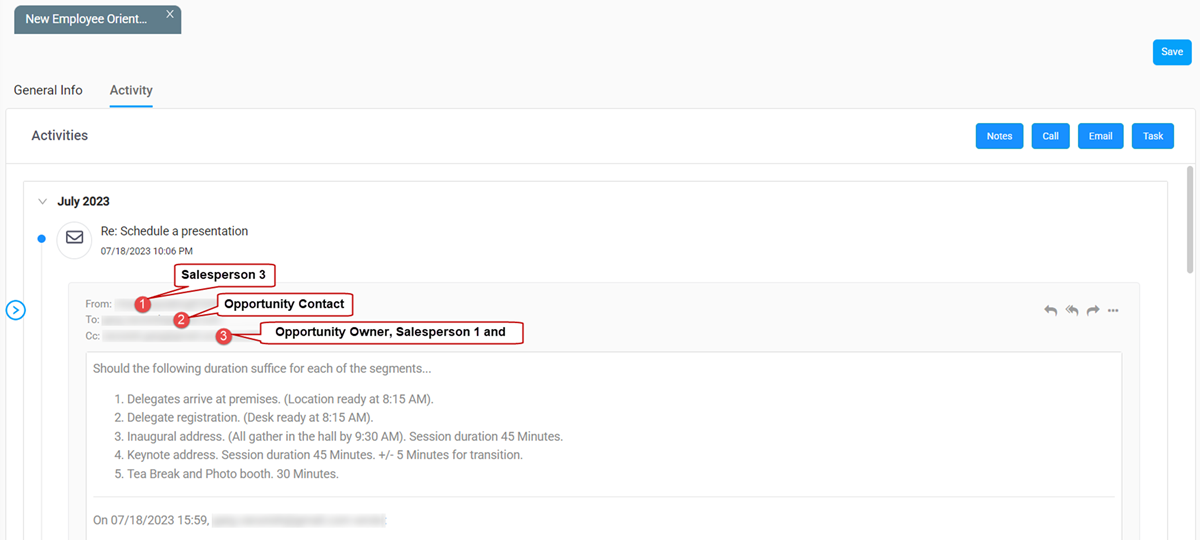
Step 5: Another response by a Salespersons with some to-consider options etc. Seeking opinion from Opportunity Contact.
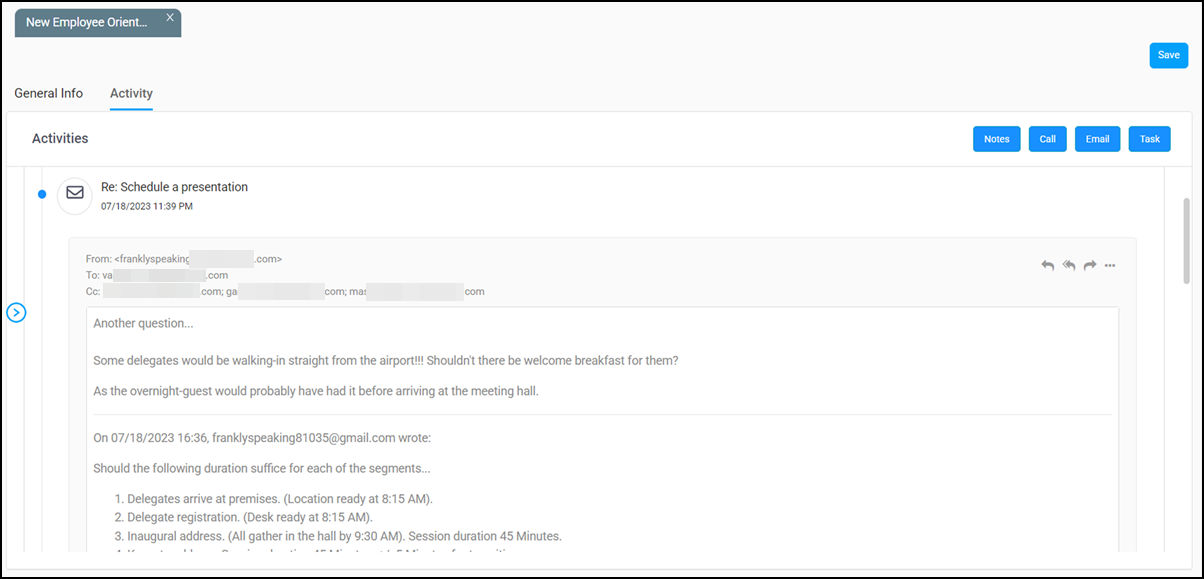
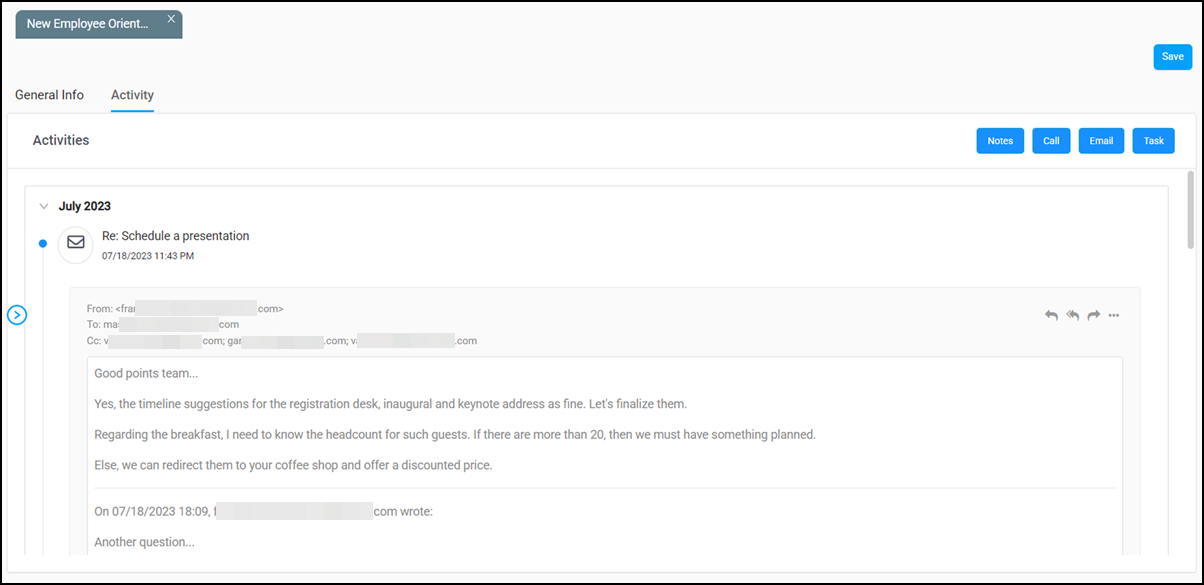
Step 6: Finally, an approval by Opportunity Contact. Keeping everybody in the loop