
If you wish to change your password, follow these steps:
Steps to Change Your Password
-
Login to app with current credentials.
-
Navigate to your Profile page through the navigation bar at the bottom of the screen.
-
Click View Details button.
-
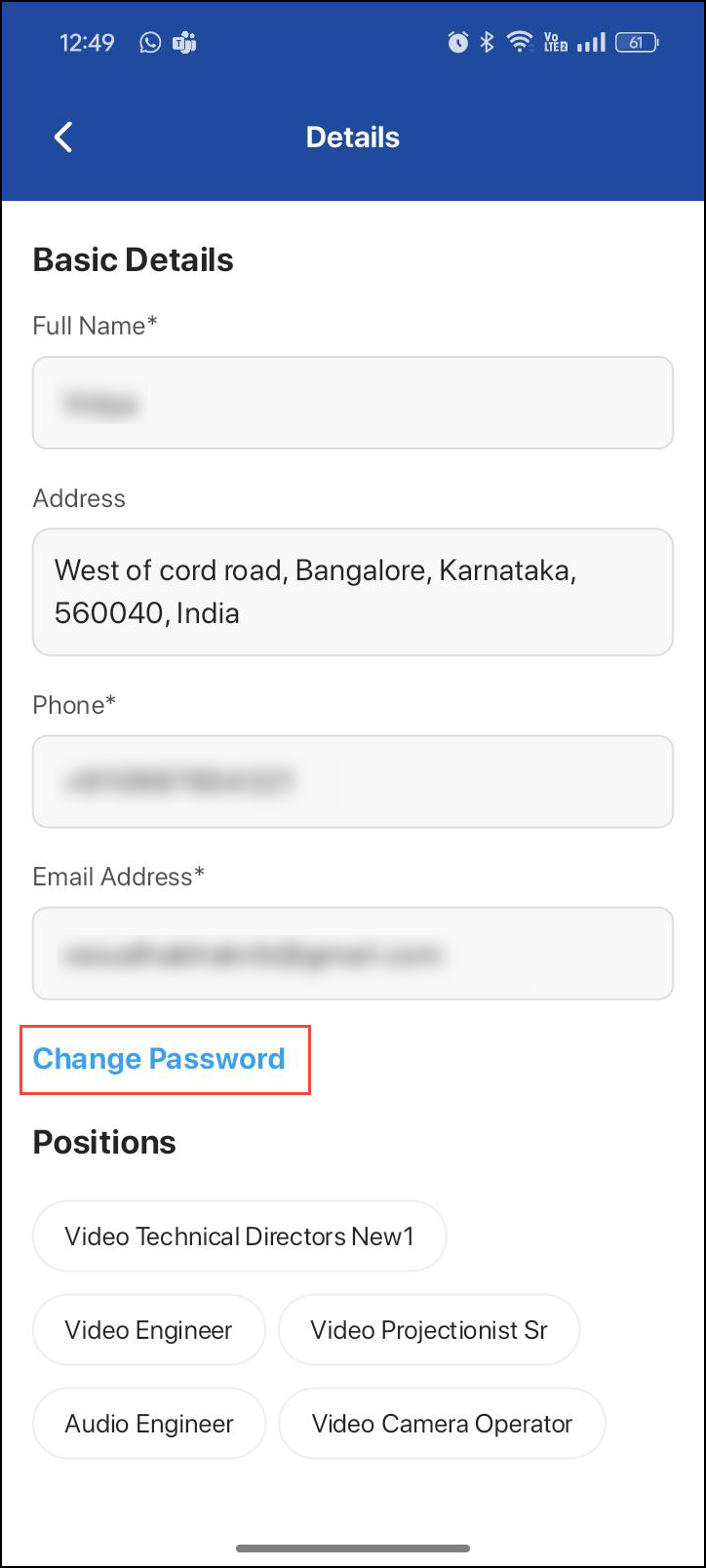
Click "Change Password" option.
-
A dialogue box displays for confirmation, click ‘Yes’ to change password.
-
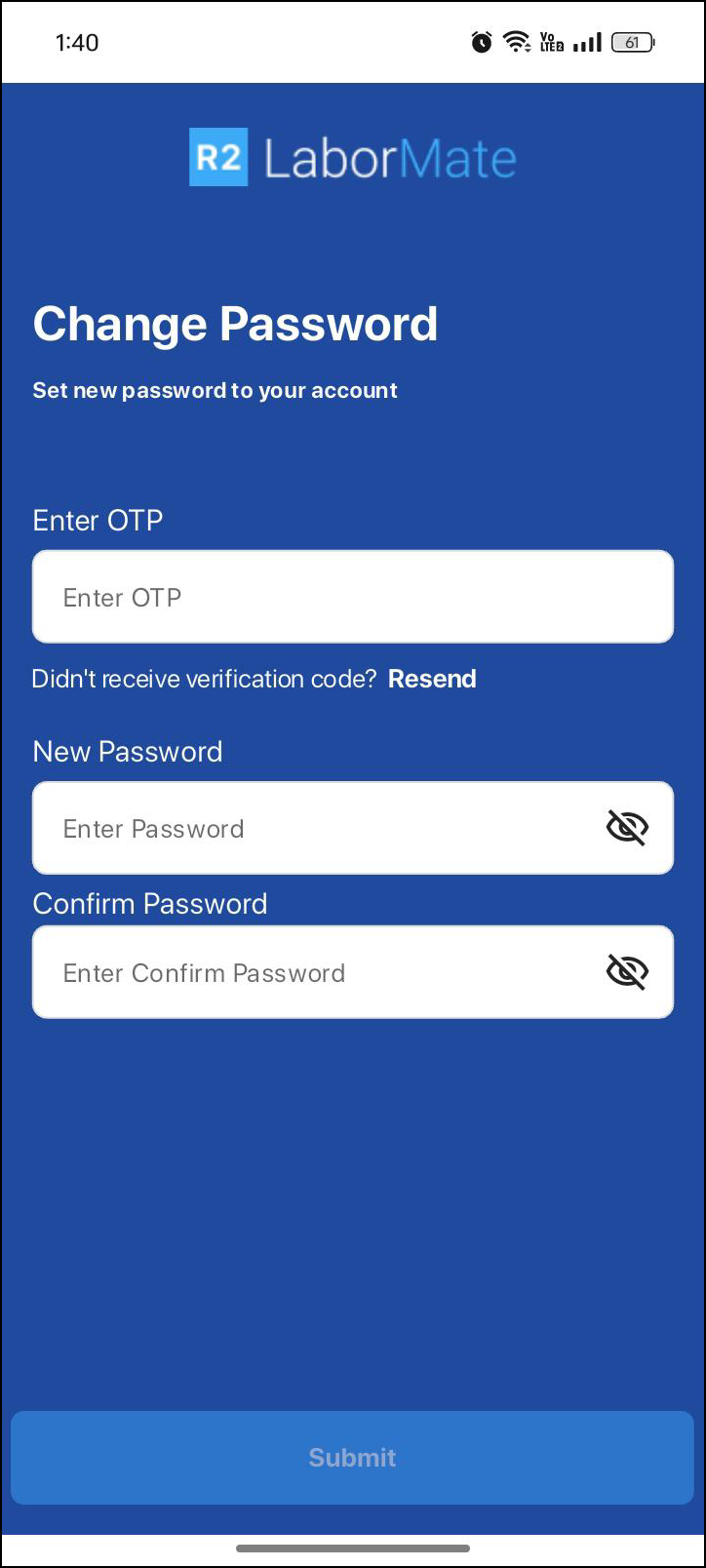
A verification code will be sent to your registered email.
-
Set a new password and confirm by entering it again.
-
Set a new password and confirm by entering it again.
-
Once your password has been successfully reset, login from LaborMate app using your email.
-
You will receive OTP to your registered email, enter OTP to re-login.