
LaborMate app provides a way to reset your password if you forget.
Steps to Reset Your Password
-
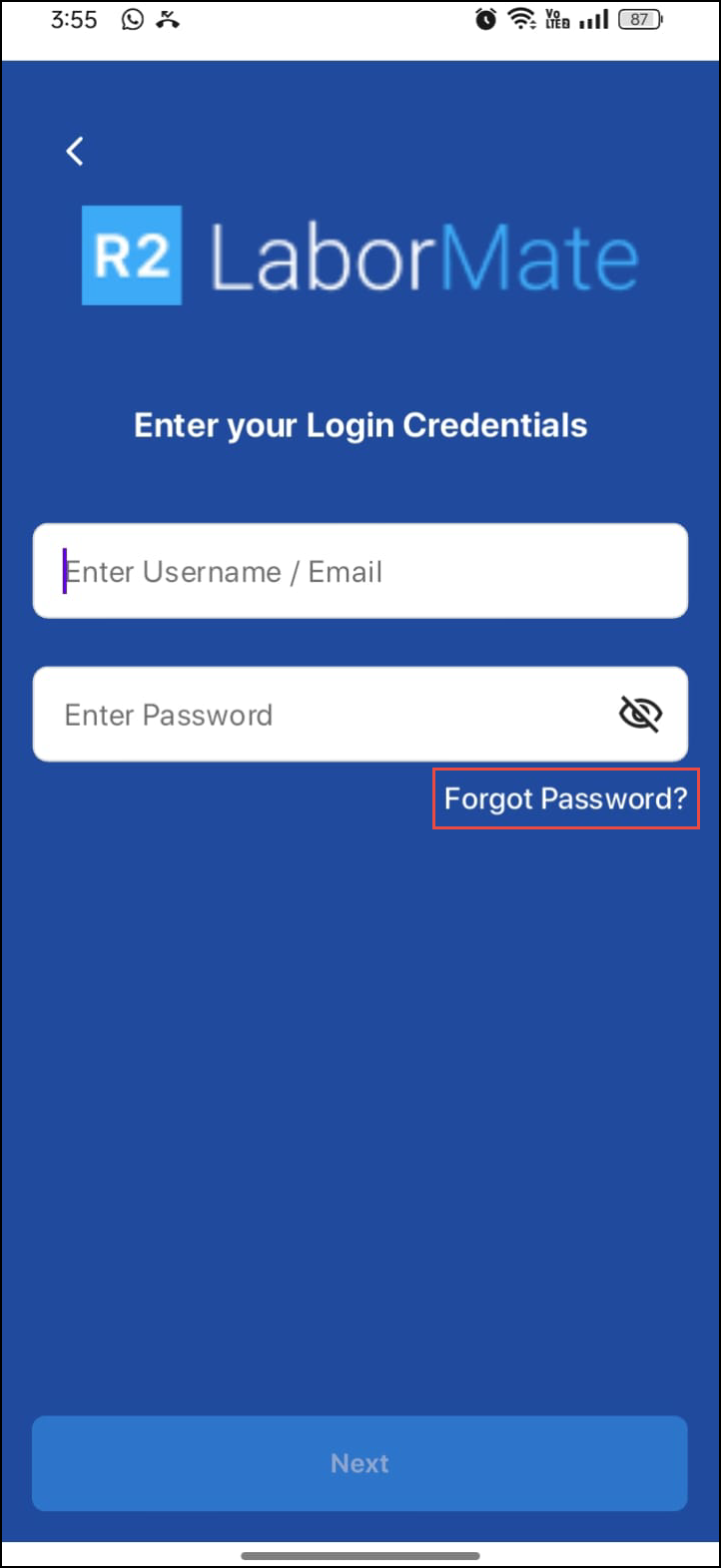
Go to the Login screen.
-
Click the "Forgot Password?" link.
-
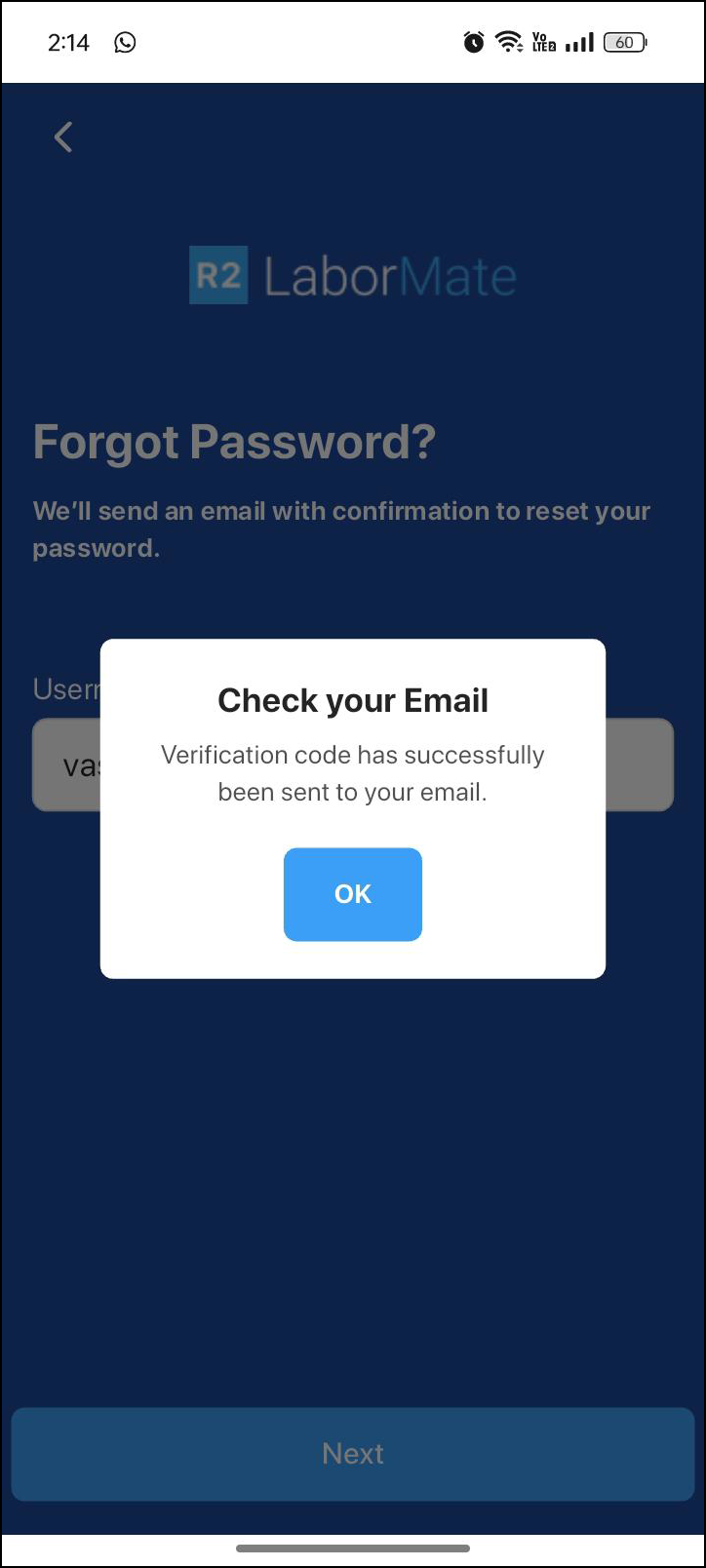
Provide your username/ email address (the one registered in the R2 Labor system). A verification code will be sent to your registered communication email.
-
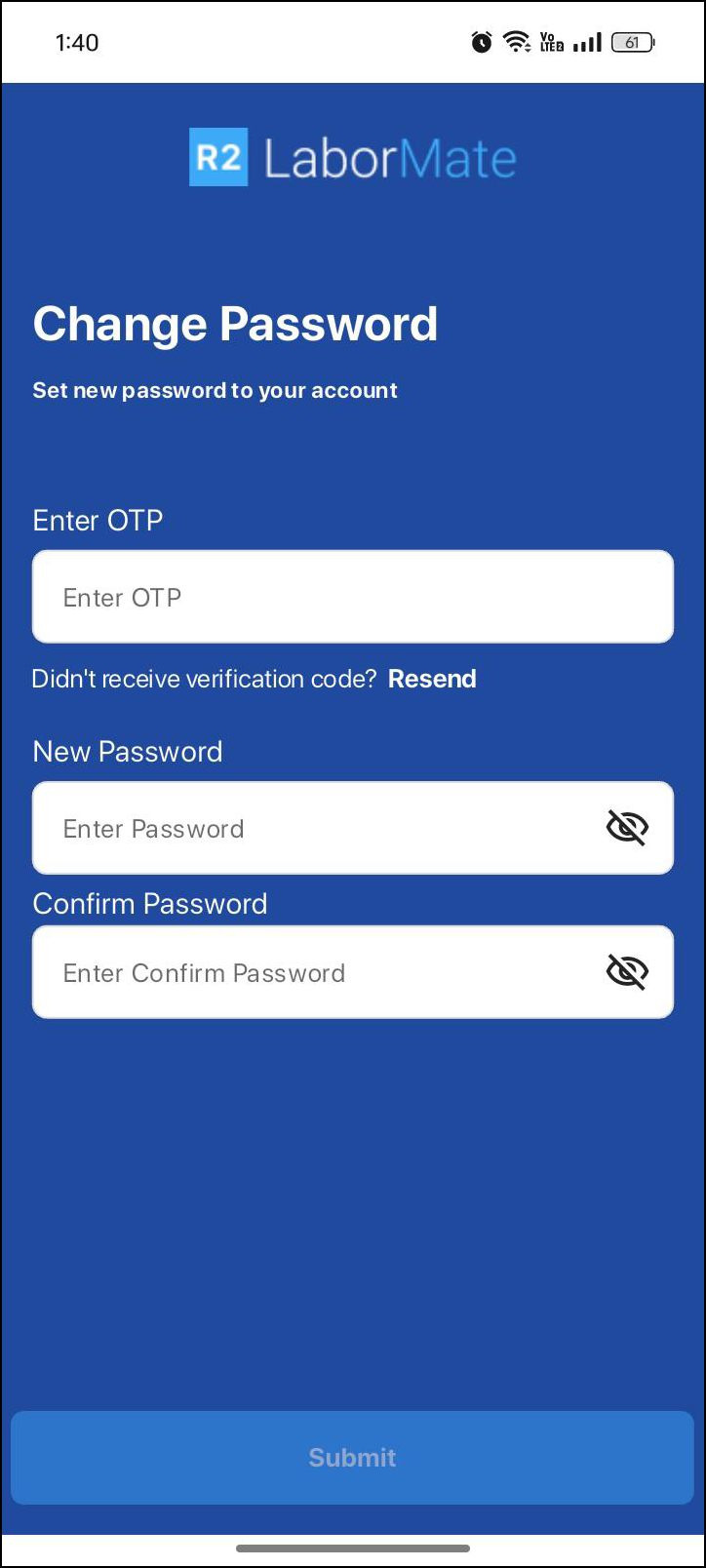
Enter OTP received in your email.
-
Set a new password and confirm by entering it again.
-
Once your password has been successfully reset, login from LaborMate app using your email.
-
You will receive OTP to your registered email, enter OTP to re-login.