Prerequisites
Before you login to the LaborMate app, ensure that:
-
You have a valid R2 Labor crew account.
-
The LaborMate app is installed on your device.
-
You have the app host URL of the company you wish to connect to. This URL is provided by the system administrator of the company where you work as a Crew member.
Steps to Login
-
Download LaborMate app from ‘app store' according to your device (iOS or Android).
-
Launch the app.
-
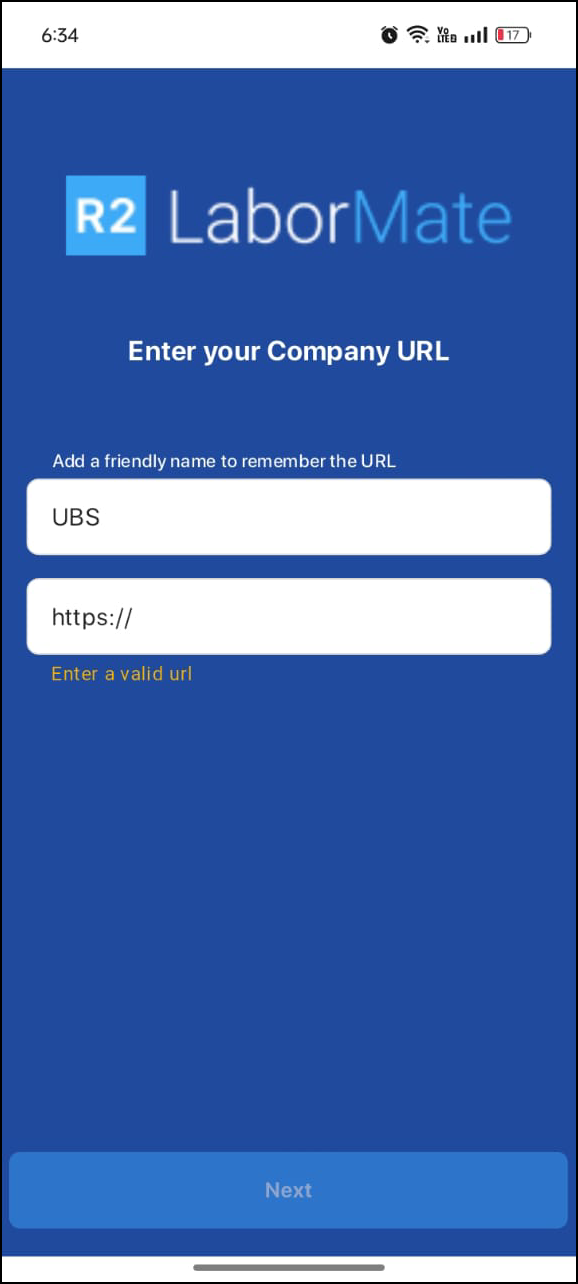
Enter the name and URL for first time login, if you have logged in previously you can select company URL’s.
-
Select Company URL’s from dropdown menu in the field.
-
Dropdown contains all previously successful login URLs.
-
You will see relevant URLs as you type.
-
-
Also you can enter URL manually.
-
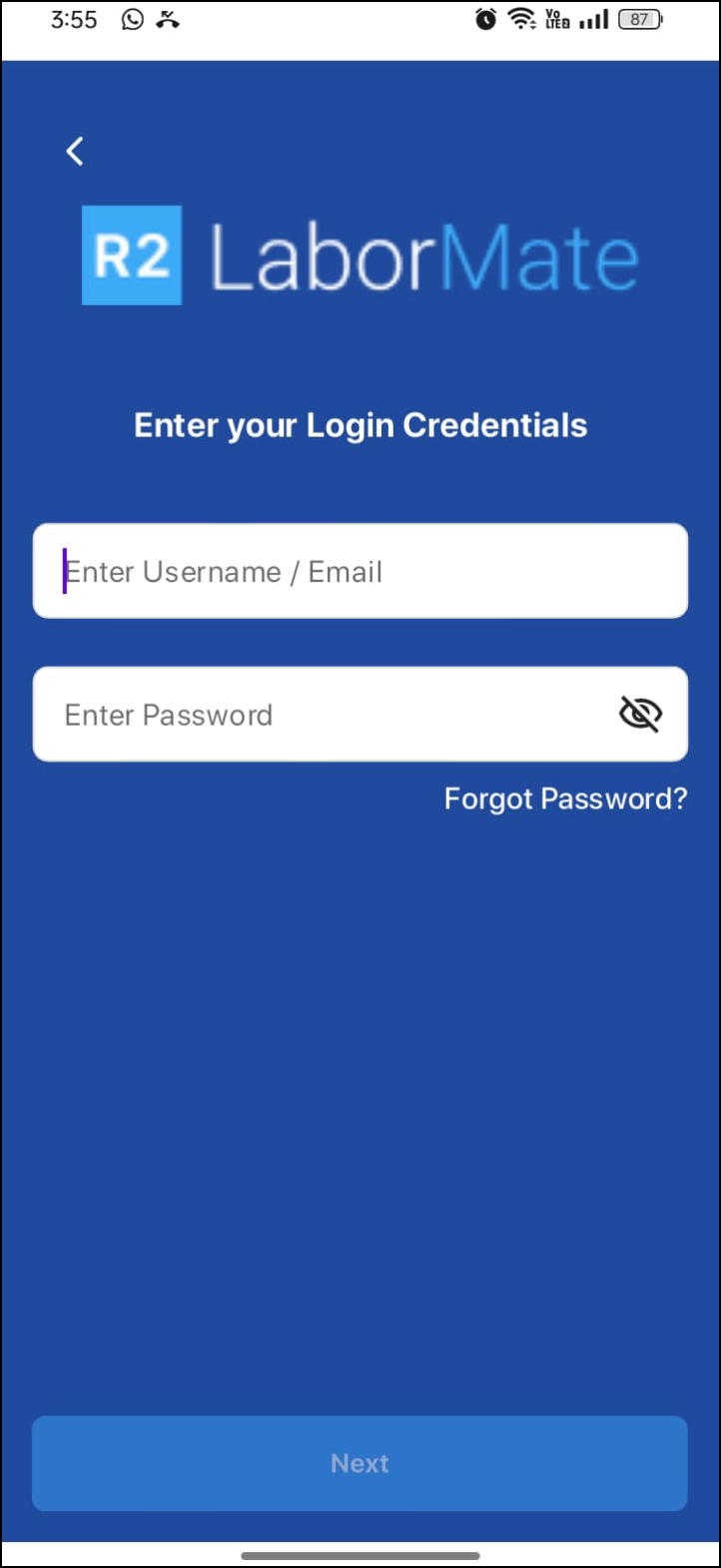
Enter your registered email address/username provided by the company.
-
Enter your password associated with your R2 Labor crew account.
-
You will be asked to enter OTP since app implements multi-factor authentication.
-
Check you communication email for OTP (One-Time Password).
-
Enter the received OTP.
-
-
After entering the OTP, click Verify. If it is a valid OTP, you will be logged into the app. Else, it errors out.
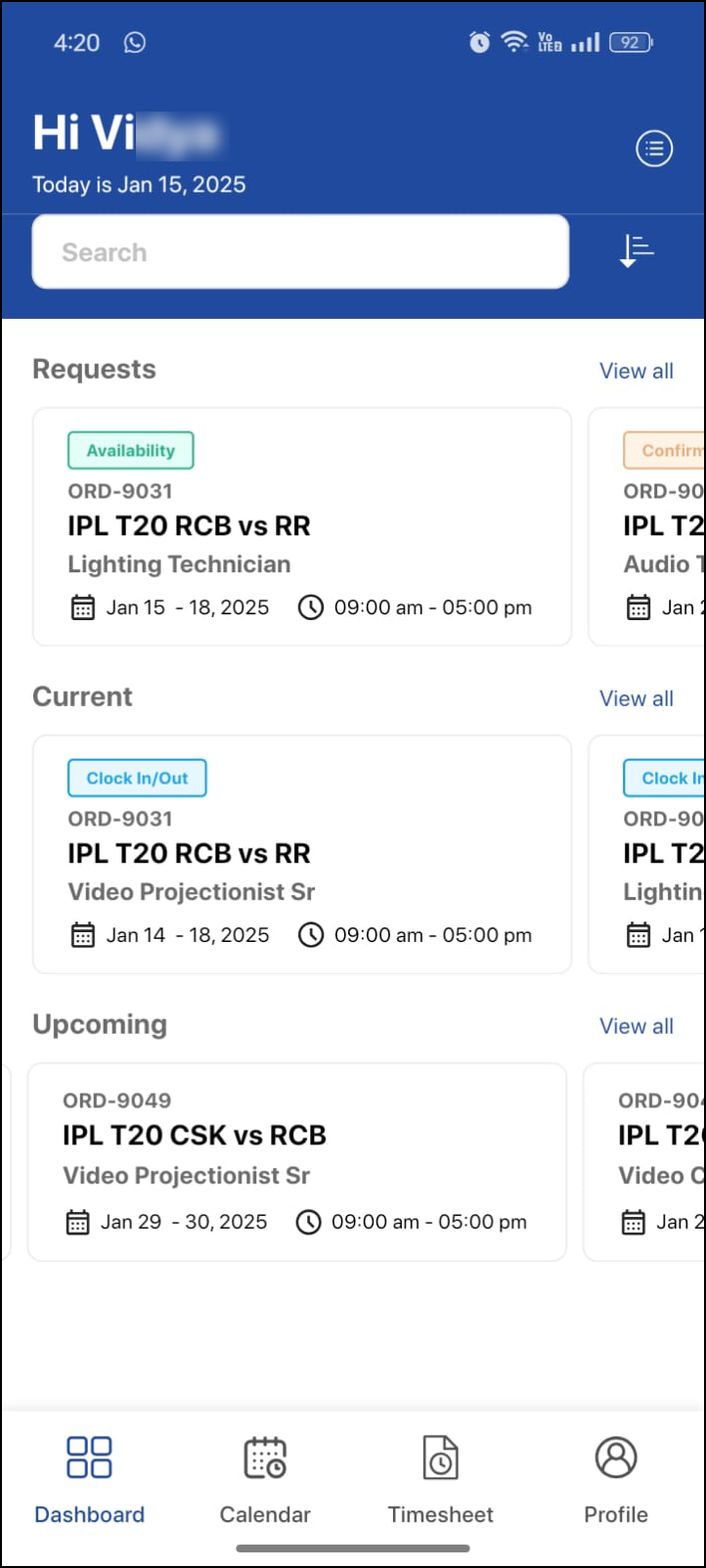
Upon successful login, you will be directed to the Dashboard.