
Steps to login into R2 Reports:
-
Login into R2 (RDP/R2web) with your credentials
-
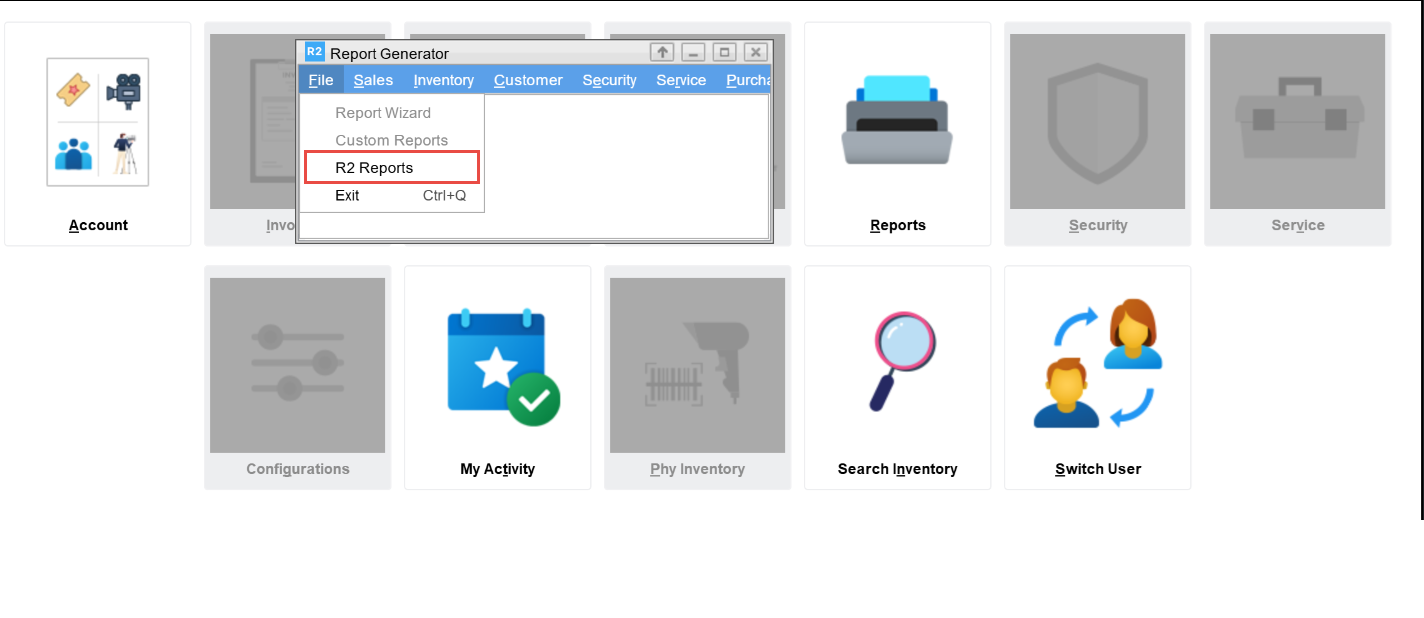
Open R2 Launch Pad > Reports module.
-
Click File > R2 Reports. This will open the R2 Reports Home page in the browser, displaying options based on your assigned role.
-
When using R2 on Web: R2 Reports will open in a new tab within the same browser where R2 Web is currently accessed.
-
When running R2 via RD Web: R2 Reports will open in a new browser tab using the default browser set on the R2 application server.
-
R2 on Web is supported on Google Chrome, Mozilla Firefox, Microsoft Edge.
-