
Reference No: R2-15414
Version No: 06.01.07-00
We have enabled a feature - whenever the Summary Credit/Debit Invoices are added back to the AR Invoice Batch from Batch History, the Batch Amount will get updated automatically.
Pre-requisites
-
Make sure Support For Summary CR/DB checkbox is selected in Configuration module > Pricing/Billing tab.
-
Create an Order in R2 by adding few Items with their price at each line.
-
Complete the Fill and Ship process for the order.
-
Generate the Invoice.
-
Create a Summary Invoice and add the above generated invoices.
Sample Workflow
-
Create an AR Invoice batch and add the created Summary Invoice and post it.
-
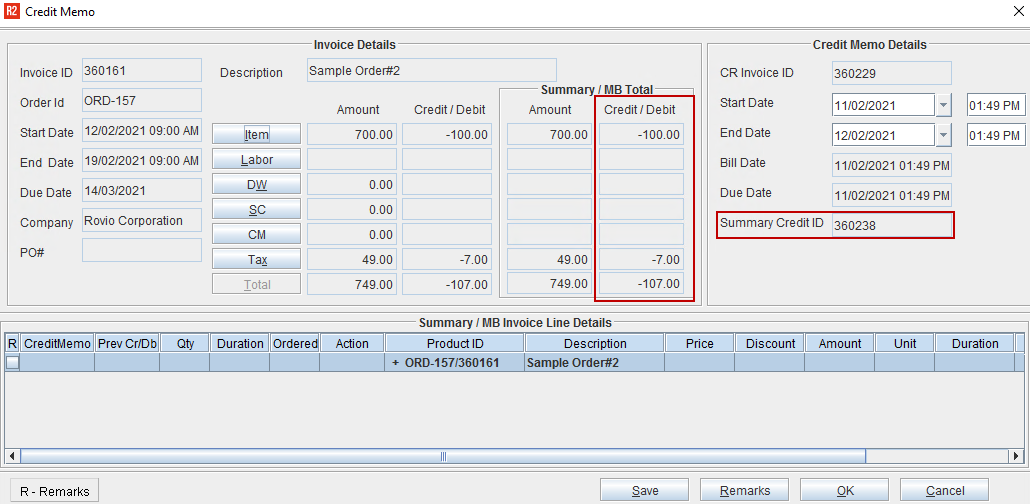
Open the posted batch and create Credit Memo (Summary Credit is created automatically and the generated Credit Memo gets added inside it).
-
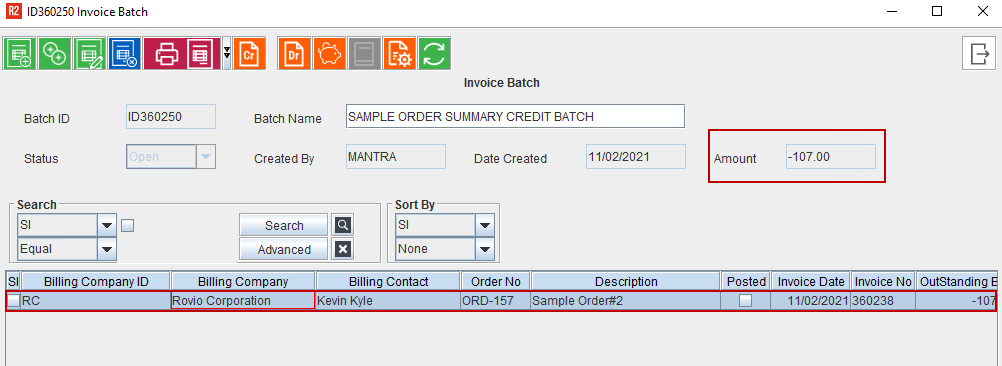
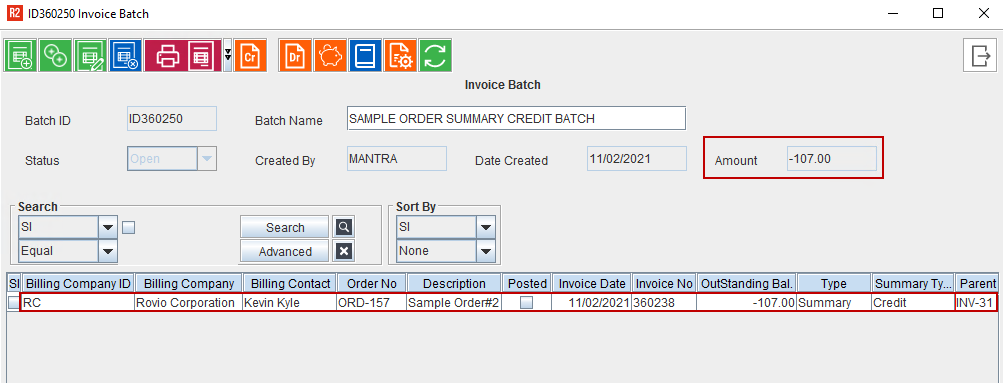
Create an AR Invoice Batch, add the created Summary Credit to the batch. As shown below, the Total Credit Amount displays in the Amount field. Then, Close the window
-
Re-open the AR Batch, delete the Summary Credit with mandatory remarks when asked and then close.
-
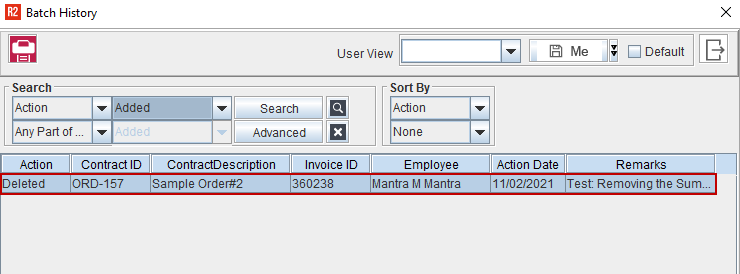
Re-open the AR Batch, click Batch History icon and the deleted Invoice list displays. Double click the deleted line.
-
Select the Invoice and then click OK.
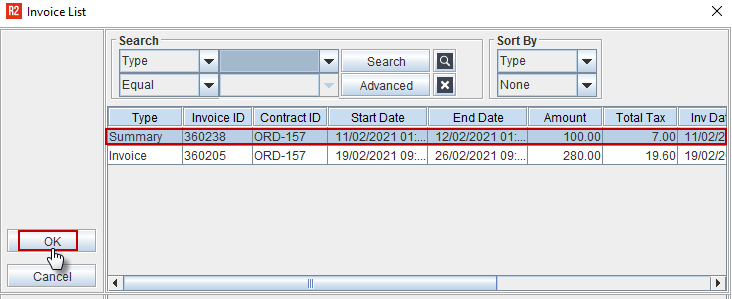
The Invoice gets ‘re-added’ to the batch and Batch Amount will be updated correctly as it was displaying before deletion of the Invoice from the batch. As shown in the Figure 2.0
Similarly, the Invoice Batch Amount gets updated correctly for the Summary Debit as well.