
Reference No: AHI-6
Version No: 06.01.02-00
This functionality works in the following sequence.
-
Below changes are made to Summary Invoice Support to Create a Summary Credit or Summary Debit automatically when a Summary Invoice is credited or debited.
-
Based on Type of Summary Invoice (Invoice, Credit or Debit) the appropriate IDS will be assigned on posting.
-
Support to identify and set sub type for a Summary Invoice as: Invoice / Credit / Debit.
Feature Design:
-
In the 'Configuration Module', the flag 'Allow to add CR/DB Memo to Summary Invoice' has been removed. Instead a drop-down list named Summary Type is added in Summary Invoice Screen. This will have following values - Invoice, Credit, Debit. [See Section: Support for Summary CR/DB]
In the same screen, Summary Credit/Debit Memo is searchable using the 'Summary Credit/Debit ID' in the 'Invoice ID' field.
Feature Functionality:
-
Summary Credit/Debit ID Field has been added in the Credit/Debit Memo Screens respectively.
-
When Summary Invoice Screen loads, the Default 'Summary Type', will be Invoice. This later-on can be changed, or changes automatically based on Credit/Debit Invoices being generated/displayed.
-
Invoice/Credit/Debit type have been supported in SAP-F2 export. [See Section: Integration With SAP-F2]
Workflow:
-
Open a posted Summary Invoice batch having few Invoices
-
Raise a Summary Credit and Summary Debit memo for the Summary Invoice
-
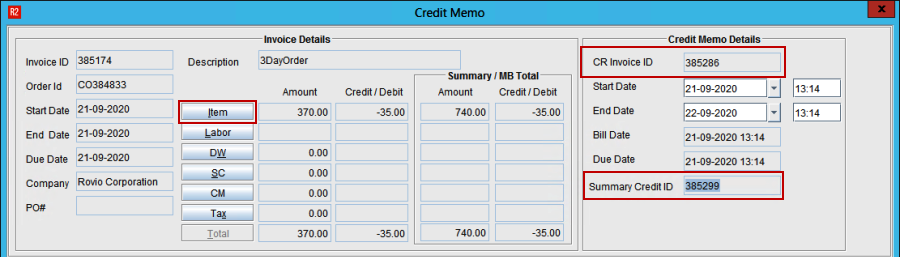
This will create a Summary Credit [See Figure 1.0]
-
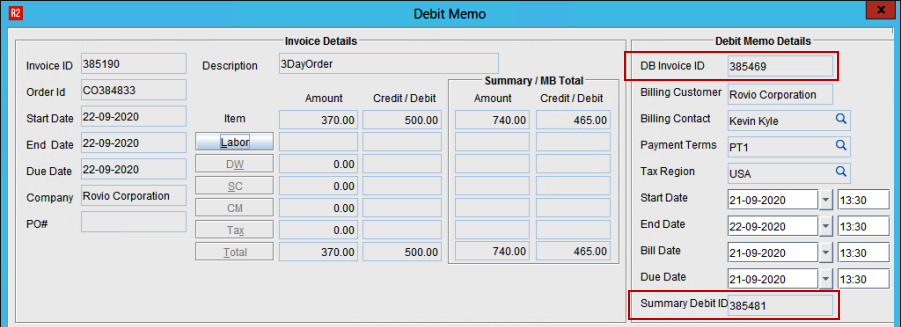
Summary Debit [See Figure 2.0]
-
Post the Summary Credit Memo and Summary Debit Memos using the Summary Credit and Debit IDs
-
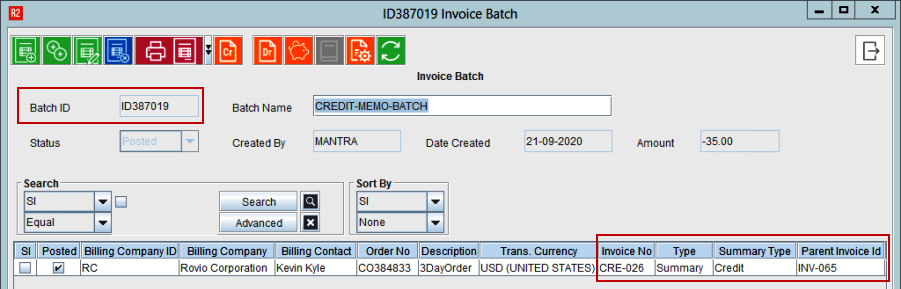
Upon Posting, Summary Credit Memo [See Figure 3.0]
-
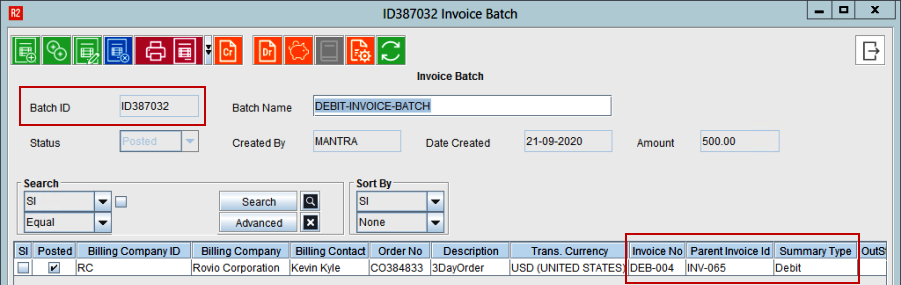
Summary Debit Memo [See Figure 4.0] will consume the ID from the respective IDS set for these types
Upon creating Summary Invoice batch, if Summary Credit or Summary Debit has to be generated manually, appropriate Invoice Type must be selected manually.
Support for Summary CR/DB
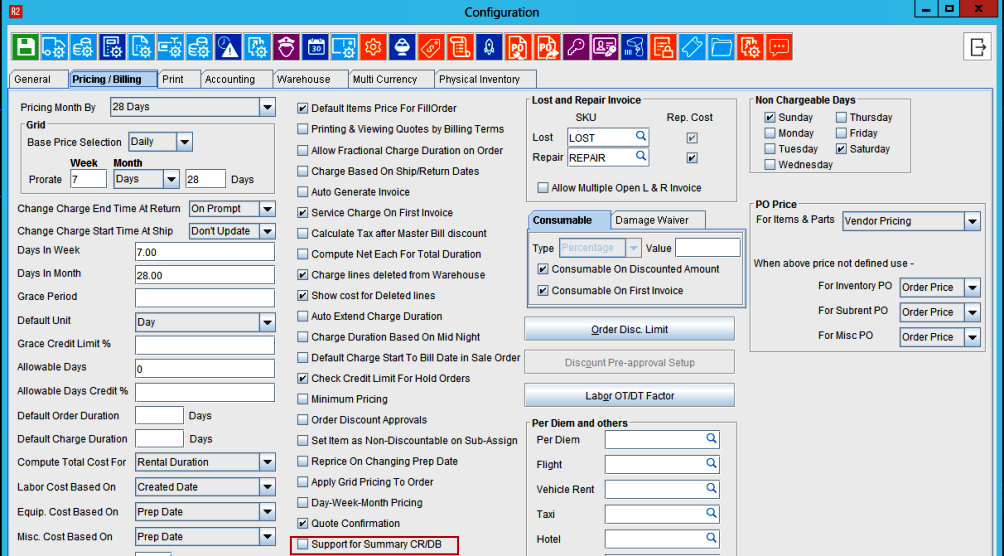
‘Support for Summary CR/DB’ field is added in the Configuration module under Pricing/Editing tab.
-
This flag will be false by default
-
‘Support for Summary CR/DB’ flag must be enabled
-
Select the ‘Support for Summary CR/DB’ field
-
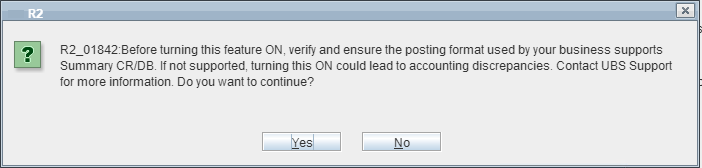
A pop-up displays as shown below with “Yes” and No” options
-
If ‘Support for Summary CR/DB’ flag is disabled, Type field in the summary Invoice will be disabled.
Hence, user will not be able to create Summary Credit/Summary Debit memo manually.
Integration With SAP-F2
For this enhancement, a new field has been added in the interface file to cover the business requirements of compatibility with SAP-F2.
This field will be part of the SAP table to determine the GL Account.
The new value to be included in the SAP Invoice Interface is to contain a total of 5 segments.
-
Each segment is a total of 2 alpha-numeric characters.
-
All segments are concatenated together upon export from R2.
Segment 1: ”Special Product” segment.
-
If the “Commission Group” from the item edit screen is populated, the first two characters from the COMMISSION GROUP ID (starting from left side), are used upon concatenation and export.
-
If the COMMISSION GROUP field is not populated, the default value is taken from the COMMISSION GROUP value on the order header.
-
If the COMMISSION GROUP field is blank, it defaults to “00”
Segment 2: "Line Level" status segment.
-
ARRI Owned Equipment = “00”
-
Sub-Rents = “01”
-
Consignment = “02”
Segment 3: "Invoice Type" segment
-
Invoice / Summary Invoice / Credit / Debit = "00"
-
LR Invoice = "02"
-
Sale Invoice = "01"
Segment 4: "Invoice Type" segment
-
If the Sub-Category of the Order Header is blank/null, then segment 4 = “00”.
-
Else, the system takes the first two alpha-numeric characters (Left-to-right) from the Sub-Category ID upon concatenation and export for the fourth segment of the new value.
Segment 5: "Reserved For Future" segment
-
The fifth segment is for future use (undefined as of today), and is always Hardcoded with a value of “00”.