
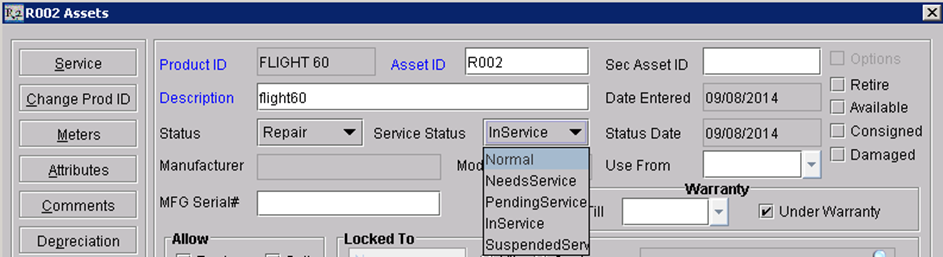
-
Normal –
-
Is the standard status for an Asset and remains in this status untill Preventive or Corrective maintenance is required.
-
-
Needs Service –
-
An Asset enters this Service Status when it is marked as damaged during the return task of an order.
-
If an Asset has been assigned a maintenance group from the Edit Item screen and has reached its preventive schedule limit clicking the Generate Needs Service icon from the Service screen will mark the Service Status as “Needs Service”.
-
-
Pending Service –
-
An Asset enters this Service Status if a new service ticket has been created without assigning an employee.
-
-
In Service –
-
An asset enters this service status when a service ticket has been generated for which an employee has been assigned.
-
-
Supended Service –
-
An Asset enters this Service Status only is the assets service ticket is manually supended by clicking on the Suspend Service Ticket icon from the Service screen.
-