The View/Edit Order Option on the Right-click menu are provided in Warehouse Assign window. Thus allowing you to open respective order of the Item in read/write mode. This way, you can use Order window to locate the Kit using Parent Kit ID and view the complete kit. This feature assists you to take appropriate decisions by considering the entire kit as a whole, thus resolving the kit shortages problem.
If required, the security feature of R2 can applied to restrict Opening Order from Warehouse Assign window only for limited type of users.
-
Go to Warehouse > Warehouse Assign Window > Search any Order, that has Non-serial kit added.
Figure 1.0: Warehouse Assign Window

-
Select one of the Order Lines and either click the Assign button or View/Edit Order Option on the Right-click menu.
-
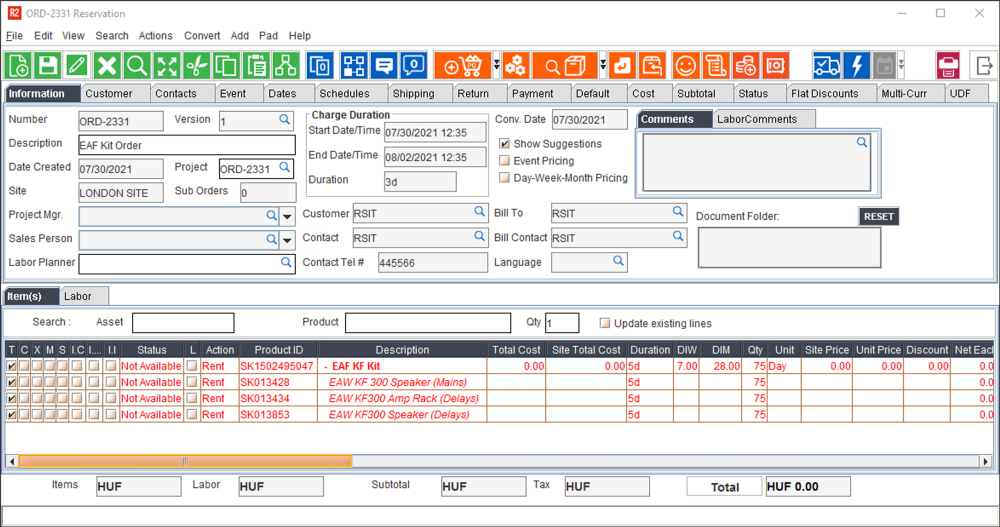
The Order Reservation Window will open.
Figure 2.0: Order Reservation Window