
You can Receive (serial/non serial items) that are related to the transfer order.
-
Receive operation has a “batch” operation where you can receive multiple Assets together.
-
There are two options to add an item to the receive list
-
Scan a barcode using barcode scanner
-
Scan a RFID tag using hand-held RFID scanner
-
-
Prompts the below exceptions if there is any wrong entry.
-
You receive Serial/non serial Items and Serial Kits/non serial on a Transfer Order with success message.
-
App shows error when Asset scanned is not shipped
-
App shows error when Asset is Invalid.
-
App show error if asset is planned to be received on a different site than the current site.
-
Workflow
-
Go to Prep/Fill operation, click on any order line.
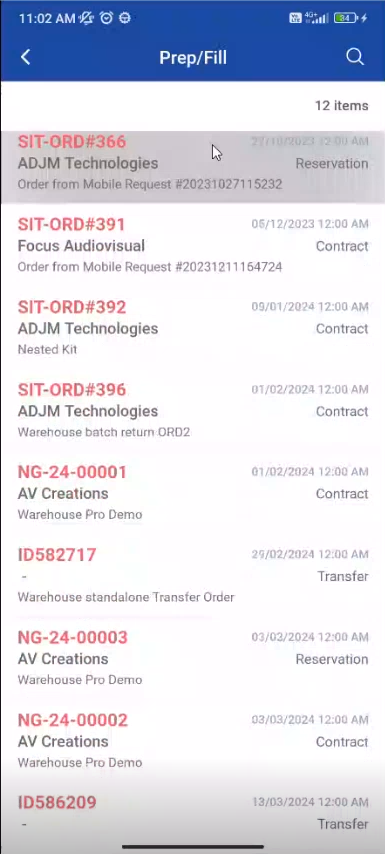
-
Select Order type as Transfers
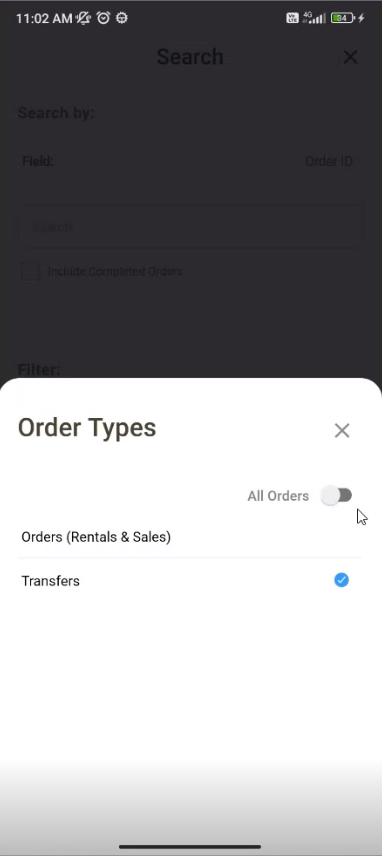
The order list for ‘Transfers’ is displayed
-
Select any Transfer order, the Order details is listed as shown below
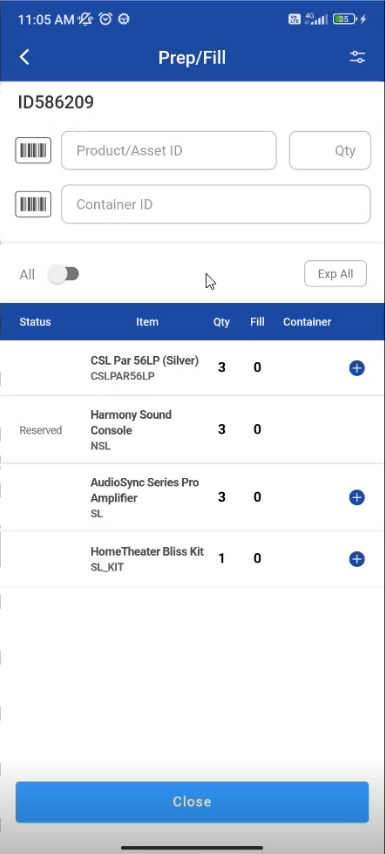
4.To check filed status in the list click on All toggle button to se filed line.
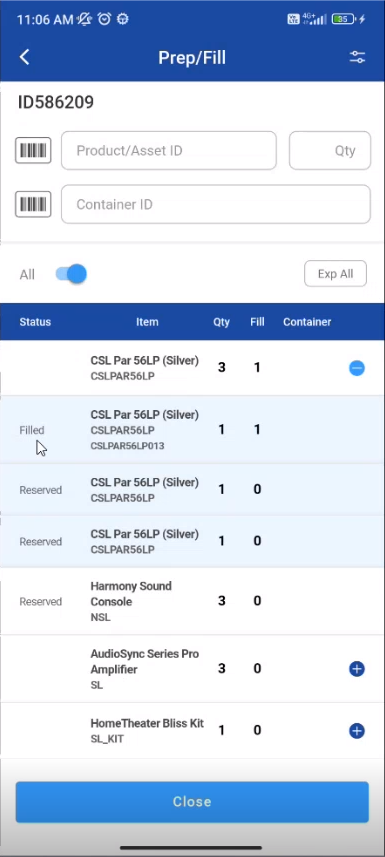
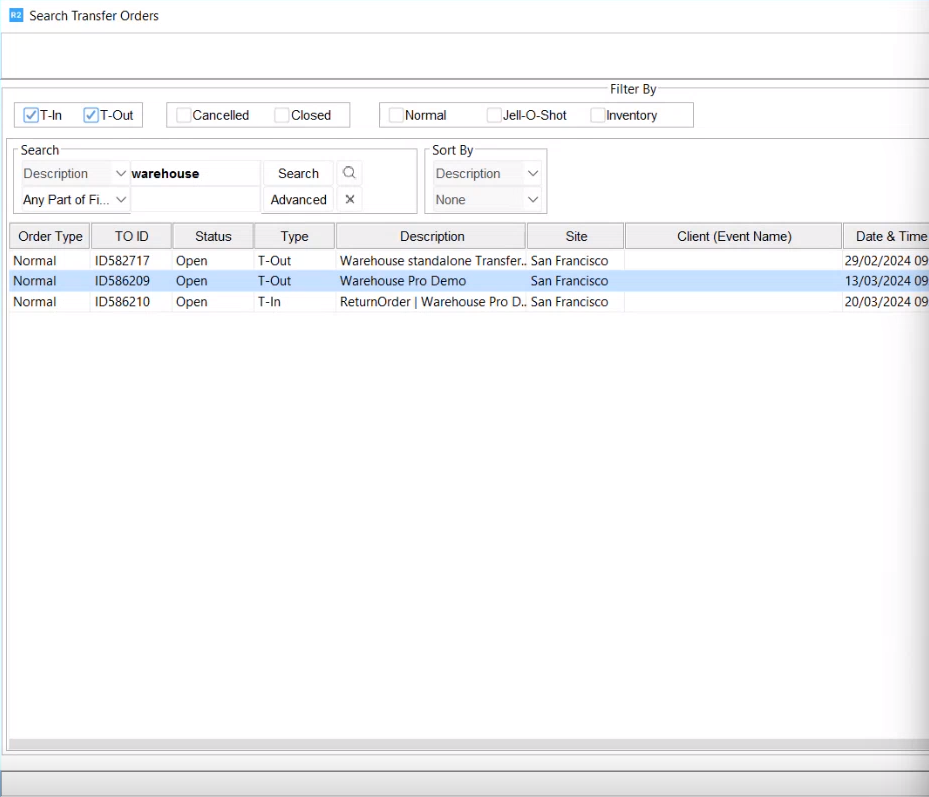
Example: Consider an example there is a return order from “San Francisco” site
-
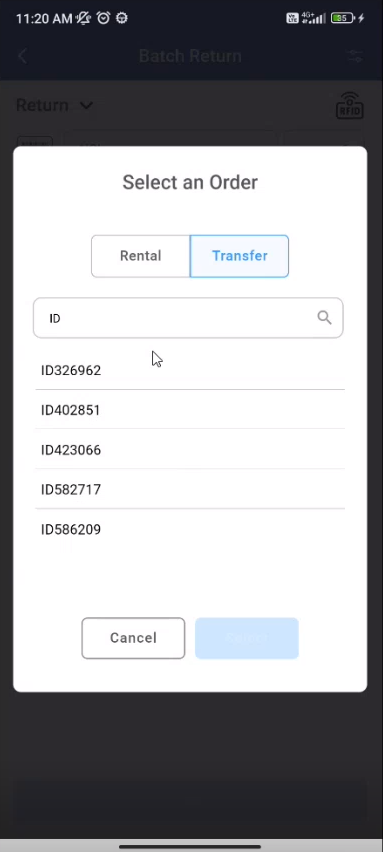
Go to PackNShip app, you can search for 'Transfer Order” as shown below
-
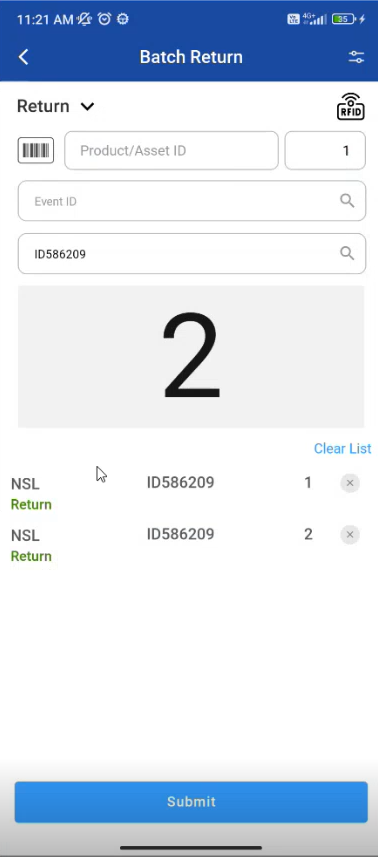
At site “San Francisco” the Return order for serial/ non serial items and given quantity is as shown below.
-
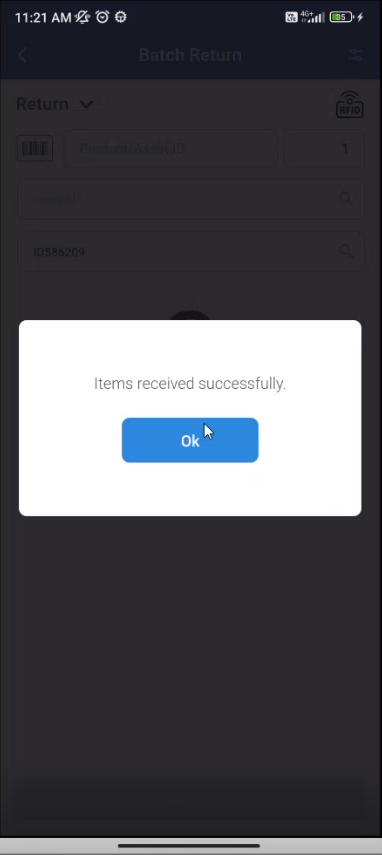
You can delete the items from the list, then the “Item is Received Successfully” .
-
At “Receiving site” the quantity changes.
The Transfer order in showing in Current site is T-out(Transfer Out)